Hill Climb Racing 3
Hill Climb Racing 3

Hill Climb Racing 3

Racing

| Fingersoft

Play on PC with BlueStacks or from our cloud

  • Overview
  • Game Features
  • How to Play

Page Modified On: November 02, 2026

Play Hill Climb Racing 3 on PC or Mac

Bring your A-game to Hill Climb Racing 3, the Racing game sensation from Fingersoft. Give your gameplay the much-needed boost with precise game controls, high FPS graphics, and top-tier features on your PC or Mac with BlueStacks.

About the Game

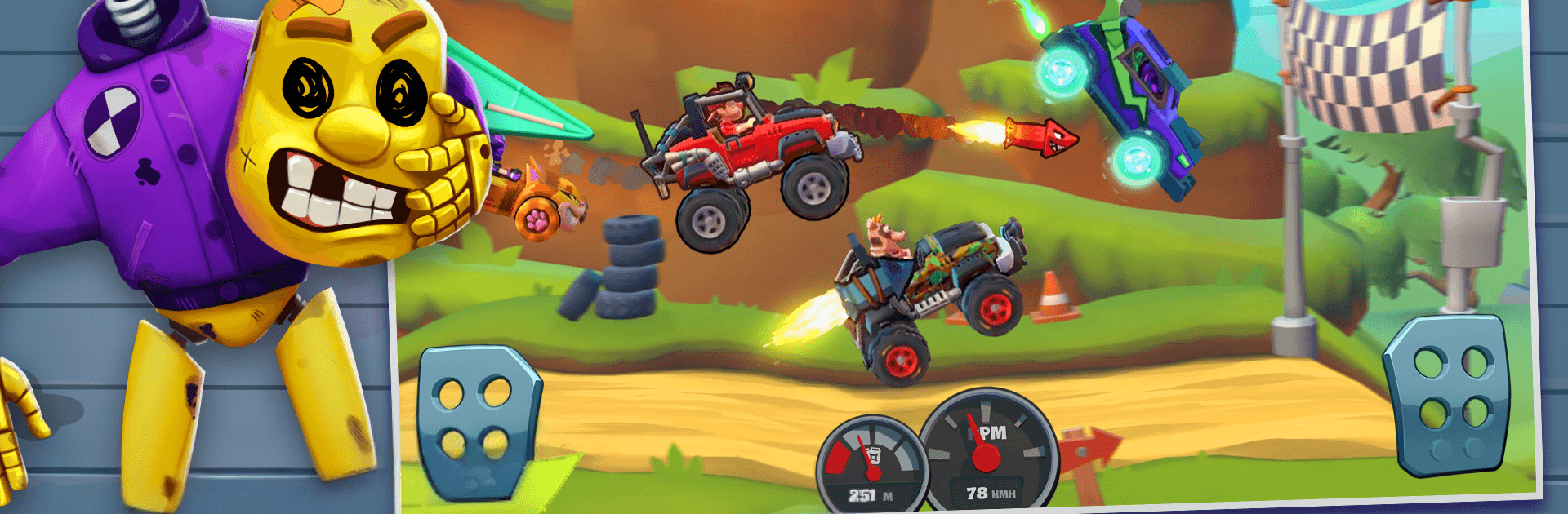
Gravity gets a starring role in Hill Climb Racing 3, a physics-first Racing game where scrappy rides and quirky drivers tackle outrageous hills. It’s currently in open beta and already packed with modes, stunts, and live competition—every run feels a little unpredictable in the best way. Play on your usual setup or kick back on PC with BlueStacks when you want a bigger view and steady inputs.

Game Features

  • Real-time head-to-head: Challenge players from around the world in live matches, read the terrain, and thread perfect landings to pull ahead.
  • Adventure mode returns: Push for max distance across rolling tracks, grab fuel cans, and keep your momentum alive as the ground gets trickier.
  • Elimination heats: Reach each checkpoint before the pack or get knocked out—survive the countdown and be the last driver standing.
  • Gadgets that matter: Equip offensive, defensive, navigation, and boost tools; block a bump, rocket up a climb, or tag a smarter line at just the right moment.
  • Custom looks and performance: Dress your ride with skins and upgrade handling, power, and stability to match how you like to drive.
  • Drivers with personality: Unlock the Climb Canyon crew—Bill Newton and friends—each with traits that shake up airtime, flips, or gadget perks; maybe you’ll favor Nikita’s flair or Rick Ace’s sneaky boost tricks.
  • Physics that rewards skill: Finesse throttle and tilt to bounce, glide, and string stunts without wrecking; big air is great, but clean landings keep the run alive.
  • Evolving content: It’s an active build, so modes, balance, and gear can shift as new ideas roll in.

Get ready for a buttery smooth, high-performance gaming action only on BlueStacks.

Game Features

Enhancements

  • Macros
  • Multi Instance
  • Multi Instance Sync
  • Script
  • Enhancements
Macros

Macros

Automate the predictable in Hill Climb Racing 3 and transform your gameplay with Macros. Get access to inventive Macros in the BlueStacks Macro Community
Multi Instance

Multi Instance

Play Hill Climb Racing 3 on one window. And chat with your friend on the other. Press CTRL + Shift + 8 to open the Multi-Instance Manager. And start creating fresh instances or clone an existing one.
Multi Instance Sync

Multi Instance Sync

Play Hill Climb Racing 3 with the power of Multi-Instance Sync. Replicate what you are doing on the main instance on all other instances. Level up faster, play more.
Script

Script

Script your way to gaming glory in Hill Climb Racing 3 with BlueStacks Script. Write and run a set of commands to automate repeated tasks. Trigger the command by assigning it to any key.
Read More

How to Download and Play Hill Climb Racing 3 on PC or Mac

  • Download and install BlueStacks on your PC or Mac

  • Complete Google sign-in to access the Play Store, or do it later

  • Look for Hill Climb Racing 3 in the search bar at the top right corner

  • Click to install Hill Climb Racing 3 from the search results

  • Complete Google sign-in (if you skipped step 2) to install Hill Climb Racing 3

  • Click the Hill Climb Racing 3 icon on the home screen to start playing

video
Watch Video

Minimum System Requirements

With BlueStacks 5, you can get started on a PC that fulfills the following requirements.

  • Operating System

    Microsoft Windows 7 or above, macOS 11 (Big Sur) or above

  • Processor

    Intel, AMD or Apple Silicon Processor

  • RAM

    at least 4GB

  • HDD

    10GB Free Disk Space

Note:

* You must be an Administrator on your PC. Up to date graphics drivers from Microsoft or the chipset vendor.

Hill Climb Racing 3 - FAQs

  • How to play Hill Climb Racing 3 on Windows PC & Mac?

    Play Hill Climb Racing 3 on your PC or Mac by following these simple steps.

    • Click on 'Play Hill Climb Racing 3 on PC’ to download BlueStacks
    • Install it and log-in to Google Play Store
    • Launch and play the game.
  • Why is BlueStacks the fastest and safest platform to play games on PC?

    BlueStacks respects your privacy and is always safe and secure to use. It does not carry any malware, spyware, or any sort of additional software that could harm your PC.

    It is engineered to optimize speed and performance for a seamless gaming experience.

  • What are Hill Climb Racing 3 PC requirements?

    Minimum requirement to run Hill Climb Racing 3 on your PC

    • OS: Microsoft Windows 7 or above MacOS 11 (Big Sur) or above
    • Processor: Intel, AMD or Apple Silicon Processor
    • RAM: Your PC must have at least 4GB of RAM. (Note that having 4GB or more disk space is not a substitute for RAM)
    • HDD: 10GB Free Disk Space.
    • You must be an Administrator on your PC.