Lostline: Drift
Lostline: Drift

Lostline: Drift

Racing

| Maxwell Freire

Play on PC with BlueStacks or from our cloud

  • Overview
  • Game Features
  • How to Play

Page Modified On: October 30, 2026

Play Lostline: Drift on PC or Mac

Step into the World of Lostline: Drift, a thrilling Racing game from the house of Maxwell Freire. Play this Android game on BlueStacks App Player and experience immersive gaming on PC or Mac.

About the Game

Lostline: Drift is a Racing game that flips drifting on its head and drops it into surreal, dreamlike spaces. One minute you’re threading a line through endless halls that feel ripped from a liminal dream; the next, you’re carving switchbacks on a mountain pass. Prefer a desk setup? It also plays nicely on PC with BlueStacks.

Game Features

  • Surreal maps: Slide through spaces inspired by liminal vibes and Dreamcore moods, where the environment itself feels uncanny in all the right ways.
  • Backrooms made for drifting: Navigate custom-built, maze-like rooms and eerie corridors designed to challenge your lines, angles, and throttle control.
  • Daytime mountains: Take on winding roads under bright skies, practice smooth transitions, and enjoy the scenery while you fine-tune your technique.
  • Nighttime mountains: Return after dark and feel the same routes transform with shadows, headlight glow, and a totally different rhythm.
  • Multiplayer races: Compete against other players on available tracks and push for cleaner entries, longer slides, and bigger scores.
  • Free-roam together: Hop into relaxed multiplayer free-roam to cruise, link drifts, and mess around without countdowns or pressure.
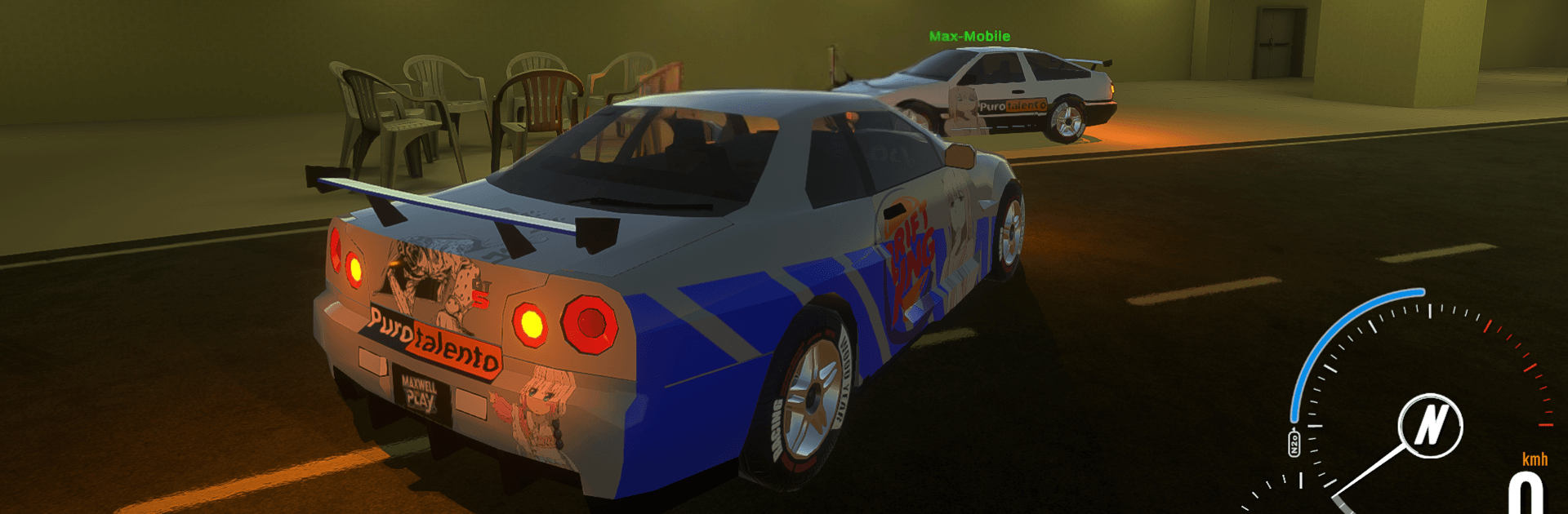
  • Paint and personalize: Mix custom paint jobs and color combos to give your ride a look that actually feels like yours.
  • Evolving indie project: Expect frequent tweaks and fresh content as the project grows, including new systems and more places to explore.
  • Early-build transparency: It’s a work in progress—some bugs or performance hiccups can happen, and cars, maps, and handling may be refined over time.
  • New surreal locales ahead: Planned additions may include Poolrooms-inspired areas and other strange environments that bend your sense of space.

Start playing Lostline: Drift on BlueStacks and get a smoother, more comfortable PC or Mac setup.


Game Features

Enhancements

  • Macros
  • Multi Instance
  • Multi Instance Sync
  • Script
  • Enhancements
Macros

Macros

Automate the predictable in Lostline: Drift and transform your gameplay with Macros. Get access to inventive Macros in the BlueStacks Macro Community
Multi Instance

Multi Instance

Play Lostline: Drift on one window. And chat with your friend on the other. Press CTRL + Shift + 8 to open the Multi-Instance Manager. And start creating fresh instances or clone an existing one.
Multi Instance Sync

Multi Instance Sync

Play Lostline: Drift with the power of Multi-Instance Sync. Replicate what you are doing on the main instance on all other instances. Level up faster, play more.
Script

Script

Script your way to gaming glory in Lostline: Drift with BlueStacks Script. Write and run a set of commands to automate repeated tasks. Trigger the command by assigning it to any key.
Read More

How to Download and Play Lostline: Drift on PC or Mac

  • Download and install BlueStacks on your PC or Mac

  • Complete Google sign-in to access the Play Store, or do it later

  • Look for Lostline: Drift in the search bar at the top right corner

  • Click to install Lostline: Drift from the search results

  • Complete Google sign-in (if you skipped step 2) to install Lostline: Drift

  • Click the Lostline: Drift icon on the home screen to start playing

video
Watch Video

Minimum System Requirements

With BlueStacks 5, you can get started on a PC that fulfills the following requirements.

  • Operating System

    Microsoft Windows 7 or above, macOS 11 (Big Sur) or above

  • Processor

    Intel, AMD or Apple Silicon Processor

  • RAM

    at least 4GB

  • HDD

    10GB Free Disk Space

Note:

* You must be an Administrator on your PC. Up to date graphics drivers from Microsoft or the chipset vendor.

Lostline: Drift - FAQs

  • How to play Lostline: Drift on Windows PC & Mac?

    Play Lostline: Drift on your PC or Mac by following these simple steps.

    • Click on 'Play Lostline: Drift on PC’ to download BlueStacks
    • Install it and log-in to Google Play Store
    • Launch and play the game.
  • Why is BlueStacks the fastest and safest platform to play games on PC?

    BlueStacks respects your privacy and is always safe and secure to use. It does not carry any malware, spyware, or any sort of additional software that could harm your PC.

    It is engineered to optimize speed and performance for a seamless gaming experience.

  • What are Lostline: Drift PC requirements?

    Minimum requirement to run Lostline: Drift on your PC

    • OS: Microsoft Windows 7 or above MacOS 11 (Big Sur) or above
    • Processor: Intel, AMD or Apple Silicon Processor
    • RAM: Your PC must have at least 4GB of RAM. (Note that having 4GB or more disk space is not a substitute for RAM)
    • HDD: 10GB Free Disk Space.
    • You must be an Administrator on your PC.