Monster Truck XT Airport Derby

Monster Truck XT Airport Derby

Racing

| Play With Games

Play on PC with BlueStacks or from our cloud

  • Overview
  • Game Features
  • How to Play

Page Modified On: October 23, 2026

Play Monster Truck XT Airport Derby on PC or Mac

Monster Truck XT Airport Derby by Play With Games has plenty to keep you busy. BlueStacks lets you play it on PC or Mac with more screen space, better control, and fewer mobile limits.

About the Game

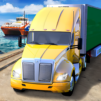
Monster Truck XT Airport Derby is a wild, stunt-first take on the Racing genre set inside a retired airport turned metal-crunching playground. You’ll wrangle absurdly big trucks through tight obstacle courses, chase time records, and freestyle around runways packed with ramps and hazards. Prefer a bigger view and precise inputs? It plays comfortably on BlueStacks, too.

Game Features

  • Stunt Airport Playground: Tackle courses laid out across runways and hangars, with ramps, barriers, and plenty of room to get ridiculous.
  • Big, Wild Rides: Switch between oversized beasts—from sports-car conversions to a chunky pickup and even a bus—each with its own feel.
  • 70 Skill Trials: Work through dozens of hand-crafted challenges that push timing, accuracy, and nerves in equal measure.
  • Free Roam Mode: Explore the airport at your own pace, scout lines, and practice trick combos without a timer breathing down your neck.
  • Smash and Soar: Launch off long ramps, roll over parked cars and tree logs, and string together stunts to prove you’ve got control.
  • Beat the Clock: Chase better times and clean runs as you learn each truck’s quirks and the smartest paths through obstacles.
  • Rewind Assist: Botch a landing or clip a barrier? Zip back a few seconds and fix it without restarting the whole run.
  • Masterful Handling: Feel the weight, bounce, and power of giant tires under you—go bold, but stay sharp or the arena will bite back.

BlueStacks gives you more room to focus on the game and less time adjusting around mobile limitations.


Game Features

Enhancements

  • Macros
  • Multi Instance
  • Multi Instance Sync
  • Script
  • Enhancements
Macros

Macros

Automate the predictable in Monster Truck XT Airport Derby and transform your gameplay with Macros. Get access to inventive Macros in the BlueStacks Macro Community
Multi Instance

Multi Instance

Play Monster Truck XT Airport Derby on one window. And chat with your friend on the other. Press CTRL + Shift + 8 to open the Multi-Instance Manager. And start creating fresh instances or clone an existing one.
Multi Instance Sync

Multi Instance Sync

Play Monster Truck XT Airport Derby with the power of Multi-Instance Sync. Replicate what you are doing on the main instance on all other instances. Level up faster, play more.
Script

Script

Script your way to gaming glory in Monster Truck XT Airport Derby with BlueStacks Script. Write and run a set of commands to automate repeated tasks. Trigger the command by assigning it to any key.
Read More

How to Download and Play Monster Truck XT Airport Derby on PC or Mac

  • Download and install BlueStacks on your PC or Mac

  • Complete Google sign-in to access the Play Store, or do it later

  • Look for Monster Truck XT Airport Derby in the search bar at the top right corner

  • Click to install Monster Truck XT Airport Derby from the search results

  • Complete Google sign-in (if you skipped step 2) to install Monster Truck XT Airport Derby

  • Click the Monster Truck XT Airport Derby icon on the home screen to start playing

video
Watch Video

Minimum System Requirements

With BlueStacks 5, you can get started on a PC that fulfills the following requirements.

  • Operating System

    Microsoft Windows 7 or above, macOS 11 (Big Sur) or above

  • Processor

    Intel, AMD or Apple Silicon Processor

  • RAM

    at least 4GB

  • HDD

    10GB Free Disk Space

Note:

* You must be an Administrator on your PC. Up to date graphics drivers from Microsoft or the chipset vendor.

Monster Truck XT Airport Derby - FAQs

  • How to play Monster Truck XT Airport Derby on Windows PC & Mac?

    Play Monster Truck XT Airport Derby on your PC or Mac by following these simple steps.

    • Click on 'Play Monster Truck XT Airport Derby on PC’ to download BlueStacks
    • Install it and log-in to Google Play Store
    • Launch and play the game.
  • Why is BlueStacks the fastest and safest platform to play games on PC?

    BlueStacks respects your privacy and is always safe and secure to use. It does not carry any malware, spyware, or any sort of additional software that could harm your PC.

    It is engineered to optimize speed and performance for a seamless gaming experience.

  • What are Monster Truck XT Airport Derby PC requirements?

    Minimum requirement to run Monster Truck XT Airport Derby on your PC

    • OS: Microsoft Windows 7 or above MacOS 11 (Big Sur) or above
    • Processor: Intel, AMD or Apple Silicon Processor
    • RAM: Your PC must have at least 4GB of RAM. (Note that having 4GB or more disk space is not a substitute for RAM)
    • HDD: 10GB Free Disk Space.
    • You must be an Administrator on your PC.