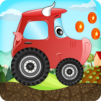
Racing games for kids - Dogs

Racing games for kids - Dogs

Racing

| Abuzz

Play on PC with BlueStacks or from our cloud

  • Overview
  • Game Features
  • How to Play

Page Modified On: January 02, 2026

Play Racing games for kids - Dogs on PC or Mac

Bring your A-game to Kids Car racing games – Dogs, the Racing game sensation from Abuzz. Give your gameplay the much-needed boost with precise game controls, high FPS graphics, and top-tier features on your PC or Mac with BlueStacks.

About the Game

Kids Car racing games – Dogs puts adorable pups in the driver’s seat for a playful take on the Racing genre. Made by Abuzz with little racers in mind, it keeps things simple, upbeat, and frustration-free. Kids tap to zoom through cozy rooms and sunny outdoor tracks, collect bones along the way, and roll into the puppy house for a cheerful surprise.

Game Features

  • Easy tap-to-drive controls: No fiddly buttons. Tap, hold, and go—perfect for tiny hands and first-time drivers.
  • Eight playful puppy rides: Pick a sports car, jeep, truck, or even a motorcycle. Each pup sets out to grab as many bones as possible before heading home for a balloon reward.
  • Kid-safe, no-fail racing: No crashes, no game-over screens. Kids always reach the finish line, building confidence while they play.
  • Tracks in fun places: Race around the house, garden, city, beach, and farm, plus a few more spots. Indoors or outdoors, there’s always something new to see.
  • Adjustable challenge: Choose from relaxed routes or add ramps and obstacles for a bit more excitement as skills grow.
  • Bouncy physics and happy sounds: Springy suspension, gentle engine noises, and lively animations keep every run playful and satisfying.
  • Builds early skills: Encourages motor control, focus, and quick reactions without piling on pressure.
  • Friendly for the whole family: Bright visuals, big buttons, and short races fit well into quick play sessions.
  • Optional bigger-screen play: Prefer a PC setup? It runs smoothly on BlueStacks if you want the same simple controls on a larger display.

Get ready for a buttery smooth, high-performance gaming action only on BlueStacks.

Game Features

Enhancements

  • Macros
  • Multi Instance
  • Multi Instance Sync
  • Script
  • Enhancements
Macros

Macros

Automate the predictable in Racing games for kids - Dogs and transform your gameplay with Macros. Get access to inventive Macros in the BlueStacks Macro Community
Multi Instance

Multi Instance

Play Racing games for kids - Dogs on one window. And chat with your friend on the other. Press CTRL + Shift + 8 to open the Multi-Instance Manager. And start creating fresh instances or clone an existing one.
Multi Instance Sync

Multi Instance Sync

Play Racing games for kids - Dogs with the power of Multi-Instance Sync. Replicate what you are doing on the main instance on all other instances. Level up faster, play more.
Script

Script

Script your way to gaming glory in Racing games for kids - Dogs with BlueStacks Script. Write and run a set of commands to automate repeated tasks. Trigger the command by assigning it to any key.
Read More

How to Download and Play Racing games for kids - Dogs on PC or Mac

  • Download and install BlueStacks on your PC or Mac

  • Complete Google sign-in to access the Play Store, or do it later

  • Look for Racing games for kids - Dogs in the search bar at the top right corner

  • Click to install Racing games for kids - Dogs from the search results

  • Complete Google sign-in (if you skipped step 2) to install Racing games for kids - Dogs

  • Click the Racing games for kids - Dogs icon on the home screen to start playing

video
Watch Video

Minimum System Requirements

With BlueStacks 5, you can get started on a PC that fulfills the following requirements.

  • Operating System

    Microsoft Windows 7 or above, macOS 11 (Big Sur) or above

  • Processor

    Intel, AMD or Apple Silicon Processor

  • RAM

    at least 4GB

  • HDD

    10GB Free Disk Space

Note:

* You must be an Administrator on your PC. Up to date graphics drivers from Microsoft or the chipset vendor.

Racing games for kids - Dogs - FAQs

  • How to play Racing games for kids - Dogs on Windows PC & Mac?

    Play Racing games for kids - Dogs on your PC or Mac by following these simple steps.

    • Click on 'Play Racing games for kids - Dogs on PC’ to download BlueStacks
    • Install it and log-in to Google Play Store
    • Launch and play the game.
  • Why is BlueStacks the fastest and safest platform to play games on PC?

    BlueStacks respects your privacy and is always safe and secure to use. It does not carry any malware, spyware, or any sort of additional software that could harm your PC.

    It is engineered to optimize speed and performance for a seamless gaming experience.

  • What are Racing games for kids - Dogs PC requirements?

    Minimum requirement to run Racing games for kids - Dogs on your PC

    • OS: Microsoft Windows 7 or above MacOS 11 (Big Sur) or above
    • Processor: Intel, AMD or Apple Silicon Processor
    • RAM: Your PC must have at least 4GB of RAM. (Note that having 4GB or more disk space is not a substitute for RAM)
    • HDD: 10GB Free Disk Space.
    • You must be an Administrator on your PC.