Real Car Driving Simulator 3D

Real Car Driving Simulator 3D

Racing

| Nuts Game Ventures

Play on PC with BlueStacks or from our cloud

  • Overview
  • Game Features
  • How to Play

Page Modified On: November 10, 2025

Play Real Car Driving Simulator 3D on PC or Mac

Explore a whole new adventure with Real Car Driving Simulator 3D, a Racing game created by Nuts Game Ventures. Experience great gameplay with BlueStacks, the most popular gaming platform to play Android games on your PC or Mac.

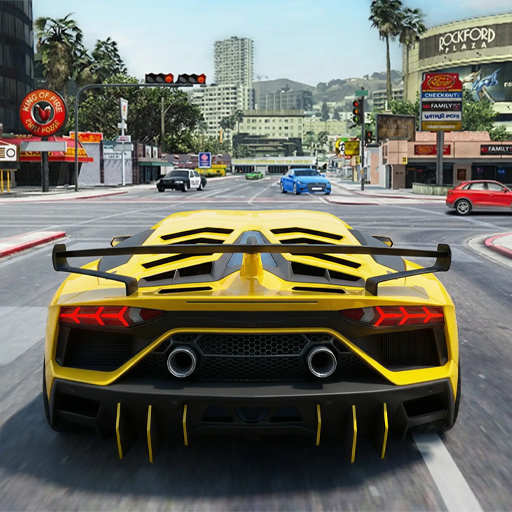
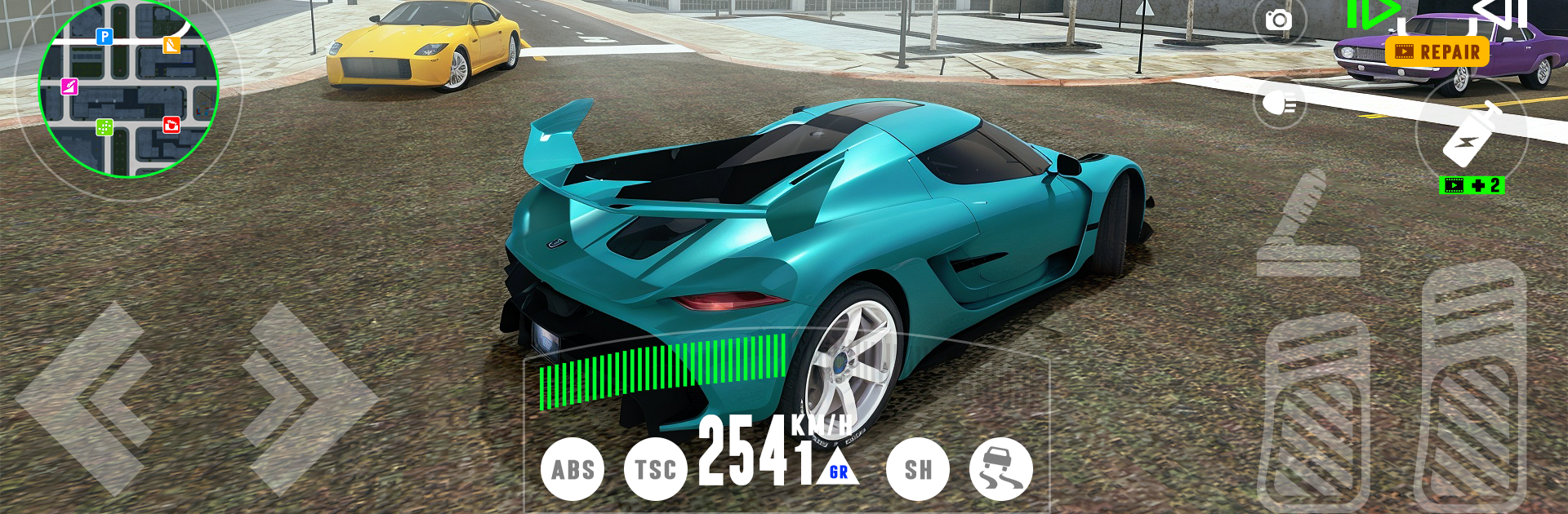
Real Car Driving Simulator 3D feels like a big toy box of cars dropped into a busy city. The map is wide with highways, long straights, tight corners, and little cut-throughs between blocks that are fun to discover. Cars have a nice weight to them, so turns bite and drifts slide without feeling floaty. It is not a hardcore sim, more of an easy to pick up driver where the player can decide to follow traffic rules or ignore them and just thread through cars at speed. There are different vehicles to unlock, from plain sedans to loud tuners and quick sports models, and each one steers and accelerates a bit differently. Traffic AI keeps things lively by stopping at lights and doing lane changes that demand some attention. The game sprinkles in simple challenges and races, but it also lets someone just cruise without pressure.

On PC through BlueStacks, the game plays smoother and steering with a keyboard or a controller feels more stable than tilt. Mapping keys for throttle, brake, handbrake, and camera makes drifting around corners way easier, and the bigger screen helps spot shortcuts and oncoming traffic sooner. Visuals are clean 3D with shiny car bodies and enough detail to read the road. Sound is punchy enough to sell speed without being noisy. It works well for short sessions, blasting a few sprints, trying to nail a drift angle, or wandering the city to see where that side street goes. There is no heavy grind or complicated menus getting in the way, just quick driving that lets the player do whatever style they enjoy.

Make your gaming sessions memorable with precise controls that give you an edge in close combats and visuals that pop up, bringing every character to life.


Game Features

Enhancements

  • Macros
  • Multi Instance
  • Multi Instance Sync
  • Script
  • Enhancements
Macros

Macros

Automate the predictable in Real Car Driving Simulator 3D and transform your gameplay with Macros. Get access to inventive Macros in the BlueStacks Macro Community
Multi Instance

Multi Instance

Play Real Car Driving Simulator 3D on one window. And chat with your friend on the other. Press CTRL + Shift + 8 to open the Multi-Instance Manager. And start creating fresh instances or clone an existing one.
Multi Instance Sync

Multi Instance Sync

Play Real Car Driving Simulator 3D with the power of Multi-Instance Sync. Replicate what you are doing on the main instance on all other instances. Level up faster, play more.
Script

Script

Script your way to gaming glory in Real Car Driving Simulator 3D with BlueStacks Script. Write and run a set of commands to automate repeated tasks. Trigger the command by assigning it to any key.
Read More

How to Download and Play Real Car Driving Simulator 3D on PC or Mac

  • Download and install BlueStacks on your PC or Mac

  • Complete Google sign-in to access the Play Store, or do it later

  • Look for Real Car Driving Simulator 3D in the search bar at the top right corner

  • Click to install Real Car Driving Simulator 3D from the search results

  • Complete Google sign-in (if you skipped step 2) to install Real Car Driving Simulator 3D

  • Click the Real Car Driving Simulator 3D icon on the home screen to start playing

video
Watch Video

Minimum System Requirements

With BlueStacks 5, you can get started on a PC that fulfills the following requirements.

  • Operating System

    Microsoft Windows 7 or above, macOS 11 (Big Sur) or above

  • Processor

    Intel, AMD or Apple Silicon Processor

  • RAM

    at least 4GB

  • HDD

    10GB Free Disk Space

Note:

* You must be an Administrator on your PC. Up to date graphics drivers from Microsoft or the chipset vendor.

Real Car Driving Simulator 3D - FAQs

  • How to play Real Car Driving Simulator 3D on Windows PC & Mac?

    Play Real Car Driving Simulator 3D on your PC or Mac by following these simple steps.

    • Click on 'Play Real Car Driving Simulator 3D on PC’ to download BlueStacks
    • Install it and log-in to Google Play Store
    • Launch and play the game.
  • Why is BlueStacks the fastest and safest platform to play games on PC?

    BlueStacks respects your privacy and is always safe and secure to use. It does not carry any malware, spyware, or any sort of additional software that could harm your PC.

    It is engineered to optimize speed and performance for a seamless gaming experience.

  • What are Real Car Driving Simulator 3D PC requirements?

    Minimum requirement to run Real Car Driving Simulator 3D on your PC

    • OS: Microsoft Windows 7 or above MacOS 11 (Big Sur) or above
    • Processor: Intel, AMD or Apple Silicon Processor
    • RAM: Your PC must have at least 4GB of RAM. (Note that having 4GB or more disk space is not a substitute for RAM)
    • HDD: 10GB Free Disk Space.
    • You must be an Administrator on your PC.