Zombie Smash : Road Kill

Zombie Smash : Road Kill

Racing

| Yes Games Studio

Play on PC with BlueStacks or from our cloud

  • Overview
  • Game Features
  • How to Play

Page Modified On: May 05, 2026

Play Zombie Smash : Road Kill on PC or Mac

Bring your A-game to Zombie Smash : Road Kill, the Racing game sensation from Yes Games Studio. Give your gameplay the much-needed boost with precise game controls, high FPS graphics, and top-tier features on your PC or Mac with BlueStacks.

About the Game

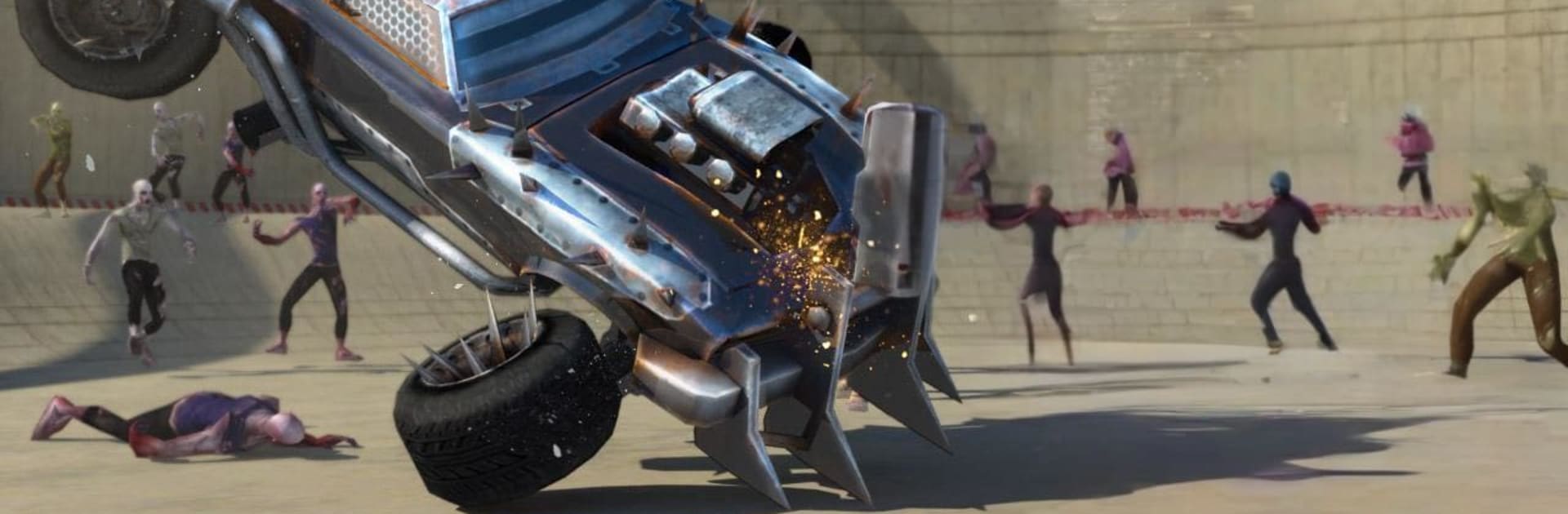
Zombie Smash : Road Kill drops you behind the wheel in a zombie-packed arena where your drift skills are the only thing keeping you alive. It’s a brutal, arcade-style take on the Racing genre—slide through corners, clip the tail of a horde, and keep moving before you’re boxed in. Survive as long as you can, upgrade your ride, and turn your car into a rolling fortress.

Prefer a bigger screen or different controls? You can play it on BlueStacks, too.

Game Features

  • Drift-to-Survive Driving: Tight slides aren’t just for style. Use your drifts to line up crowds, sweep through packs, and keep momentum so zombies can’t surround you.

  • Arena Mayhem: A closed battleground stuffed with shambling threats and narrow escape lines. Every second ramps up the pressure—how long can you keep the engine screaming?

  • Weapons and Armor Upgrades: Toughen your car with sturdier armor and bolt on more firepower. Each upgrade pushes your build toward pure speed, raw durability, or ruthless crowd control.

  • Satisfying Smash-and-Crush Combat: Feel the impact as you clip, ram, and grind through waves. It’s messy, loud, and weirdly cathartic.

  • Survival and Score Chasing: Last longer, stack bigger kill counts, and beat your personal best. Quick runs turn into “one more try” streaks faster than you’d think.

  • Pick-Up-and-Play Sessions: Jump in for a few minutes or settle in for a full gauntlet. Easy to learn, hard to walk away from.

Developed by Yes Games Studio.

Get ready for a buttery smooth, high-performance gaming action only on BlueStacks.

Game Features

Enhancements

  • Macros
  • Multi Instance
  • Multi Instance Sync
  • Script
  • Enhancements
Macros

Macros

Automate the predictable in Zombie Smash : Road Kill and transform your gameplay with Macros. Get access to inventive Macros in the BlueStacks Macro Community
Multi Instance

Multi Instance

Play Zombie Smash : Road Kill on one window. And chat with your friend on the other. Press CTRL + Shift + 8 to open the Multi-Instance Manager. And start creating fresh instances or clone an existing one.
Multi Instance Sync

Multi Instance Sync

Play Zombie Smash : Road Kill with the power of Multi-Instance Sync. Replicate what you are doing on the main instance on all other instances. Level up faster, play more.
Script

Script

Script your way to gaming glory in Zombie Smash : Road Kill with BlueStacks Script. Write and run a set of commands to automate repeated tasks. Trigger the command by assigning it to any key.
Read More

How to Download and Play Zombie Smash : Road Kill on PC or Mac

  • Download and install BlueStacks on your PC or Mac

  • Complete Google sign-in to access the Play Store, or do it later

  • Look for Zombie Smash : Road Kill in the search bar at the top right corner

  • Click to install Zombie Smash : Road Kill from the search results

  • Complete Google sign-in (if you skipped step 2) to install Zombie Smash : Road Kill

  • Click the Zombie Smash : Road Kill icon on the home screen to start playing

video
Watch Video

Minimum System Requirements

With BlueStacks 5, you can get started on a PC that fulfills the following requirements.

  • Operating System

    Microsoft Windows 7 or above, macOS 11 (Big Sur) or above

  • Processor

    Intel, AMD or Apple Silicon Processor

  • RAM

    at least 4GB

  • HDD

    10GB Free Disk Space

Note:

* You must be an Administrator on your PC. Up to date graphics drivers from Microsoft or the chipset vendor.

Zombie Smash : Road Kill - FAQs

  • How to play Zombie Smash : Road Kill on Windows PC & Mac?

    Play Zombie Smash : Road Kill on your PC or Mac by following these simple steps.

    • Click on 'Play Zombie Smash : Road Kill on PC’ to download BlueStacks
    • Install it and log-in to Google Play Store
    • Launch and play the game.
  • Why is BlueStacks the fastest and safest platform to play games on PC?

    BlueStacks respects your privacy and is always safe and secure to use. It does not carry any malware, spyware, or any sort of additional software that could harm your PC.

    It is engineered to optimize speed and performance for a seamless gaming experience.

  • What are Zombie Smash : Road Kill PC requirements?

    Minimum requirement to run Zombie Smash : Road Kill on your PC

    • OS: Microsoft Windows 7 or above MacOS 11 (Big Sur) or above
    • Processor: Intel, AMD or Apple Silicon Processor
    • RAM: Your PC must have at least 4GB of RAM. (Note that having 4GB or more disk space is not a substitute for RAM)
    • HDD: 10GB Free Disk Space.
    • You must be an Administrator on your PC.