
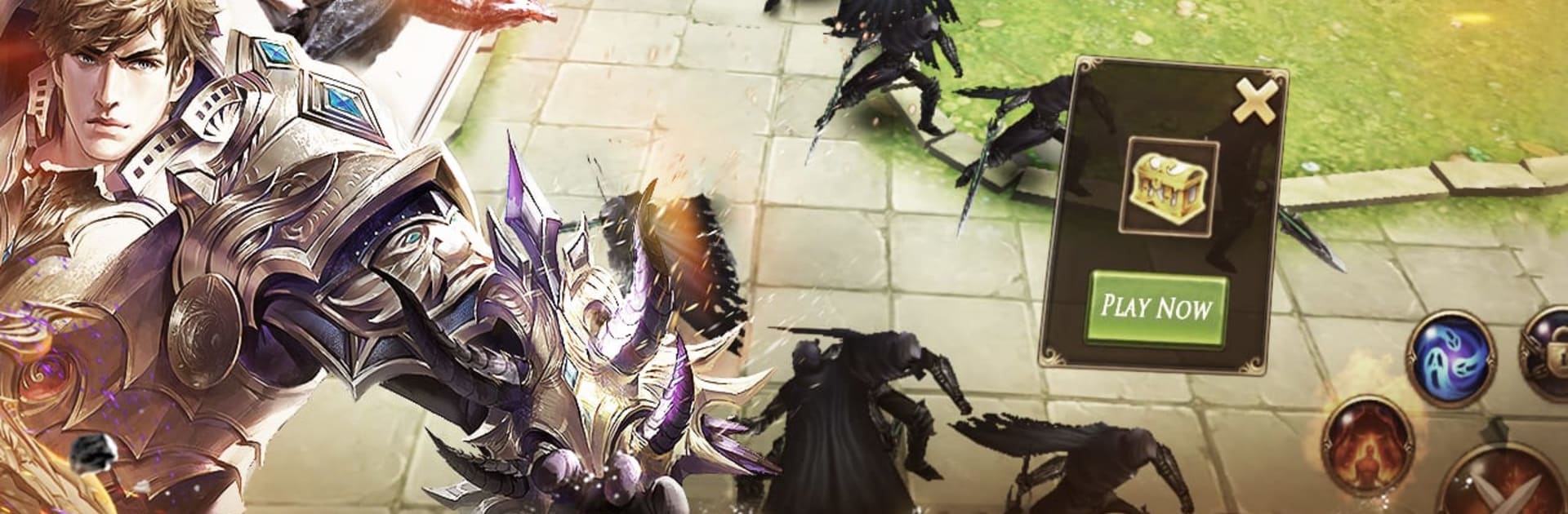
Genesis: Battle Song

Genesis: Battle Song

Role Playing

| XHolicStudio

Play on PC with BlueStacks or from our cloud

  • Overview
  • Game Features
  • How to Play

Page Modified On: January 13, 2026

Play Genesis: Battle Song on PC or Mac

Explore a whole new adventure with Genesis: Battle Song, a Role Playing game created by XHolicStudio. Experience great gameplay with BlueStacks, the most popular gaming platform to play Android games on your PC or Mac.

Genesis: Battle Song feels like a classic 3D fantasy MMO with a simple hook. Players roam from elf forests to dwarf halls, gnome towns, orc warcamps, even cyclops dens, chasing a set of 27 rings that tie the whole story together. Combat can run on its own when life gets busy, and there is even offline auto fighting, so the grind does not stall just because someone stepped away. Gear drops from monsters instead of being handed out by a shop, which makes boss runs and map clears actually matter. Extra loot can be tossed on a free market without price caps, so bargains and wild overpays both happen and that is half the fun.

Social stuff is surprisingly layered. There are roles like emperors and civilians, mentor and apprentice setups, and guild teams that rally when a world boss appears. Those bosses spawn all over the map and keep coming back through the day, so there is always something to chase. Progress is not locked behind a strict class. Players shape a build with titles, flashy skills, and looks that are theirs, then show it off while riding a griffin, a tyrannosaurus, or that Skyfyre mount that looks a bit ridiculous in a good way. On PC with BlueStacks, mouse clicks and keybinds make the routine smoother, and the auto systems keep working while a tab stays open in the background. The whole loop is roam, fight, grab drops, trade, repeat, and it moves fast once it clicks.

Get ready for a buttery smooth, high-performance gaming action only on BlueStacks.

Game Features

Enhancements

  • Macros
  • Rerolling
  • Eco Mode
  • Multi Instance Sync
  • Enhancements
Macros

Macros

Focus more on the fun part of the game, skip the tedious aspects. Master Genesis: Battle Song with Macros. Record yourself completing the monotonous tasks you wish to automate and replay them later with just one keypress.
Rerolling

Rerolling

Speed up the rerolling process in Genesis: Battle Song. Perform multiple summons and keep looking for the best Heroes. Use Multi-Instance sync to replicate the rerolling mechanism in all instances.
Eco Mode

Eco Mode

Farm in-game resources with ease in Genesis: Battle Song. Enable the Eco Mode when running the game in multiple instances. And lower your PC's resource consumption.
Multi Instance Sync

Multi Instance Sync

With the Multi-instance Sync, you can do even more in Genesis: Battle Song. Sync the action of the main instance and repeat them in real time for all other instances. Sync and sit back, let the game progress unfold.
Read More

How to Download and Play Genesis: Battle Song on PC or Mac

  • Download and install BlueStacks on your PC or Mac

  • Complete Google sign-in to access the Play Store, or do it later

  • Look for Genesis: Battle Song in the search bar at the top right corner

  • Click to install Genesis: Battle Song from the search results

  • Complete Google sign-in (if you skipped step 2) to install Genesis: Battle Song

  • Click the Genesis: Battle Song icon on the home screen to start playing

video
Watch Video

Minimum System Requirements

With BlueStacks 5, you can get started on a PC that fulfills the following requirements.

  • Operating System

    Microsoft Windows 7 or above, macOS 11 (Big Sur) or above

  • Processor

    Intel, AMD or Apple Silicon Processor

  • RAM

    at least 4GB

  • HDD

    10GB Free Disk Space

Note:

* You must be an Administrator on your PC. Up to date graphics drivers from Microsoft or the chipset vendor.

Genesis: Battle Song - FAQs

  • How to play Genesis: Battle Song on Windows PC & Mac?

    Play Genesis: Battle Song on your PC or Mac by following these simple steps.

    • Click on 'Play Genesis: Battle Song on PC’ to download BlueStacks
    • Install it and log-in to Google Play Store
    • Launch and play the game.
  • Why is BlueStacks the fastest and safest platform to play games on PC?

    BlueStacks respects your privacy and is always safe and secure to use. It does not carry any malware, spyware, or any sort of additional software that could harm your PC.

    It is engineered to optimize speed and performance for a seamless gaming experience.

  • What are Genesis: Battle Song PC requirements?

    Minimum requirement to run Genesis: Battle Song on your PC

    • OS: Microsoft Windows 7 or above MacOS 11 (Big Sur) or above
    • Processor: Intel, AMD or Apple Silicon Processor
    • RAM: Your PC must have at least 4GB of RAM. (Note that having 4GB or more disk space is not a substitute for RAM)
    • HDD: 10GB Free Disk Space.
    • You must be an Administrator on your PC.








