Critadel rush
Critadel rush

Critadel rush

Role Playing

| 3KDS PTE. LTD.

Play on PC with BlueStacks or from our cloud

  • Overview
  • Game Features
  • How to Play

Page Modified On: January 09, 2026

Play Critadel rush on PC or Mac

Step into the World of Critadel rush, a thrilling Role Playing game from the house of 3KDS PTE. LTD.. Play this Android game on BlueStacks App Player and experience immersive gaming on PC or Mac.

About the Game

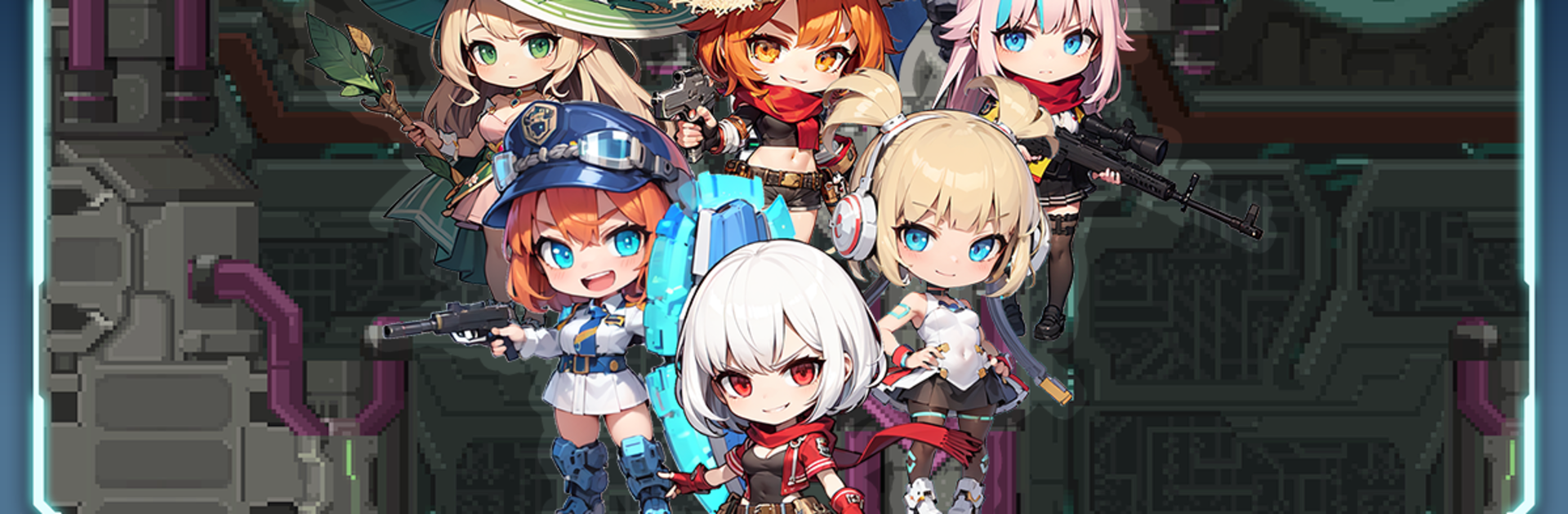
Critadel rush drops you into a soul world where a towering machine called Babel has gone haywire. The once-feuding Noah Sect and the heroes are now uneasy allies, climbing floor after floor to stop rifts that keep spitting out corrupted monsters. It’s a Role Playing adventure from 3KDS PTE. LTD. with fast idle growth, ship-based squad battles, and boss fights that hit hard.

Game Features

  • Idle growth that actually moves the needle: Your heroes gather resources, gear, and EXP even while you’re offline, so logging back in always feels rewarding.
  • Cute, but absolutely lethal: Collect a roster of charming heroes and place them on ships to shred rift-spawned enemies with slick formations.
  • Bosses with monster health bars: Prep weapons and bullets, tweak loadouts, and punch through high-HP foes that demand planning, not button mashing.
  • Loot that shapes your build: Crack open crates for artifacts and ship parts that boost damage, utility, and survivability in meaningful ways.
  • Recruit and gear up: Visit the shop to draw new heroes and weapons, chase synergies, and push toward stronger, more specialized setups.
  • Trials of Ascension: Daily rotating challenges let you compete with other players and prove your best team and ship combos.
  • Send-outs and exploration: Not using a hero? Dispatch them on void expeditions to bring back the resources you’re short on.
  • Missions and achievements: When progress slows, daily and weekly tasks (plus long-term achievements) keep materials flowing and guide your next upgrades.
  • Play your way: Smooth on mobile, and comfortably playable on PC with BlueStacks if you prefer a bigger screen.

Ready to top the leaderboard? We bet you do. Let precise controls and sharp visuals optimized on BlueStacks lead you to victory.


Game Features

Enhancements

  • Macros
  • Rerolling
  • Eco Mode
  • Multi Instance Sync
  • Enhancements
Macros

Macros

Focus more on the fun part of the game, skip the tedious aspects. Master Critadel rush with Macros. Record yourself completing the monotonous tasks you wish to automate and replay them later with just one keypress.
Rerolling

Rerolling

Speed up the rerolling process in Critadel rush. Perform multiple summons and keep looking for the best Heroes. Use Multi-Instance sync to replicate the rerolling mechanism in all instances.
Eco Mode

Eco Mode

Farm in-game resources with ease in Critadel rush. Enable the Eco Mode when running the game in multiple instances. And lower your PC's resource consumption.
Multi Instance Sync

Multi Instance Sync

With the Multi-instance Sync, you can do even more in Critadel rush. Sync the action of the main instance and repeat them in real time for all other instances. Sync and sit back, let the game progress unfold.
Read More

How to Download and Play Critadel rush on PC or Mac

  • Download and install BlueStacks on your PC or Mac

  • Complete Google sign-in to access the Play Store, or do it later

  • Look for Critadel rush in the search bar at the top right corner

  • Click to install Critadel rush from the search results

  • Complete Google sign-in (if you skipped step 2) to install Critadel rush

  • Click the Critadel rush icon on the home screen to start playing

video
Watch Video

Minimum System Requirements

With BlueStacks 5, you can get started on a PC that fulfills the following requirements.

  • Operating System

    Microsoft Windows 7 or above, macOS 11 (Big Sur) or above

  • Processor

    Intel, AMD or Apple Silicon Processor

  • RAM

    at least 4GB

  • HDD

    10GB Free Disk Space

Note:

* You must be an Administrator on your PC. Up to date graphics drivers from Microsoft or the chipset vendor.

Critadel rush - FAQs

  • How to play Critadel rush on Windows PC & Mac?

    Play Critadel rush on your PC or Mac by following these simple steps.

    • Click on 'Play Critadel rush on PC’ to download BlueStacks
    • Install it and log-in to Google Play Store
    • Launch and play the game.
  • Why is BlueStacks the fastest and safest platform to play games on PC?

    BlueStacks respects your privacy and is always safe and secure to use. It does not carry any malware, spyware, or any sort of additional software that could harm your PC.

    It is engineered to optimize speed and performance for a seamless gaming experience.

  • What are Critadel rush PC requirements?

    Minimum requirement to run Critadel rush on your PC

    • OS: Microsoft Windows 7 or above MacOS 11 (Big Sur) or above
    • Processor: Intel, AMD or Apple Silicon Processor
    • RAM: Your PC must have at least 4GB of RAM. (Note that having 4GB or more disk space is not a substitute for RAM)
    • HDD: 10GB Free Disk Space.
    • You must be an Administrator on your PC.