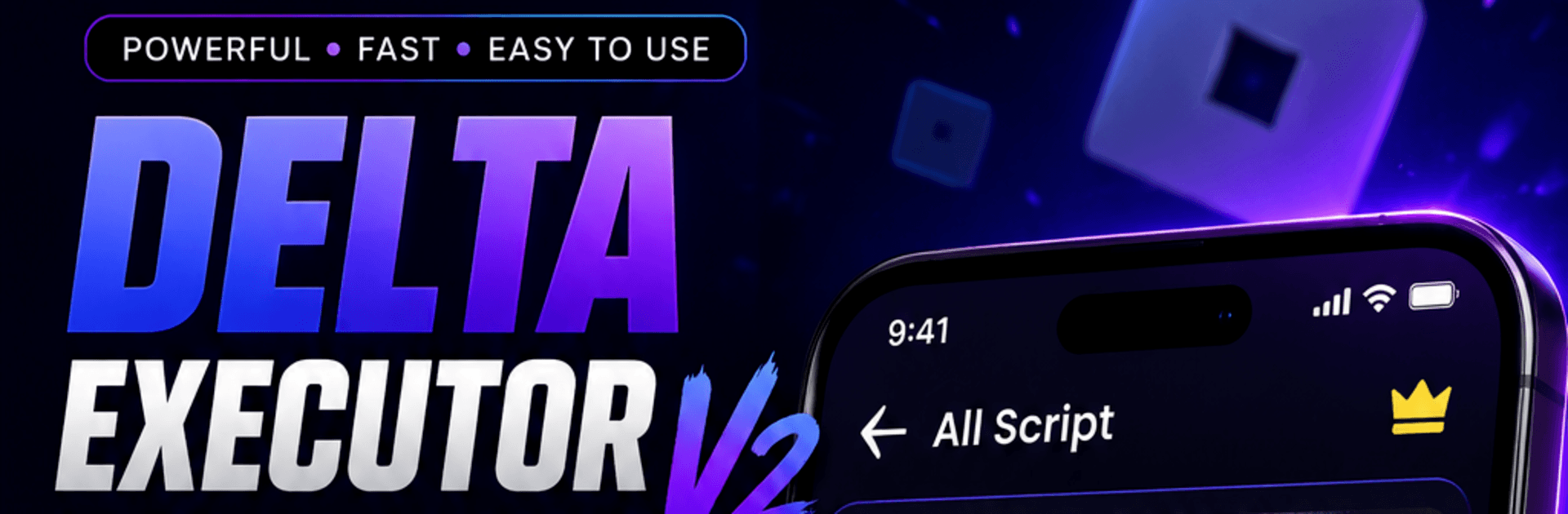
Delta Executor V2 For Roblox

Delta Executor V2 For Roblox

Role Playing

| HENSON CONSULTING SERVICES LLC

Play on PC with BlueStacks or from our cloud

  • Overview
  • Game Features
  • How to Play

Page Modified On: November 02, 2026

Play Delta Executor V2 For Roblox on PC or Mac

Bring your A-game to Delta Executor V2 For Roblx, the Role Playing game sensation from HENSON CONSULTING SERVICES LLC. Give your gameplay the much-needed boost with precise game controls, high FPS graphics, and top-tier features on your PC or Mac with BlueStacks.

About the Game

Delta Executor V2 For Roblx is a handy Role Playing companion for players who like to tinker, test, and keep everything tidy in one spot. It bundles script references, quick calculators, and bite-size activities into a clean hub that makes exploring and organizing feel effortless. Prefer a roomier screen? It runs smoothly on BlueStacks too.

Game Features

  • Large Script Library: Browse a wide, ever-growing collection of community script references with clear tags for popular, trending, and newly updated picks.
  • Deep Script Pages: Open any entry to see plain-language descriptions, version notes, update history, and at-a-glance ratings.
  • Fast Search & Filters: Find what you need fast with instant search, smart categories, and smooth scrolling that doesn’t fight you.
  • Favorites, Your Way: Save go-to items, keep a tidy shortlist, and jump back to your must-haves in a snap.
  • RBX Calculator Suite: Convert RBX to dollars (and back) with quick, accurate tools for planning purchases or trades.
  • Quizzes & Mini Activities: Test your know-how with short quizzes and fun, community-inspired challenges when you want a quick break.
  • Modern, Sleek UI: Enjoy quick load times, a polished dark theme option, and navigation that stays out of your way.
  • Regular Content Refresh: New and updated entries keep the library lively, so there’s usually something fresh to check out.

Start playing Delta Executor V2 For Roblx on BlueStacks and get a smoother, more comfortable PC or Mac setup.


Game Features

Enhancements

  • Macros
  • Rerolling
  • Eco Mode
  • Multi Instance Sync
  • Enhancements
Macros

Macros

Focus more on the fun part of the game, skip the tedious aspects. Master Delta Executor V2 For Roblox with Macros. Record yourself completing the monotonous tasks you wish to automate and replay them later with just one keypress.
Rerolling

Rerolling

Speed up the rerolling process in Delta Executor V2 For Roblox. Perform multiple summons and keep looking for the best Heroes. Use Multi-Instance sync to replicate the rerolling mechanism in all instances.
Eco Mode

Eco Mode

Farm in-game resources with ease in Delta Executor V2 For Roblox. Enable the Eco Mode when running the game in multiple instances. And lower your PC's resource consumption.
Multi Instance Sync

Multi Instance Sync

With the Multi-instance Sync, you can do even more in Delta Executor V2 For Roblox. Sync the action of the main instance and repeat them in real time for all other instances. Sync and sit back, let the game progress unfold.
Read More

How to Download and Play Delta Executor V2 For Roblox on PC or Mac

  • Download and install BlueStacks on your PC or Mac

  • Complete Google sign-in to access the Play Store, or do it later

  • Look for Delta Executor V2 For Roblox in the search bar at the top right corner

  • Click to install Delta Executor V2 For Roblox from the search results

  • Complete Google sign-in (if you skipped step 2) to install Delta Executor V2 For Roblox

  • Click the Delta Executor V2 For Roblox icon on the home screen to start playing

video
Watch Video

Minimum System Requirements

With BlueStacks 5, you can get started on a PC that fulfills the following requirements.

  • Operating System

    Microsoft Windows 7 or above, macOS 11 (Big Sur) or above

  • Processor

    Intel, AMD or Apple Silicon Processor

  • RAM

    at least 4GB

  • HDD

    10GB Free Disk Space

Note:

* You must be an Administrator on your PC. Up to date graphics drivers from Microsoft or the chipset vendor.

Delta Executor V2 For Roblox - FAQs

  • How to play Delta Executor V2 For Roblox on Windows PC & Mac?

    Play Delta Executor V2 For Roblox on your PC or Mac by following these simple steps.

    • Click on 'Play Delta Executor V2 For Roblox on PC’ to download BlueStacks
    • Install it and log-in to Google Play Store
    • Launch and play the game.
  • Why is BlueStacks the fastest and safest platform to play games on PC?

    BlueStacks respects your privacy and is always safe and secure to use. It does not carry any malware, spyware, or any sort of additional software that could harm your PC.

    It is engineered to optimize speed and performance for a seamless gaming experience.

  • What are Delta Executor V2 For Roblox PC requirements?

    Minimum requirement to run Delta Executor V2 For Roblox on your PC

    • OS: Microsoft Windows 7 or above MacOS 11 (Big Sur) or above
    • Processor: Intel, AMD or Apple Silicon Processor
    • RAM: Your PC must have at least 4GB of RAM. (Note that having 4GB or more disk space is not a substitute for RAM)
    • HDD: 10GB Free Disk Space.
    • You must be an Administrator on your PC.