Guards II: TBS
Guards II: TBS

Guards II: TBS

Role Playing

| HeroCraft Ltd.

Play on PC with BlueStacks or from our cloud

  • Overview
  • Game Features
  • How to Play

Page Modified On: September 18, 2026

Play Guards II: TBS on PC or Mac

Bring your A-game to Guards II: TBS, the Role Playing game sensation from HeroCraft Ltd.. Give your gameplay the much-needed boost with precise game controls, high FPS graphics, and top-tier features on your PC or Mac with BlueStacks.

About the Game

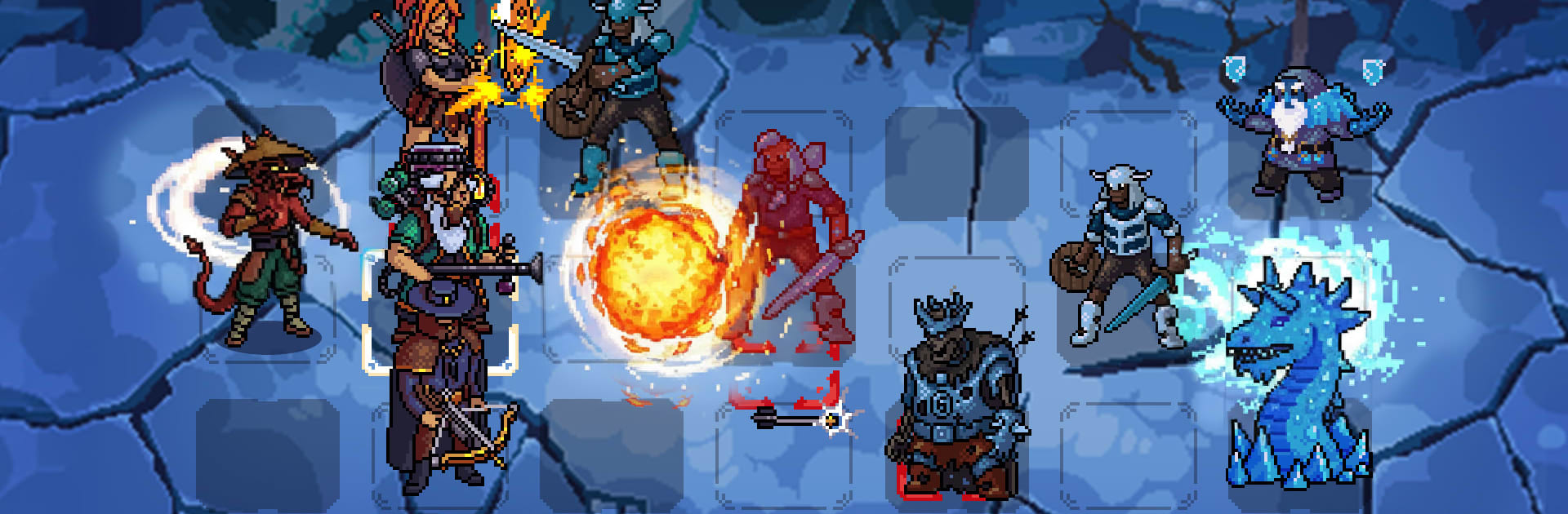
Guards II: TBS throws you into a messy, molten underworld where a tight-knit squad and a sharp plan matter more than brute force. Every turn hinges on a slick position swap that can flip the fight on its head, making each battle feel like a tense little puzzle. It’s a Role Playing take on turn-based tactics that rewards brains over luck—and it feels great on BlueStacks if you like playing on a bigger screen.

Game Features

  • Swap-to-Act Combat: Your “move” is a swap—switch two heroes and watch new options explode open, from clutch saves to devastating finishers.
  • Four-Hero Formation: Run a frontline of three while one hero rests in the back; pull them forward at the right moment to fire off a powerful ultimate.
  • Dual Stances Per Hero: Each character flips between two stances, shifting roles and opening fresh lines of play mid-fight.
  • Eight Distinct Heroes: Mix quirky specialists and sturdy brawlers, each with signature skills and personalities that actually matter in the lineup.
  • Damage Matchups That Matter: Physical, Fire, Magic, and Death damage interact with enemy resistances—target smart, or pay for bad reads.
  • Shared Skill System: Build a flexible toolkit that supports multiple team comps, letting you experiment without starting from scratch every time.
  • Deep Upgrade Trees: Invest along meaningful branches to nudge heroes toward tank, nuker, control, or support—your call.
  • Five Realms, 80 Stages: March through the underworld’s regions, each with its own vibe, enemies, and tactical curveballs.
  • Hell Mode Marathon: Tackle 80 additional missions loaded with tougher foes and fresh mechanics that demand tight execution.
  • Special Challenges: Take on bite-sized trials that stress-test positioning, timing, and team synergy beyond the main campaign.
  • Strategy Over RNG: Success comes from clean plans and smart swaps, not coin flips or lucky crits.

Start playing Guards II: TBS on BlueStacks and get a smoother, more comfortable PC or Mac setup.

Game Features

Enhancements

  • Macros
  • Rerolling
  • Eco Mode
  • Multi Instance Sync
  • Enhancements
Macros

Macros

Focus more on the fun part of the game, skip the tedious aspects. Master Guards II: TBS with Macros. Record yourself completing the monotonous tasks you wish to automate and replay them later with just one keypress.
Rerolling

Rerolling

Speed up the rerolling process in Guards II: TBS. Perform multiple summons and keep looking for the best Heroes. Use Multi-Instance sync to replicate the rerolling mechanism in all instances.
Eco Mode

Eco Mode

Farm in-game resources with ease in Guards II: TBS. Enable the Eco Mode when running the game in multiple instances. And lower your PC's resource consumption.
Multi Instance Sync

Multi Instance Sync

With the Multi-instance Sync, you can do even more in Guards II: TBS. Sync the action of the main instance and repeat them in real time for all other instances. Sync and sit back, let the game progress unfold.
Read More

How to Download and Play Guards II: TBS on PC or Mac

  • Download and install BlueStacks on your PC or Mac

  • Complete Google sign-in to access the Play Store, or do it later

  • Look for Guards II: TBS in the search bar at the top right corner

  • Click to install Guards II: TBS from the search results

  • Complete Google sign-in (if you skipped step 2) to install Guards II: TBS

  • Click the Guards II: TBS icon on the home screen to start playing

video
Watch Video

Minimum System Requirements

With BlueStacks 5, you can get started on a PC that fulfills the following requirements.

  • Operating System

    Microsoft Windows 7 or above, macOS 11 (Big Sur) or above

  • Processor

    Intel, AMD or Apple Silicon Processor

  • RAM

    at least 4GB

  • HDD

    10GB Free Disk Space

Note:

* You must be an Administrator on your PC. Up to date graphics drivers from Microsoft or the chipset vendor.

Guards II: TBS - FAQs

  • How to play Guards II: TBS on Windows PC & Mac?

    Play Guards II: TBS on your PC or Mac by following these simple steps.

    • Click on 'Play Guards II: TBS on PC’ to download BlueStacks
    • Install it and log-in to Google Play Store
    • Launch and play the game.
  • Why is BlueStacks the fastest and safest platform to play games on PC?

    BlueStacks respects your privacy and is always safe and secure to use. It does not carry any malware, spyware, or any sort of additional software that could harm your PC.

    It is engineered to optimize speed and performance for a seamless gaming experience.

  • What are Guards II: TBS PC requirements?

    Minimum requirement to run Guards II: TBS on your PC

    • OS: Microsoft Windows 7 or above MacOS 11 (Big Sur) or above
    • Processor: Intel, AMD or Apple Silicon Processor
    • RAM: Your PC must have at least 4GB of RAM. (Note that having 4GB or more disk space is not a substitute for RAM)
    • HDD: 10GB Free Disk Space.
    • You must be an Administrator on your PC.