Cruiser Duels: Sea Battles 1v1

Cruiser Duels: Sea Battles 1v1

Strategy

| HeroCraft Ltd.

Play on PC with BlueStacks or from our cloud

  • Overview
  • Game Features
  • How to Play

Page Modified On: May 25, 2026

Play Cruiser Duels: Sea Battles 1v1 on PC or Mac

Cruiser Duels: Sea Battles 1v1 brings the Strategy genre to life, and throws up exciting challenges for gamers. Developed by HeroCraft Ltd., this Android game is best experienced on BlueStacks, the World’s #1 app player for PC and Mac users.

About the Game

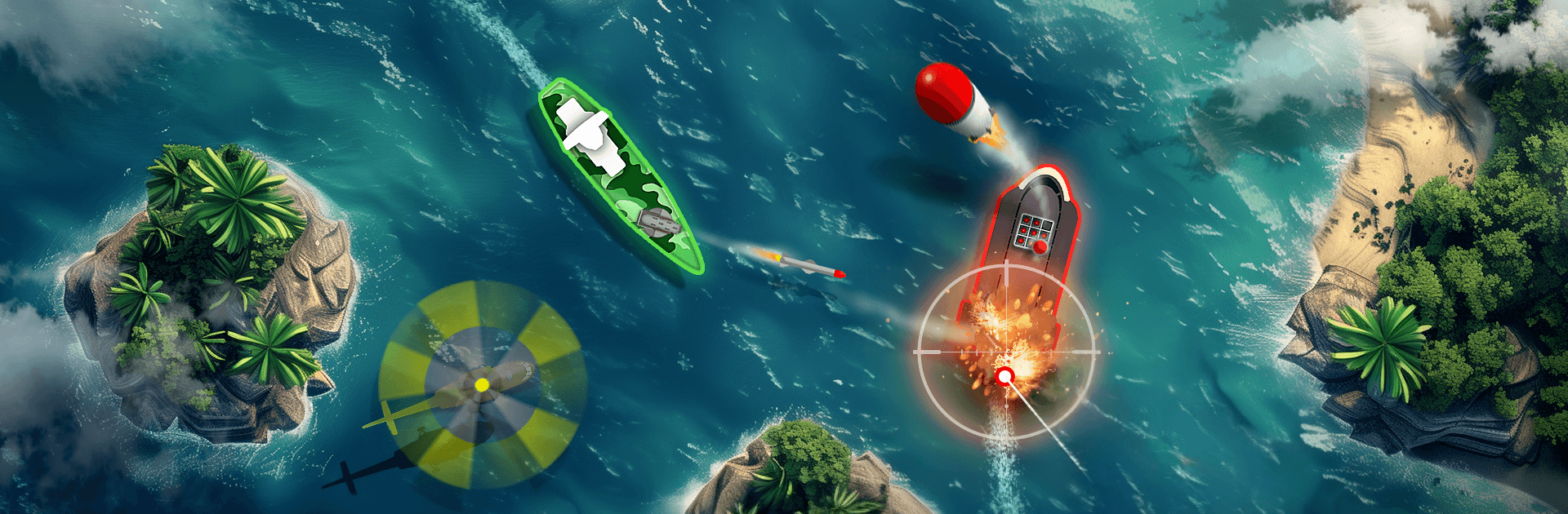
Cruiser Duels: Sea Battles 1v1 is a tight, head-to-head Strategy game where every move is a guess, a gamble, and a grin when it pays off. You and your opponent pick your maneuvers and shots at the same time—then the turn plays out in one explosive reveal. It’s quick to learn, tough to master, and all about outsmarting the captain across the water.

Game Features

  • Simultaneous Turns: Lock in your movement and fire orders while your rival does the same, then watch the clash unfold together. Bluffing and baiting are part of the plan.
  • Tactical 1v1 Duels: Short, high-stakes matches that reward prediction just as much as aim and positioning.
  • Distinct Ships: Six very different vessels—including a hovercraft, a sneaky submarine, and a wing-ship—each with its own strengths, quirks, and counters.
  • Modular Loadouts: Equip weapons, modules, and deployable tools to build a loadout that fits your style, from precision shots to area denial.
  • Varied Arsenal: 10+ weapon types with ballistic arcs, surface strikes, and straight-shot options. Knowing trajectories matters.
  • On-Field Power Drops: Helicopters can drop absurdly strong toys mid-match. Do you risk grabbing them or hold the line?
  • Perks and Abilities: Tier-based perks let you fine-tune strategies without turning the game into a slot machine.
  • Captain Flair: Customize your captain’s look so your victories feel personal (and a little stylish).
  • Thoughtful Maps: Several detailed arenas that shape cover, sightlines, and the routes you’ll fight over.
  • Fair Progression: No loot boxes—earn gear and upgrades by playing.
  • Play Anywhere: Perfect for quick sessions on the go, or jump in on PC with BlueStacks if you prefer a bigger screen and comfy controls.

Start playing Cruiser Duels: Sea Battles 1v1 on BlueStacks and get a smoother, more comfortable PC or Mac setup.


Game Features

Enhancements

  • Macros
  • Multi Instance
  • Multi Instance Sync
  • Eco Mode
  • Enhancements
Macros

Macros

Skip the boring parts of a game. Play Cruiser Duels: Sea Battles 1v1 with Macros and get the edge. Simply record a sequence of commands and execute them at any moment.
Multi Instance

Multi Instance

Why limit to one game on your phone when you can play many on your PC? Open multiple instances of Cruiser Duels: Sea Battles 1v1 at once with Multi-Instance. Leverage the power of different accounts by doing more.
Multi Instance Sync

Multi Instance Sync

Get the best out of Cruiser Duels: Sea Battles 1v1 with Multi-Instance Sync. Play the game from different accounts and build your own empire. Use Multi-instance sync to repeat the action in the main BlueStacks instance on all other instances.
Eco Mode

Eco Mode

Find the rarest heroes by making multiple summons in Cruiser Duels: Sea Battles 1v1. And while you are at it, reduce your PC’s resource consumption with the Eco Mode. Farm efficiently. Get the best results.
Read More

How to Download and Play Cruiser Duels: Sea Battles 1v1 on PC or Mac

  • Download and install BlueStacks on your PC or Mac

  • Complete Google sign-in to access the Play Store, or do it later

  • Look for Cruiser Duels: Sea Battles 1v1 in the search bar at the top right corner

  • Click to install Cruiser Duels: Sea Battles 1v1 from the search results

  • Complete Google sign-in (if you skipped step 2) to install Cruiser Duels: Sea Battles 1v1

  • Click the Cruiser Duels: Sea Battles 1v1 icon on the home screen to start playing

video
Watch Video

Minimum System Requirements

With BlueStacks 5, you can get started on a PC that fulfills the following requirements.

  • Operating System

    Microsoft Windows 7 or above, macOS 11 (Big Sur) or above

  • Processor

    Intel, AMD or Apple Silicon Processor

  • RAM

    at least 4GB

  • HDD

    10GB Free Disk Space

Note:

* You must be an Administrator on your PC. Up to date graphics drivers from Microsoft or the chipset vendor.

Cruiser Duels: Sea Battles 1v1 - FAQs

  • How to play Cruiser Duels: Sea Battles 1v1 on Windows PC & Mac?

    Play Cruiser Duels: Sea Battles 1v1 on your PC or Mac by following these simple steps.

    • Click on 'Play Cruiser Duels: Sea Battles 1v1 on PC’ to download BlueStacks
    • Install it and log-in to Google Play Store
    • Launch and play the game.
  • Why is BlueStacks the fastest and safest platform to play games on PC?

    BlueStacks respects your privacy and is always safe and secure to use. It does not carry any malware, spyware, or any sort of additional software that could harm your PC.

    It is engineered to optimize speed and performance for a seamless gaming experience.

  • What are Cruiser Duels: Sea Battles 1v1 PC requirements?

    Minimum requirement to run Cruiser Duels: Sea Battles 1v1 on your PC

    • OS: Microsoft Windows 7 or above MacOS 11 (Big Sur) or above
    • Processor: Intel, AMD or Apple Silicon Processor
    • RAM: Your PC must have at least 4GB of RAM. (Note that having 4GB or more disk space is not a substitute for RAM)
    • HDD: 10GB Free Disk Space.
    • You must be an Administrator on your PC.