Heroes of Steel RPG
Heroes of Steel RPG

Heroes of Steel RPG

Role Playing

| Trese Brothers

Play on PC with BlueStacks or from our cloud

  • Overview
  • Game Features
  • How to Play

Page Modified On: May 25, 2026

Play Heroes of Steel RPG on PC or Mac

Step into the World of Heroes of Steel RPG, a thrilling Role Playing game from the house of Trese Brothers. Play this Android game on BlueStacks App Player and experience immersive gaming on PC or Mac.

About the Game

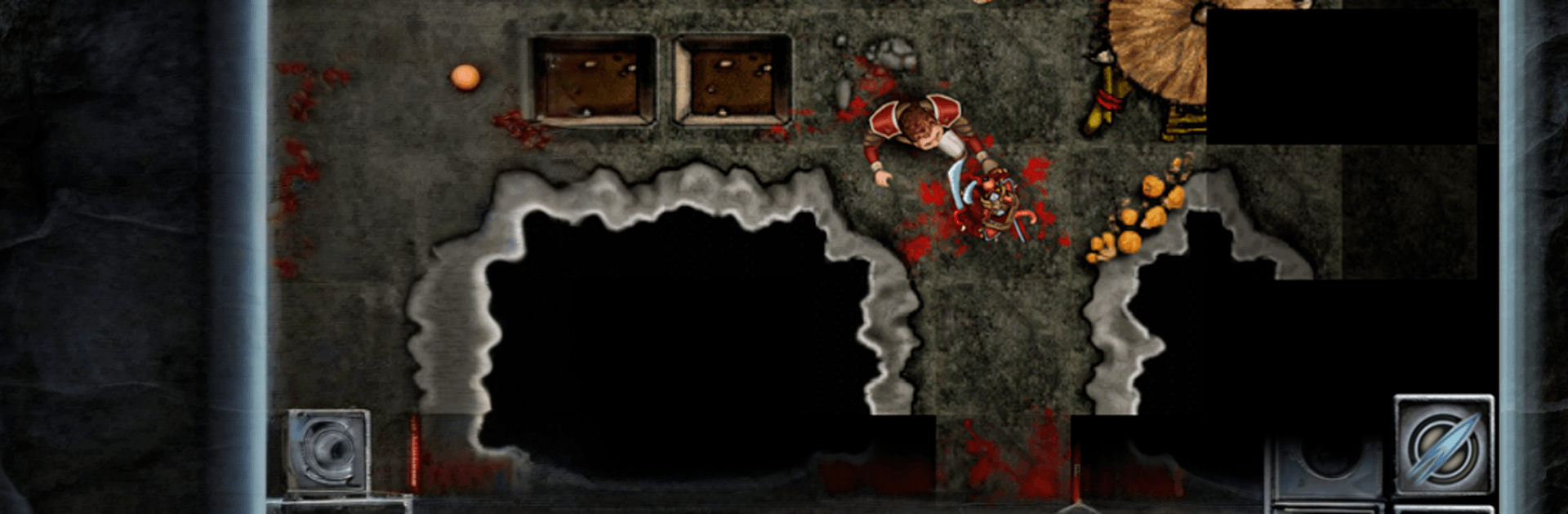
Heroes of Steel RPG is a gritty, party-based Role Playing experience where every turn counts. You’re steering a crew of four through a harsh, crumbling world, weighing smart tactics against real danger at every corner. Expect thoughtful, turn-based battles and a story-first campaign that rewards planning, creativity, and a little stubbornness.

Game Features

  • Four-hero squad: Build a balanced team of four with distinct roles and personalities, then tune their strengths to fit how you like to fight.
  • Turn-based tactics: Read the battlefield, manage positioning, and chain abilities to tilt tough encounters in your favor.
  • Flexible builds: Shape each hero’s talents and powers to create nasty combos, sturdy front lines, or high-risk burst damage—your call.
  • Relentless foes: Square off against raiders, beasts, and arcane threats that force you to adapt instead of mashing the same moves.
  • Story-driven journey: Push through dungeons, scarred cities, and the wilds beyond while uncovering the bigger stakes behind humanity’s last holdouts.
  • Gear that matters: Find and equip weapons, armor, and trinkets that reinforce your strategy rather than just bumping numbers.
  • Resource-minded play: Juggle health, energy, and limited-use abilities across the whole squad to outlast grueling fights.
  • PC-friendly option: Want more room to plan your turns? Playing on BlueStacks gives you a larger view and comfy controls without changing the core feel.

Start playing Heroes of Steel RPG on BlueStacks and get a smoother, more comfortable PC or Mac setup.


Game Features

Enhancements

  • Macros
  • Rerolling
  • Eco Mode
  • Multi Instance Sync
  • Enhancements
Macros

Macros

Focus more on the fun part of the game, skip the tedious aspects. Master Heroes of Steel RPG with Macros. Record yourself completing the monotonous tasks you wish to automate and replay them later with just one keypress.
Rerolling

Rerolling

Speed up the rerolling process in Heroes of Steel RPG. Perform multiple summons and keep looking for the best Heroes. Use Multi-Instance sync to replicate the rerolling mechanism in all instances.
Eco Mode

Eco Mode

Farm in-game resources with ease in Heroes of Steel RPG. Enable the Eco Mode when running the game in multiple instances. And lower your PC's resource consumption.
Multi Instance Sync

Multi Instance Sync

With the Multi-instance Sync, you can do even more in Heroes of Steel RPG. Sync the action of the main instance and repeat them in real time for all other instances. Sync and sit back, let the game progress unfold.
Read More

How to Download and Play Heroes of Steel RPG on PC or Mac

  • Download and install BlueStacks on your PC or Mac

  • Complete Google sign-in to access the Play Store, or do it later

  • Look for Heroes of Steel RPG in the search bar at the top right corner

  • Click to install Heroes of Steel RPG from the search results

  • Complete Google sign-in (if you skipped step 2) to install Heroes of Steel RPG

  • Click the Heroes of Steel RPG icon on the home screen to start playing

video
Watch Video

Minimum System Requirements

With BlueStacks 5, you can get started on a PC that fulfills the following requirements.

  • Operating System

    Microsoft Windows 7 or above, macOS 11 (Big Sur) or above

  • Processor

    Intel, AMD or Apple Silicon Processor

  • RAM

    at least 4GB

  • HDD

    10GB Free Disk Space

Note:

* You must be an Administrator on your PC. Up to date graphics drivers from Microsoft or the chipset vendor.

Heroes of Steel RPG - FAQs

  • How to play Heroes of Steel RPG on Windows PC & Mac?

    Play Heroes of Steel RPG on your PC or Mac by following these simple steps.

    • Click on 'Play Heroes of Steel RPG on PC’ to download BlueStacks
    • Install it and log-in to Google Play Store
    • Launch and play the game.
  • Why is BlueStacks the fastest and safest platform to play games on PC?

    BlueStacks respects your privacy and is always safe and secure to use. It does not carry any malware, spyware, or any sort of additional software that could harm your PC.

    It is engineered to optimize speed and performance for a seamless gaming experience.

  • What are Heroes of Steel RPG PC requirements?

    Minimum requirement to run Heroes of Steel RPG on your PC

    • OS: Microsoft Windows 7 or above MacOS 11 (Big Sur) or above
    • Processor: Intel, AMD or Apple Silicon Processor
    • RAM: Your PC must have at least 4GB of RAM. (Note that having 4GB or more disk space is not a substitute for RAM)
    • HDD: 10GB Free Disk Space.
    • You must be an Administrator on your PC.