Jeep Simulator Jeep Driving 3D

Jeep Simulator Jeep Driving 3D

Role Playing

| GamesPivot

Play on PC with BlueStacks or from our cloud

  • Overview
  • Game Features
  • How to Play

Page Modified On: August 10, 2026

Play Jeep Simulator Jeep Driving 3D on PC or Mac

Play Jeep Simulator Jeep Driving 3D by GamesPivot on PC or Mac with BlueStacks. Use a bigger screen, mouse and keyboard controls, and smoother performance while you play.

About the Game

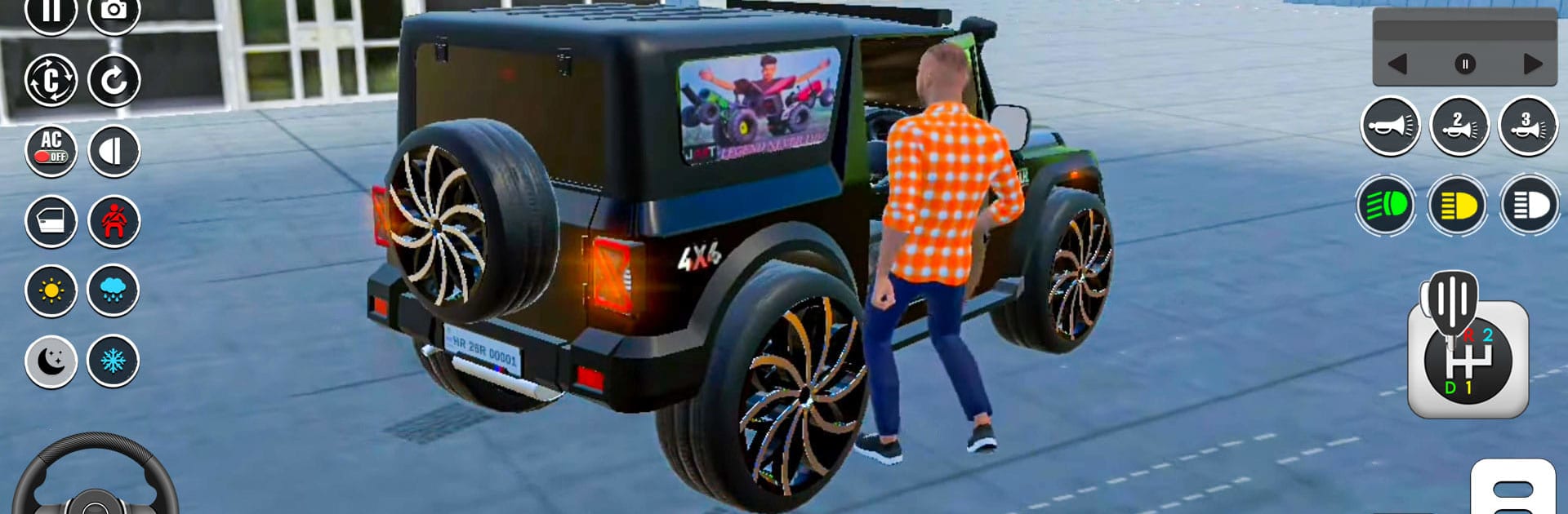
Jeep Simulator Jeep Driving 3D puts you behind the wheel of rugged 4x4s and lets you chart your own path across wild terrain. It’s a Role Playing take on off-road driving: pick up jobs, manage cargo, and find smarter lines through mud, rock, and narrow mountain passes. Want a roomier view of those switchbacks? It feels right at home on BlueStacks.

Game Features

  • Open-world trail runs: Wind through rocky hills, muddy ruts, and cliffside tracks where every route asks for a different approach and a steady hand.
  • Delivery missions with stakes: Haul gear across tricky ground and keep it intact. Balance weight, watch your speed, and plan smart to get everything there in one piece.
  • Meet up and explore: Drop in on in-game friends, tackle cooperative tasks, or line up for friendly races across rugged pathways.
  • Hill climbs that bite back: Steep grades, tight hairpins, and off-camber sections push your throttle control and braking to the limit.
  • Realistic handling: Responsive controls and grounded vehicle physics make every bump, slide, and recovery feel earned.
  • Tweak and tune your ride: Upgrade performance parts and swap visual mods to build a 4×4 that matches your driving style.
  • A garage of capable jeeps: Try different setups for cargo runs, technical climbs, and faster sprints on rough tracks.
  • Sights and sounds that hit: Crisp environments, gritty engine notes, and the crunch of gravel sell the whole off-road vibe.

Ready to top the leaderboard? We bet you do. Let precise controls and sharp visuals optimized on BlueStacks lead you to victory.


Game Features

Enhancements

  • Macros
  • Rerolling
  • Eco Mode
  • Multi Instance Sync
  • Enhancements
Macros

Macros

Focus more on the fun part of the game, skip the tedious aspects. Master Jeep Simulator Jeep Driving 3D with Macros. Record yourself completing the monotonous tasks you wish to automate and replay them later with just one keypress.
Rerolling

Rerolling

Speed up the rerolling process in Jeep Simulator Jeep Driving 3D. Perform multiple summons and keep looking for the best Heroes. Use Multi-Instance sync to replicate the rerolling mechanism in all instances.
Eco Mode

Eco Mode

Farm in-game resources with ease in Jeep Simulator Jeep Driving 3D. Enable the Eco Mode when running the game in multiple instances. And lower your PC's resource consumption.
Multi Instance Sync

Multi Instance Sync

With the Multi-instance Sync, you can do even more in Jeep Simulator Jeep Driving 3D. Sync the action of the main instance and repeat them in real time for all other instances. Sync and sit back, let the game progress unfold.
Read More

How to Download and Play Jeep Simulator Jeep Driving 3D on PC or Mac

  • Download and install BlueStacks on your PC or Mac

  • Complete Google sign-in to access the Play Store, or do it later

  • Look for Jeep Simulator Jeep Driving 3D in the search bar at the top right corner

  • Click to install Jeep Simulator Jeep Driving 3D from the search results

  • Complete Google sign-in (if you skipped step 2) to install Jeep Simulator Jeep Driving 3D

  • Click the Jeep Simulator Jeep Driving 3D icon on the home screen to start playing

video
Watch Video

Minimum System Requirements

With BlueStacks 5, you can get started on a PC that fulfills the following requirements.

  • Operating System

    Microsoft Windows 7 or above, macOS 11 (Big Sur) or above

  • Processor

    Intel, AMD or Apple Silicon Processor

  • RAM

    at least 4GB

  • HDD

    10GB Free Disk Space

Note:

* You must be an Administrator on your PC. Up to date graphics drivers from Microsoft or the chipset vendor.

Jeep Simulator Jeep Driving 3D - FAQs

  • How to play Jeep Simulator Jeep Driving 3D on Windows PC & Mac?

    Play Jeep Simulator Jeep Driving 3D on your PC or Mac by following these simple steps.

    • Click on 'Play Jeep Simulator Jeep Driving 3D on PC’ to download BlueStacks
    • Install it and log-in to Google Play Store
    • Launch and play the game.
  • Why is BlueStacks the fastest and safest platform to play games on PC?

    BlueStacks respects your privacy and is always safe and secure to use. It does not carry any malware, spyware, or any sort of additional software that could harm your PC.

    It is engineered to optimize speed and performance for a seamless gaming experience.

  • What are Jeep Simulator Jeep Driving 3D PC requirements?

    Minimum requirement to run Jeep Simulator Jeep Driving 3D on your PC

    • OS: Microsoft Windows 7 or above MacOS 11 (Big Sur) or above
    • Processor: Intel, AMD or Apple Silicon Processor
    • RAM: Your PC must have at least 4GB of RAM. (Note that having 4GB or more disk space is not a substitute for RAM)
    • HDD: 10GB Free Disk Space.
    • You must be an Administrator on your PC.