OMG 3Q - Game Tam Quốc VNG

OMG 3Q - Game Tam Quốc VNG

Role Playing

| VNGGames Co., Ltd

Play on PC with BlueStacks or from our cloud

  • Overview
  • Game Features
  • How to Play

Page Modified On: July 22, 2026

Play OMG 3Q - Game Tam Quốc VNG on PC or Mac

OMG 3Q – Game Tam Quốc VNG by VNGGames Co., Ltd has plenty to keep you busy. BlueStacks lets you play it on PC or Mac with more screen space, better control, and fewer mobile limits.

About the Game

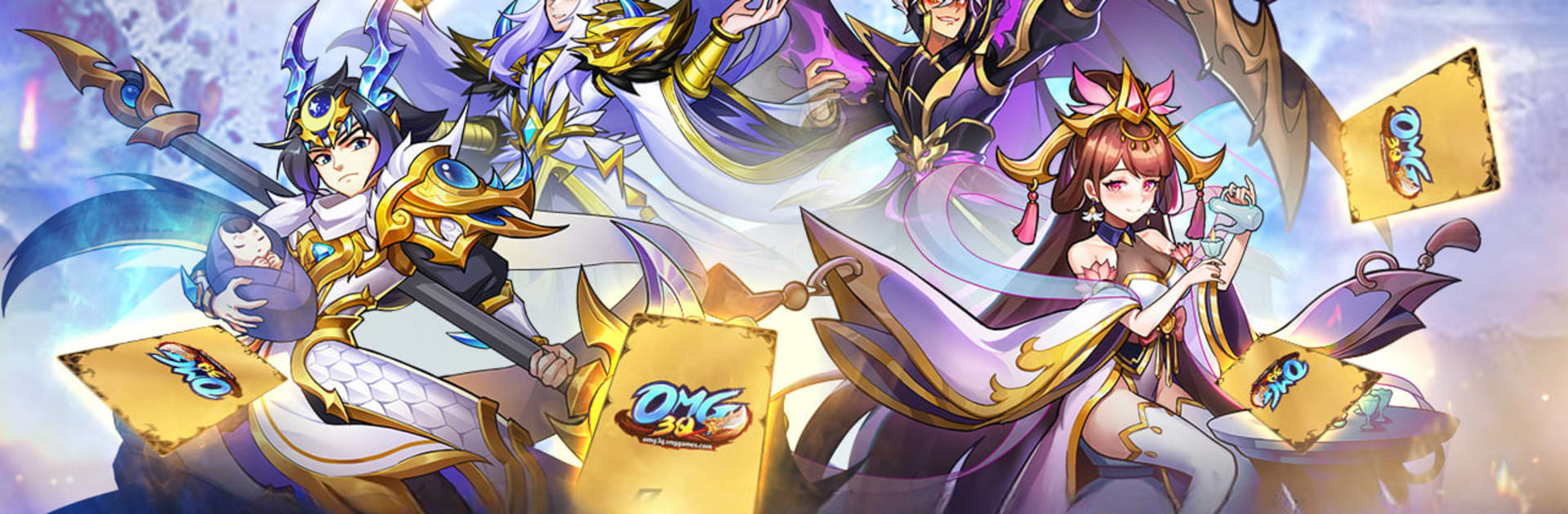
OMG 3Q – Game Tam Quốc VNG is a Role Playing strategy card game that reimagines the Three Kingdoms with a colorful, fantasy twist. Build a squad of iconic generals, set clever formations, and outthink rivals in brisk, turn-based battles. It’s part tactical chess match, part collection game—easy to pick up, surprisingly deep once you start tinkering with lineups.

Game Features

  • Tactical Turn-Based Squads — Set 5v5, 4v4, or 3v3 formations, position tanks and damage dealers just right, and chain skills to crack tough defenses.
  • Iconic Three Kingdoms Heroes — Recruit familiar names like Lu Bu, Zhao Yun, Guan Yu, and Cao Cao, each with distinct roles, links, and team synergies.
  • Deep Progression, Real Payoff — A multi-step breakthrough path refreshes a general’s look and skill kit as they rank up, so long-term investments feel meaningful.
  • Autochess-Style Arena — A Three Kingdoms “chess” mode where you plan alliances and hero links, then let the auto-battler flow resolve your strategy on the board.
  • Rich PvP and Alliance Play — Jump into competitive team fights across multiple sizes, join a guild, and coordinate strategies for large-scale clashes.
  • Signature Battlefields — March through reimagined historical showdowns—think sieges, capital defenses, and the race for unification—now with a fantasy edge.
  • Flexible Hero Tuning — Customize builds with manuals, soul-focused skills, mythical weapons, and companion beasts to shape your team’s power curve.
  • Play Your Pace — Let auto options handle routine skirmishes, then take the reins for pivotal turns where timing and placement matter most.
  • Bright, Chibi Visuals — Clean, playful art and flashy effects keep battles readable while giving each general plenty of personality.
  • PC-Friendly Option — Prefer a bigger screen and easy management? It plays comfortably on BlueStacks without changing how the game feels.

Start your journey now. Download the game on BlueStacks, invite your friends, and march on a new adventure.


Game Features

Enhancements

  • Macros
  • Rerolling
  • Eco Mode
  • Multi Instance Sync
  • Enhancements
Macros

Macros

Focus more on the fun part of the game, skip the tedious aspects. Master OMG 3Q - Game Tam Quốc VNG with Macros. Record yourself completing the monotonous tasks you wish to automate and replay them later with just one keypress.
Rerolling

Rerolling

Speed up the rerolling process in OMG 3Q - Game Tam Quốc VNG. Perform multiple summons and keep looking for the best Heroes. Use Multi-Instance sync to replicate the rerolling mechanism in all instances.
Eco Mode

Eco Mode

Farm in-game resources with ease in OMG 3Q - Game Tam Quốc VNG. Enable the Eco Mode when running the game in multiple instances. And lower your PC's resource consumption.
Multi Instance Sync

Multi Instance Sync

With the Multi-instance Sync, you can do even more in OMG 3Q - Game Tam Quốc VNG. Sync the action of the main instance and repeat them in real time for all other instances. Sync and sit back, let the game progress unfold.
Read More

How to Download and Play OMG 3Q - Game Tam Quốc VNG on PC or Mac

  • Download and install BlueStacks on your PC or Mac

  • Complete Google sign-in to access the Play Store, or do it later

  • Look for OMG 3Q - Game Tam Quốc VNG in the search bar at the top right corner

  • Click to install OMG 3Q - Game Tam Quốc VNG from the search results

  • Complete Google sign-in (if you skipped step 2) to install OMG 3Q - Game Tam Quốc VNG

  • Click the OMG 3Q - Game Tam Quốc VNG icon on the home screen to start playing

video
Watch Video

Minimum System Requirements

With BlueStacks 5, you can get started on a PC that fulfills the following requirements.

  • Operating System

    Microsoft Windows 7 or above, macOS 11 (Big Sur) or above

  • Processor

    Intel, AMD or Apple Silicon Processor

  • RAM

    at least 4GB

  • HDD

    10GB Free Disk Space

Note:

* You must be an Administrator on your PC. Up to date graphics drivers from Microsoft or the chipset vendor.

OMG 3Q - Game Tam Quốc VNG - FAQs

  • How to play OMG 3Q - Game Tam Quốc VNG on Windows PC & Mac?

    Play OMG 3Q - Game Tam Quốc VNG on your PC or Mac by following these simple steps.

    • Click on 'Play OMG 3Q - Game Tam Quốc VNG on PC’ to download BlueStacks
    • Install it and log-in to Google Play Store
    • Launch and play the game.
  • Why is BlueStacks the fastest and safest platform to play games on PC?

    BlueStacks respects your privacy and is always safe and secure to use. It does not carry any malware, spyware, or any sort of additional software that could harm your PC.

    It is engineered to optimize speed and performance for a seamless gaming experience.

  • What are OMG 3Q - Game Tam Quốc VNG PC requirements?

    Minimum requirement to run OMG 3Q - Game Tam Quốc VNG on your PC

    • OS: Microsoft Windows 7 or above MacOS 11 (Big Sur) or above
    • Processor: Intel, AMD or Apple Silicon Processor
    • RAM: Your PC must have at least 4GB of RAM. (Note that having 4GB or more disk space is not a substitute for RAM)
    • HDD: 10GB Free Disk Space.
    • You must be an Administrator on your PC.