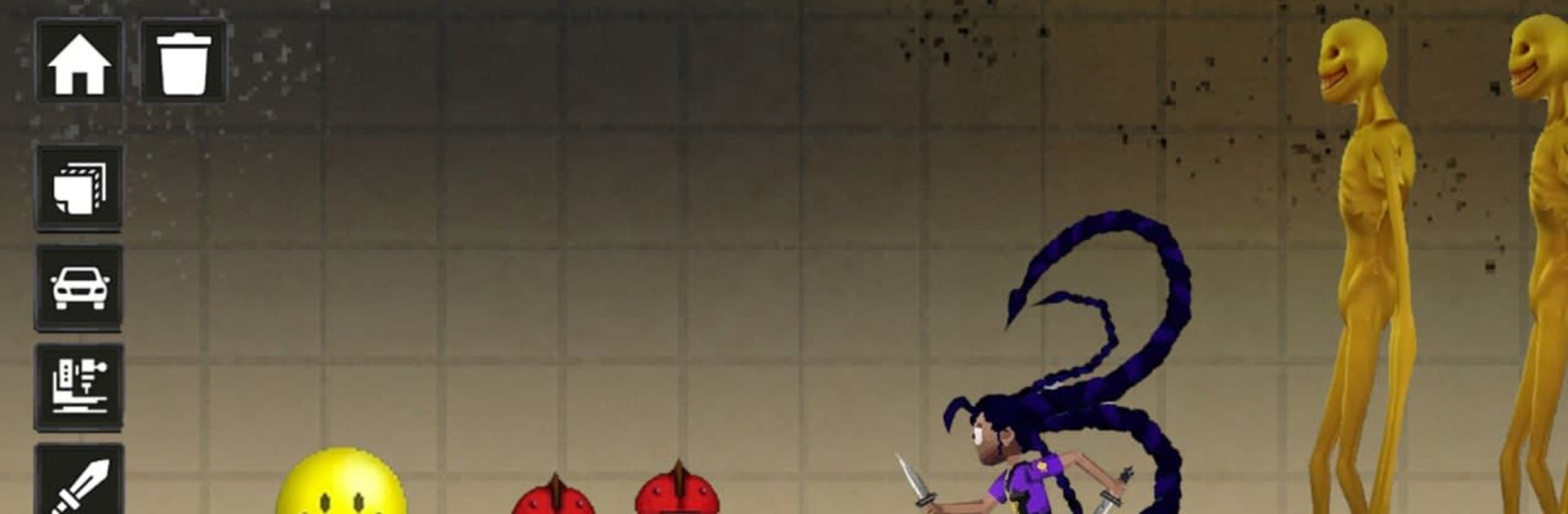
Ragdoll Survival: Forest Night

Ragdoll Survival: Forest Night

Role Playing

| BY POLAR

Play on PC with BlueStacks or from our cloud

  • Overview
  • Game Features
  • How to Play

Page Modified On: October 21, 2026

Play Ragdoll Survival: Forest Night on PC or Mac

Ragdoll Survival: Forest Night by BY POLAR has plenty to keep you busy. BlueStacks lets you play it on PC or Mac with more screen space, better control, and fewer mobile limits.

About the Game

Ragdoll Survival: Forest Night tosses you into a cursed woodland where every stumble, swing, and explosion can spiral into hilarious chaos—or total disaster. This Role Playing survival experience lets you scavenge, build, and tinker with traps while physics rule the outcome of every encounter. Want a smoother setup on a bigger screen? It runs nicely on BlueStacks without getting in the way.

Game Features

  • Open-ended survival sandbox: Pick your path—roam for loot, fortify a base, or set up elaborate trap routes; the forest responds to whatever plan you cook up.
  • Unpredictable ragdoll physics: Hits, blasts, and bad landings send bodies tumbling in believable, often ridiculous ways, making every fight feel new.
  • Nightfall escalates the threat: Darkness brings meaner creatures and harsher assaults, testing defenses and nerves when it matters most.
  • Build shelters and strongholds: Throw up walls, spike pits, and barricades, then repair and rethink after each tense skirmish.
  • Craft gear and improvised weapons: Turn scraps into tools, blades, and gadgets that pair neatly with traps and environmental hazards.
  • Traps with teeth: Rig snares, mines, and spring-loaded surprises; chain them together for satisfying, domino-style takedowns.
  • Combat that uses the environment: Kick foes off ledges, bait them through chokepoints, and let gravity, fire, and momentum do the heavy lifting.
  • Destruction that matters: Collapsing structures and flying debris reshape the battlefield, exposing new angles and last-ditch escapes.
  • Exploration with rising stakes: Push deeper into the cursed forest to find better resources—and stranger threats—as each night grows tougher.
  • Replayable chaos every run: Small choices spiral into wildly different outcomes, keeping stories fresh and failures oddly funny.

Start your journey now. Download the game on BlueStacks, invite your friends, and march on a new adventure.


Game Features

Enhancements

  • Macros
  • Rerolling
  • Eco Mode
  • Multi Instance Sync
  • Enhancements
Macros

Macros

Focus more on the fun part of the game, skip the tedious aspects. Master Ragdoll Survival: Forest Night with Macros. Record yourself completing the monotonous tasks you wish to automate and replay them later with just one keypress.
Rerolling

Rerolling

Speed up the rerolling process in Ragdoll Survival: Forest Night. Perform multiple summons and keep looking for the best Heroes. Use Multi-Instance sync to replicate the rerolling mechanism in all instances.
Eco Mode

Eco Mode

Farm in-game resources with ease in Ragdoll Survival: Forest Night. Enable the Eco Mode when running the game in multiple instances. And lower your PC's resource consumption.
Multi Instance Sync

Multi Instance Sync

With the Multi-instance Sync, you can do even more in Ragdoll Survival: Forest Night. Sync the action of the main instance and repeat them in real time for all other instances. Sync and sit back, let the game progress unfold.
Read More

How to Download and Play Ragdoll Survival: Forest Night on PC or Mac

  • Download and install BlueStacks on your PC or Mac

  • Complete Google sign-in to access the Play Store, or do it later

  • Look for Ragdoll Survival: Forest Night in the search bar at the top right corner

  • Click to install Ragdoll Survival: Forest Night from the search results

  • Complete Google sign-in (if you skipped step 2) to install Ragdoll Survival: Forest Night

  • Click the Ragdoll Survival: Forest Night icon on the home screen to start playing

video
Watch Video

Minimum System Requirements

With BlueStacks 5, you can get started on a PC that fulfills the following requirements.

  • Operating System

    Microsoft Windows 7 or above, macOS 11 (Big Sur) or above

  • Processor

    Intel, AMD or Apple Silicon Processor

  • RAM

    at least 4GB

  • HDD

    10GB Free Disk Space

Note:

* You must be an Administrator on your PC. Up to date graphics drivers from Microsoft or the chipset vendor.

Ragdoll Survival: Forest Night - FAQs

  • How to play Ragdoll Survival: Forest Night on Windows PC & Mac?

    Play Ragdoll Survival: Forest Night on your PC or Mac by following these simple steps.

    • Click on 'Play Ragdoll Survival: Forest Night on PC’ to download BlueStacks
    • Install it and log-in to Google Play Store
    • Launch and play the game.
  • Why is BlueStacks the fastest and safest platform to play games on PC?

    BlueStacks respects your privacy and is always safe and secure to use. It does not carry any malware, spyware, or any sort of additional software that could harm your PC.

    It is engineered to optimize speed and performance for a seamless gaming experience.

  • What are Ragdoll Survival: Forest Night PC requirements?

    Minimum requirement to run Ragdoll Survival: Forest Night on your PC

    • OS: Microsoft Windows 7 or above MacOS 11 (Big Sur) or above
    • Processor: Intel, AMD or Apple Silicon Processor
    • RAM: Your PC must have at least 4GB of RAM. (Note that having 4GB or more disk space is not a substitute for RAM)
    • HDD: 10GB Free Disk Space.
    • You must be an Administrator on your PC.