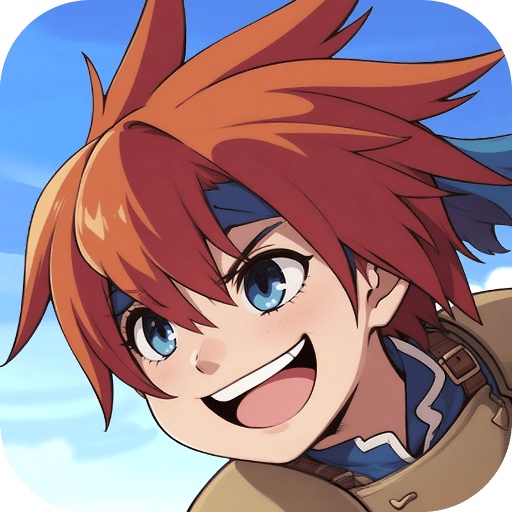
RPG Dark Seven
RPG Dark Seven

RPG Dark Seven

Role Playing

| KEMCO

Play on PC with BlueStacks or from our cloud

  • Overview
  • Game Features
  • How to Play

Page Modified On: December 22, 2025

Play RPG Dark Seven on PC or Mac

RPG Dark Seven brings the Role Playing genre to life, and throws up exciting challenges for gamers. Developed by KEMCO, this Android game is best experienced on BlueStacks, the World’s #1 app player for PC and Mac users.

About the Game

RPG Dark Seven is a Role Playing adventure from KEMCO that mixes mystery, strategy, and a touch of the uncanny. A man wakes up on a beach with no past—just a single name echoing in his head—and a world shaken by cursed paintings. His path crosses with a girl who wields dice that can sway fate, and from there, things get complicated in the best way.

Game Features

  • Fate-tangled story: Paintings throw the world into chaos, an amnesiac searches for the truth, and a girl carries dice that can decide outcomes. Every step nudges that line between despair and hope.
  • Swipe-to-strike battles: Use manual controls to follow arrow prompts and land stronger hits. Nail the timing and certain skills let you chain multiple attacks before the window closes.
  • Dial Dice mechanics: In each turn, a number shows up. Match your actions to that number to charge a gauge and unlock powerful Limit Abilities—perfect for clutch moments or boss turnarounds.
  • 15+ Styles to master: Each character brings their own Style (think jobs), complete with standard abilities, expert techniques, and more. There’s plenty to tinker with as your party grows.
  • Build-your-own toolkit: Skills you fully master stay with you, even if you switch Styles. Mix and match loadouts to create quirky hybrids or focused specialists.
  • Strategy without the grind: Battles reward attention and timing, but the systems stay approachable. You can experiment without feeling punished.
  • Optional purchases, full game: There are in-app purchases, but finishing the story doesn’t require them.
  • Play how you like: Prefer a bigger screen and keyboard controls? You can also hop in on PC with BlueStacks for a comfy setup.

Ready to top the leaderboard? We bet you do. Let precise controls and sharp visuals optimized on BlueStacks lead you to victory.


Game Features

Enhancements

  • Macros
  • Rerolling
  • Eco Mode
  • Multi Instance Sync
  • Enhancements
Macros

Macros

Focus more on the fun part of the game, skip the tedious aspects. Master RPG Dark Seven with Macros. Record yourself completing the monotonous tasks you wish to automate and replay them later with just one keypress.
Rerolling

Rerolling

Speed up the rerolling process in RPG Dark Seven. Perform multiple summons and keep looking for the best Heroes. Use Multi-Instance sync to replicate the rerolling mechanism in all instances.
Eco Mode

Eco Mode

Farm in-game resources with ease in RPG Dark Seven. Enable the Eco Mode when running the game in multiple instances. And lower your PC's resource consumption.
Multi Instance Sync

Multi Instance Sync

With the Multi-instance Sync, you can do even more in RPG Dark Seven. Sync the action of the main instance and repeat them in real time for all other instances. Sync and sit back, let the game progress unfold.
Read More

How to Download and Play RPG Dark Seven on PC or Mac

  • Download and install BlueStacks on your PC or Mac

  • Complete Google sign-in to access the Play Store, or do it later

  • Look for RPG Dark Seven in the search bar at the top right corner

  • Click to install RPG Dark Seven from the search results

  • Complete Google sign-in (if you skipped step 2) to install RPG Dark Seven

  • Click the RPG Dark Seven icon on the home screen to start playing

video
Watch Video

Minimum System Requirements

With BlueStacks 5, you can get started on a PC that fulfills the following requirements.

  • Operating System

    Microsoft Windows 7 or above, macOS 11 (Big Sur) or above

  • Processor

    Intel, AMD or Apple Silicon Processor

  • RAM

    at least 4GB

  • HDD

    10GB Free Disk Space

Note:

* You must be an Administrator on your PC. Up to date graphics drivers from Microsoft or the chipset vendor.

RPG Dark Seven - FAQs

  • How to play RPG Dark Seven on Windows PC & Mac?

    Play RPG Dark Seven on your PC or Mac by following these simple steps.

    • Click on 'Play RPG Dark Seven on PC’ to download BlueStacks
    • Install it and log-in to Google Play Store
    • Launch and play the game.
  • Why is BlueStacks the fastest and safest platform to play games on PC?

    BlueStacks respects your privacy and is always safe and secure to use. It does not carry any malware, spyware, or any sort of additional software that could harm your PC.

    It is engineered to optimize speed and performance for a seamless gaming experience.

  • What are RPG Dark Seven PC requirements?

    Minimum requirement to run RPG Dark Seven on your PC

    • OS: Microsoft Windows 7 or above MacOS 11 (Big Sur) or above
    • Processor: Intel, AMD or Apple Silicon Processor
    • RAM: Your PC must have at least 4GB of RAM. (Note that having 4GB or more disk space is not a substitute for RAM)
    • HDD: 10GB Free Disk Space.
    • You must be an Administrator on your PC.