School Bus Simulator 3D

School Bus Simulator 3D

Role Playing

| FanTech Games

Play on PC with BlueStacks or from our cloud

  • Overview
  • Game Features
  • How to Play

Page Modified On: August 11, 2026

Play School Bus Simulator 3D on PC or Mac

School Bus Simulator 3D brings the Role Playing genre to life, and throws up exciting challenges for gamers. Developed by FanTech Games, this Android game is best experienced on BlueStacks, the World’s #1 app player for PC and Mac users.

About the Game

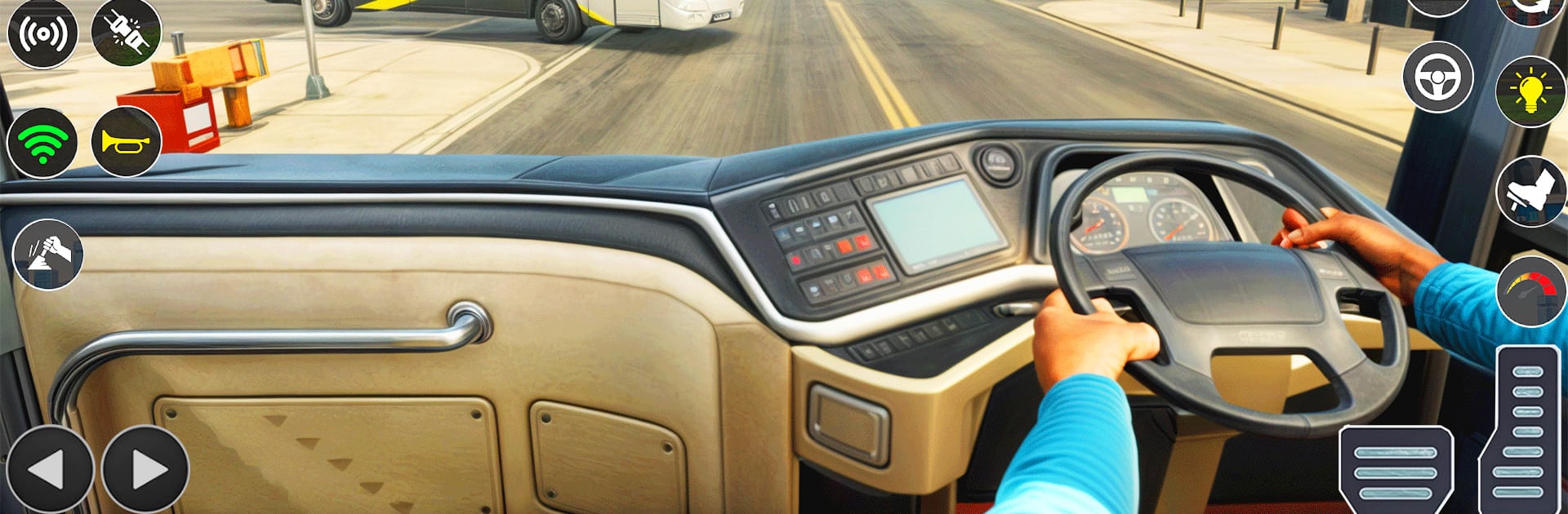
School Bus Simulator 3D drops you in the driver’s seat and puts real responsibility on your shoulders. It’s a Role Playing take on driving where timing, safety, and smart decisions matter as much as speed. Juggle tight schedules, tricky routes, and a big yellow bus that actually feels heavy on the road—great with touch controls or on PC using BlueStacks if you like a bigger view.

Game Features

  • Real bus feel: Weighty physics, smooth steering, and convincing brake distance make every turn, stop, and hill climb feel grounded. Multiple camera angles help you judge space like a pro.
  • City and offroad routes: Thread through busy streets with traffic lights and tight corners, then roll into dirt paths, hills, and rocky stretches that test control and patience.
  • Follow-the-rules driving: Watch your speed, signal correctly, and respect intersections. It’s about clean, responsible driving—not just getting there fast.
  • Student pick‑ups done right: Pull in carefully, open the doors, and watch animated students hop on and off. Keep things safe and on schedule.
  • Parking challenges: Squeeze into crowded school zones and tight neighborhood stops. Think precise angles, short reverses, and curb-perfect alignment.
  • Buses to unlock and tweak: Earn new school buses with distinct looks and customize them to fit your style.
  • Weather and time of day: Rain, clear skies, daylight, and night driving change how you see—and handle—the road.
  • Play your way: Jump into structured missions with clear goals or relax in free drive to practice routes and techniques.
  • Clean visuals, steady frame rate: Crisp 3D environments and optimized performance keep the ride smooth on most devices.
  • PC-friendly option: Prefer keyboard precision and a wider field of view? It runs nicely on BlueStacks.

BlueStacks gives you more room to focus on the game and less time adjusting around mobile limitations.


Game Features

Enhancements

  • Macros
  • Rerolling
  • Eco Mode
  • Multi Instance Sync
  • Enhancements
Macros

Macros

Focus more on the fun part of the game, skip the tedious aspects. Master School Bus Simulator 3D with Macros. Record yourself completing the monotonous tasks you wish to automate and replay them later with just one keypress.
Rerolling

Rerolling

Speed up the rerolling process in School Bus Simulator 3D. Perform multiple summons and keep looking for the best Heroes. Use Multi-Instance sync to replicate the rerolling mechanism in all instances.
Eco Mode

Eco Mode

Farm in-game resources with ease in School Bus Simulator 3D. Enable the Eco Mode when running the game in multiple instances. And lower your PC's resource consumption.
Multi Instance Sync

Multi Instance Sync

With the Multi-instance Sync, you can do even more in School Bus Simulator 3D. Sync the action of the main instance and repeat them in real time for all other instances. Sync and sit back, let the game progress unfold.
Read More

How to Download and Play School Bus Simulator 3D on PC or Mac

  • Download and install BlueStacks on your PC or Mac

  • Complete Google sign-in to access the Play Store, or do it later

  • Look for School Bus Simulator 3D in the search bar at the top right corner

  • Click to install School Bus Simulator 3D from the search results

  • Complete Google sign-in (if you skipped step 2) to install School Bus Simulator 3D

  • Click the School Bus Simulator 3D icon on the home screen to start playing

video
Watch Video

Minimum System Requirements

With BlueStacks 5, you can get started on a PC that fulfills the following requirements.

  • Operating System

    Microsoft Windows 7 or above, macOS 11 (Big Sur) or above

  • Processor

    Intel, AMD or Apple Silicon Processor

  • RAM

    at least 4GB

  • HDD

    10GB Free Disk Space

Note:

* You must be an Administrator on your PC. Up to date graphics drivers from Microsoft or the chipset vendor.

School Bus Simulator 3D - FAQs

  • How to play School Bus Simulator 3D on Windows PC & Mac?

    Play School Bus Simulator 3D on your PC or Mac by following these simple steps.

    • Click on 'Play School Bus Simulator 3D on PC’ to download BlueStacks
    • Install it and log-in to Google Play Store
    • Launch and play the game.
  • Why is BlueStacks the fastest and safest platform to play games on PC?

    BlueStacks respects your privacy and is always safe and secure to use. It does not carry any malware, spyware, or any sort of additional software that could harm your PC.

    It is engineered to optimize speed and performance for a seamless gaming experience.

  • What are School Bus Simulator 3D PC requirements?

    Minimum requirement to run School Bus Simulator 3D on your PC

    • OS: Microsoft Windows 7 or above MacOS 11 (Big Sur) or above
    • Processor: Intel, AMD or Apple Silicon Processor
    • RAM: Your PC must have at least 4GB of RAM. (Note that having 4GB or more disk space is not a substitute for RAM)
    • HDD: 10GB Free Disk Space.
    • You must be an Administrator on your PC.