Star Wars™: Galaxy of Heroes

Star Wars™: Galaxy of Heroes

Role Playing

| ELECTRONIC ARTS

Play on PC with BlueStacks or from our cloud

  • Overview
  • Tips & Tricks
  • Game Features
  • How to Play

Page Modified On: April 09, 2026

Play Star Wars™: Galaxy of Heroes on PC or Mac

Explore a whole new adventure with Star Wars™: Galaxy of Heroes, a Role Playing game created by ELECTRONIC ARTS. Experience great gameplay with BlueStacks, the most popular gaming platform to play Android games on your PC or Mac.

About the Game

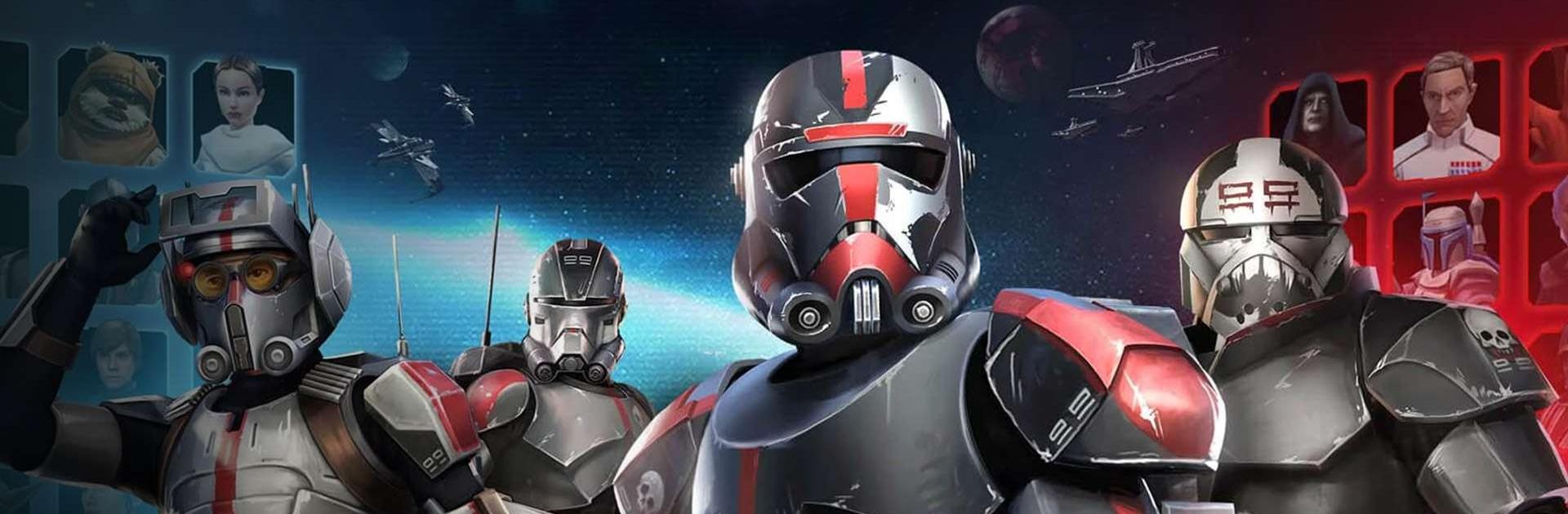
Star Wars™: Galaxy of Heroes is a Role Playing battler where you collect the saga’s greatest heroes and villains and send them into tactical, turn-based fights. Build dream squads, outthink your opponents, and relive fan-favorite moments from across the galaxy in PvE and PvP modes. Developed by ELECTRONIC ARTS, it blends strategy with pure Star Wars nostalgia—and it feels right at home on mobile or running smoothly on BlueStacks.

Game Features

  • Collect iconic characters: Recruit legends from every era—Luke Skywalker, Ahsoka Tano, Darth Vader, Han Solo, Obi-Wan Kenobi, Yoda, The Mandalorian, and plenty more.
  • Build and tune squads: Upgrade gear and abilities to shape elite teams that fit your playstyle, whether that’s Jedi synergy, Sith dominance, or crafty bounty hunters.
  • Cinematic, turn-based combat: Manage turn order, time your specials, and chain counters to control the flow of each battle.
  • The Coliseum challenge: Face a rotating lineup of enemies like the Dyax, Jotaz, and the Pirate AT-ST, climb the rankings, and earn high-end materials.
  • Command your fleet: Put the Millennium Falcon and other iconic ships into formation, unlock pilot-driven abilities, and take the Fleet Arena by storm.
  • Guilds and large-scale wars: Team up with friends for raids against rancors and AAT tanks, and coordinate in Territory Battles and Territory Wars.
  • Signature Star Wars moves: Fire off Han’s “Never Tell Me the Odds,” pull off Obi-Wan’s “Mind Tricks,” or trigger The Mandalorian’s “Disintegrate” at just the right moment.
  • Multiple ways to compete: Tackle PvE campaigns, jump into Squad Arena and Galactic Challenges, or chase leaderboard prestige in the Coliseum.
  • Choose your allegiance: Rally the Rebellion, enforce the Empire’s will, or play the gray with scoundrels and bounty hunters—the roster lets you experiment.
  • Optional purchases: The game includes in-game purchases for currency and items, including randomized rewards, if you want to speed up your progress.

Start your journey now. Download the game on BlueStacks, invite your friends, and march on a new adventure.


Game Features

Enhancements

  • Macros
  • Rerolling
  • Eco Mode
  • Multi Instance Sync
  • Enhancements
Macros

Macros

Focus more on the fun part of the game, skip the tedious aspects. Master Star Wars™: Galaxy of Heroes with Macros. Record yourself completing the monotonous tasks you wish to automate and replay them later with just one keypress.
Rerolling

Rerolling

Speed up the rerolling process in Star Wars™: Galaxy of Heroes. Perform multiple summons and keep looking for the best Heroes. Use Multi-Instance sync to replicate the rerolling mechanism in all instances.
Eco Mode

Eco Mode

Farm in-game resources with ease in Star Wars™: Galaxy of Heroes. Enable the Eco Mode when running the game in multiple instances. And lower your PC's resource consumption.
Multi Instance Sync

Multi Instance Sync

With the Multi-instance Sync, you can do even more in Star Wars™: Galaxy of Heroes. Sync the action of the main instance and repeat them in real time for all other instances. Sync and sit back, let the game progress unfold.
Read More

How to Download and Play Star Wars™: Galaxy of Heroes on PC or Mac

  • Download and install BlueStacks on your PC or Mac

  • Complete Google sign-in to access the Play Store, or do it later

  • Look for Star Wars™: Galaxy of Heroes in the search bar at the top right corner

  • Click to install Star Wars™: Galaxy of Heroes from the search results

  • Complete Google sign-in (if you skipped step 2) to install Star Wars™: Galaxy of Heroes

  • Click the Star Wars™: Galaxy of Heroes icon on the home screen to start playing

video
Watch Video

Minimum System Requirements

With BlueStacks 5, you can get started on a PC that fulfills the following requirements.

  • Operating System

    Microsoft Windows 7 or above, macOS 11 (Big Sur) or above

  • Processor

    Intel, AMD or Apple Silicon Processor

  • RAM

    at least 4GB

  • HDD

    10GB Free Disk Space

Note:

* You must be an Administrator on your PC. Up to date graphics drivers from Microsoft or the chipset vendor.

Star Wars™: Galaxy of Heroes - FAQs

  • How to play Star Wars™: Galaxy of Heroes on Windows PC & Mac?

    Play Star Wars™: Galaxy of Heroes on your PC or Mac by following these simple steps.

    • Click on 'Play Star Wars™: Galaxy of Heroes on PC’ to download BlueStacks
    • Install it and log-in to Google Play Store
    • Launch and play the game.
  • Why is BlueStacks the fastest and safest platform to play games on PC?

    BlueStacks respects your privacy and is always safe and secure to use. It does not carry any malware, spyware, or any sort of additional software that could harm your PC.

    It is engineered to optimize speed and performance for a seamless gaming experience.

  • What are Star Wars™: Galaxy of Heroes PC requirements?

    Minimum requirement to run Star Wars™: Galaxy of Heroes on your PC

    • OS: Microsoft Windows 7 or above MacOS 11 (Big Sur) or above
    • Processor: Intel, AMD or Apple Silicon Processor
    • RAM: Your PC must have at least 4GB of RAM. (Note that having 4GB or more disk space is not a substitute for RAM)
    • HDD: 10GB Free Disk Space.
    • You must be an Administrator on your PC.