The Quest-Isles of Ice & Fire

The Quest-Isles of Ice & Fire

Role Playing

| Redshift Games

Play on PC with BlueStacks or from our cloud

  • Overview
  • Game Features
  • How to Play

Page Modified On: August 24, 2026

Play The Quest-Isles of Ice & Fire on PC or Mac

The Quest-Isles of Ice & Fire brings the Role Playing genre to life, and throws up exciting challenges for gamers. Developed by Redshift Games, this Android game is best experienced on BlueStacks, the World’s #1 app player for PC and Mac users.

About the Game

The Quest-Isles of Ice & Fire throws you into a chilly–fiery mystery across two isolated islands under strict lockdown, where a strange illness has everyone nervous and the authorities on edge. This classic Role Playing adventure pairs tile-based exploration with thoughtful, turn-based battles, letting you poke into every corner and plan each fight. Jump in as a standalone journey or bring over your veteran hero from The Quest—and if you prefer playing on PC, BlueStacks makes it an easy fit.

Game Features

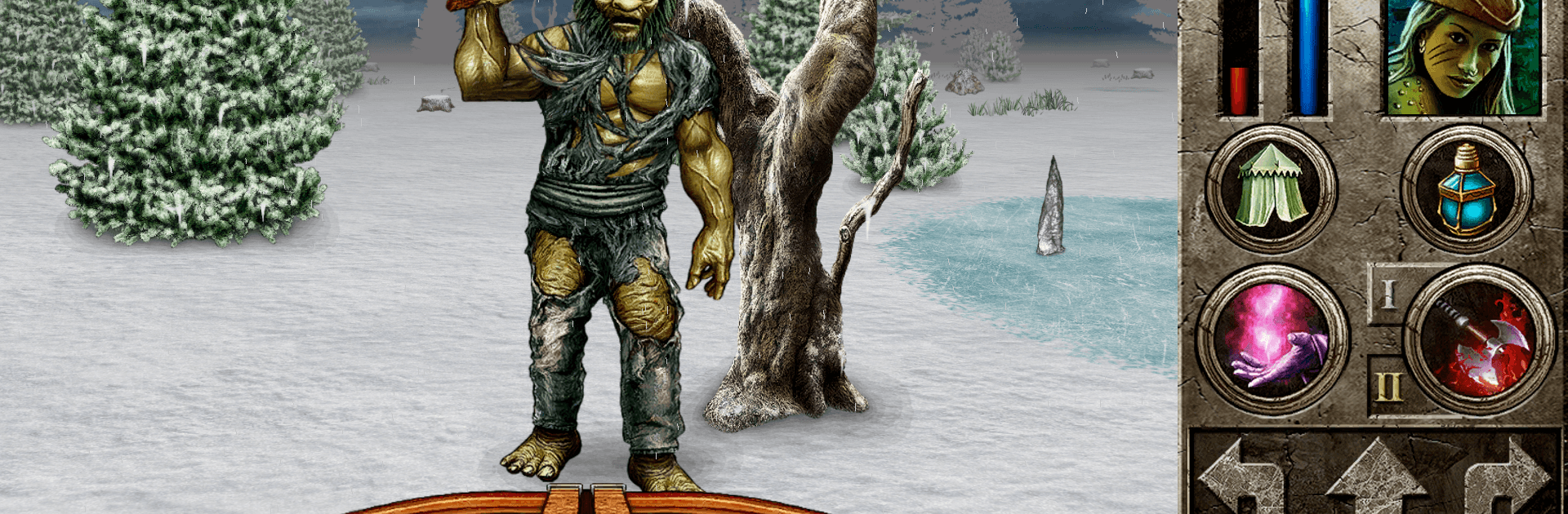
  • Twin Isles to Uncover: Roam the frostbitten wilds of Thule and the volcanic slopes of Eldfell, from frozen beaches to ash-streaked caverns, each with its own dangers and secrets.
  • Old-School Movement, Tactical Fights: Travel grid by grid, then trade turns with enemies in tense encounters where positioning, timing, and resource management actually matter.
  • Continue or Start Fresh: Import your existing character from The Quest for a seasoned run, or start a brand-new adventure tuned for this chapter.
  • Quests with Real Payoffs: Investigate the plague, delve into dungeons, and tackle side stories that reward you with meaningful loot, gold, and unique gear.
  • New Foes and Dungeons: Face off against dangerous creatures and explore treacherous lairs and towns packed with hidden paths, keys, and locked doors.
  • Crossbows Join the Arsenal: Add crossbows to your loadout to mix ranged tactics with your current build, opening up clever ways to control a fight.
  • Travel Tips for Veterans: Ready to sail? Chat with Captain Hanty at Mithria harbor to set course for the new lands—being around level 14 makes the journey far more survivable.
  • Hand-Drawn World: Soak in a richly illustrated, painterly look while you map every tile, mark shortcuts, and piece together clues behind the lockdown.

Ready to top the leaderboard? We bet you do. Let precise controls and sharp visuals optimized on BlueStacks lead you to victory.


Game Features

Enhancements

  • Macros
  • Rerolling
  • Eco Mode
  • Multi Instance Sync
  • Enhancements
Macros

Macros

Focus more on the fun part of the game, skip the tedious aspects. Master The Quest-Isles of Ice & Fire with Macros. Record yourself completing the monotonous tasks you wish to automate and replay them later with just one keypress.
Rerolling

Rerolling

Speed up the rerolling process in The Quest-Isles of Ice & Fire. Perform multiple summons and keep looking for the best Heroes. Use Multi-Instance sync to replicate the rerolling mechanism in all instances.
Eco Mode

Eco Mode

Farm in-game resources with ease in The Quest-Isles of Ice & Fire. Enable the Eco Mode when running the game in multiple instances. And lower your PC's resource consumption.
Multi Instance Sync

Multi Instance Sync

With the Multi-instance Sync, you can do even more in The Quest-Isles of Ice & Fire. Sync the action of the main instance and repeat them in real time for all other instances. Sync and sit back, let the game progress unfold.
Read More

How to Download and Play The Quest-Isles of Ice & Fire on PC or Mac

  • Download and install BlueStacks on your PC or Mac

  • Complete Google sign-in to access the Play Store, or do it later

  • Look for The Quest-Isles of Ice & Fire in the search bar at the top right corner

  • Click to install The Quest-Isles of Ice & Fire from the search results

  • Complete Google sign-in (if you skipped step 2) to install The Quest-Isles of Ice & Fire

  • Click the The Quest-Isles of Ice & Fire icon on the home screen to start playing

video
Watch Video

Minimum System Requirements

With BlueStacks 5, you can get started on a PC that fulfills the following requirements.

  • Operating System

    Microsoft Windows 7 or above, macOS 11 (Big Sur) or above

  • Processor

    Intel, AMD or Apple Silicon Processor

  • RAM

    at least 4GB

  • HDD

    10GB Free Disk Space

Note:

* You must be an Administrator on your PC. Up to date graphics drivers from Microsoft or the chipset vendor.

The Quest-Isles of Ice & Fire - FAQs

  • How to play The Quest-Isles of Ice & Fire on Windows PC & Mac?

    Play The Quest-Isles of Ice & Fire on your PC or Mac by following these simple steps.

    • Click on 'Play The Quest-Isles of Ice & Fire on PC’ to download BlueStacks
    • Install it and log-in to Google Play Store
    • Launch and play the game.
  • Why is BlueStacks the fastest and safest platform to play games on PC?

    BlueStacks respects your privacy and is always safe and secure to use. It does not carry any malware, spyware, or any sort of additional software that could harm your PC.

    It is engineered to optimize speed and performance for a seamless gaming experience.

  • What are The Quest-Isles of Ice & Fire PC requirements?

    Minimum requirement to run The Quest-Isles of Ice & Fire on your PC

    • OS: Microsoft Windows 7 or above MacOS 11 (Big Sur) or above
    • Processor: Intel, AMD or Apple Silicon Processor
    • RAM: Your PC must have at least 4GB of RAM. (Note that having 4GB or more disk space is not a substitute for RAM)
    • HDD: 10GB Free Disk Space.
    • You must be an Administrator on your PC.