第七天災
第七天災

第七天災

Role Playing

| SPGFun

Play on PC with BlueStacks or from our cloud

  • Overview
  • Game Features
  • How to Play

Page Modified On: January 02, 2026

Play 第七天災 on PC or Mac

第七天災 brings the Role Playing genre to life, and throws up exciting challenges for gamers. Developed by SPGFun, this Android game is best experienced on BlueStacks, the World’s #1 app player for PC and Mac users.

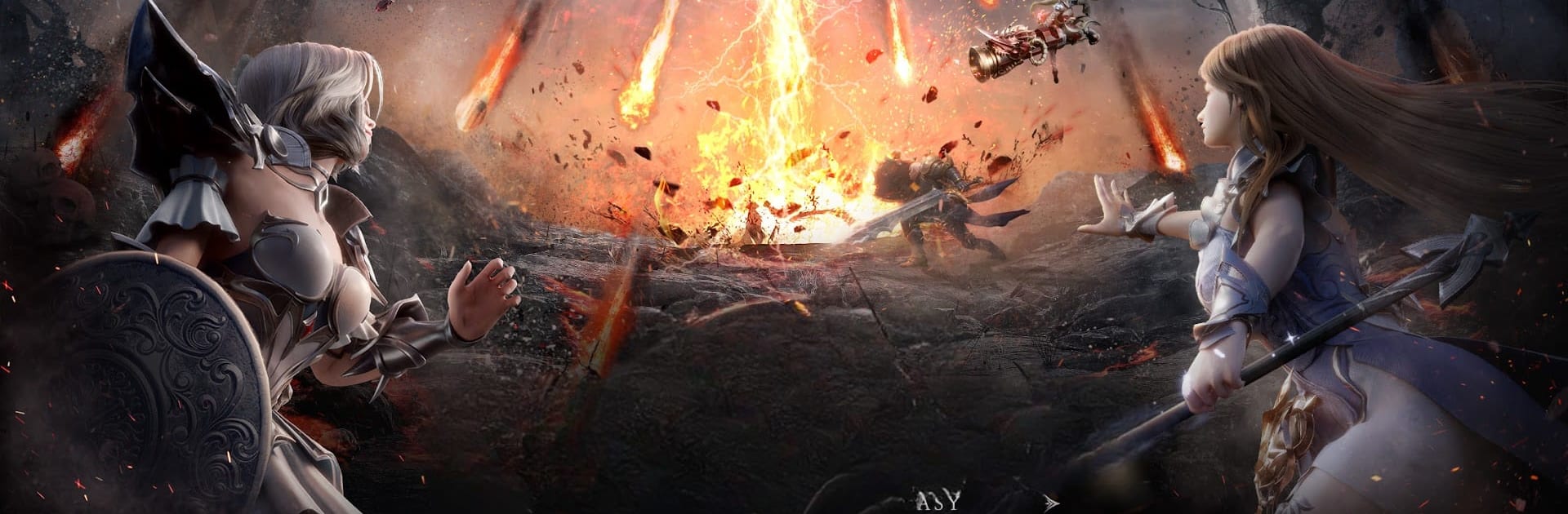
第七天災 is a dark fantasy MMO that really leans into that doomsday feeling. The world runs on a visible countdown while a giant one-eyed demon and its army keep chewing through regions, so there is this steady pressure to push back, clear zones, and keep people alive a bit longer. Combat throws big packs of monsters at the player, lots of flashy skills and screen-shaking effects, and it feels good when a build starts mowing through waves that used to stall out. The tone is grim but not hopeless, with different races rallying together because there is no other choice.

What stands out are the disaster events. Seven types of calamity pop up as instanced challenges or world spawns, and each one changes how fights play out. Extreme cold slows things, scorching heat chips at health, quakes and floods mess with positioning, swarming insects make visibility and target focus a pain, hurricanes push units around. It is less about perfect combos and more about reading the hazard and adapting on the fly. The Judge class hits like a wrecking ball, made for crowd control and quick clears, which suits the constant siege. Guild wars are huge and messy in a good way, with alliances scrapping over resources and bragging rights while the clock keeps ticking. Gear tinkering gets pretty deep too. There is an arsenal where artifacts can be enchanted and refined, so builds end up feeling personal rather than cookie cutter. On PC through BlueStacks, hotkeys make managing rotations and dodges smoother, and the game runs fine with long sessions. It is free to start with optional purchases, so expect cosmetics and convenience items in the shop, though patient grinding still moves the needle.

Start your journey now. Download the game on BlueStacks, invite your friends, and march on a new adventure.


Game Features

Enhancements

  • Macros
  • Rerolling
  • Eco Mode
  • Multi Instance Sync
  • Enhancements
Macros

Macros

Focus more on the fun part of the game, skip the tedious aspects. Master 第七天災 with Macros. Record yourself completing the monotonous tasks you wish to automate and replay them later with just one keypress.
Rerolling

Rerolling

Speed up the rerolling process in 第七天災. Perform multiple summons and keep looking for the best Heroes. Use Multi-Instance sync to replicate the rerolling mechanism in all instances.
Eco Mode

Eco Mode

Farm in-game resources with ease in 第七天災. Enable the Eco Mode when running the game in multiple instances. And lower your PC's resource consumption.
Multi Instance Sync

Multi Instance Sync

With the Multi-instance Sync, you can do even more in 第七天災. Sync the action of the main instance and repeat them in real time for all other instances. Sync and sit back, let the game progress unfold.
Read More

How to Download and Play 第七天災 on PC or Mac

  • Download and install BlueStacks on your PC or Mac

  • Complete Google sign-in to access the Play Store, or do it later

  • Look for 第七天災 in the search bar at the top right corner

  • Click to install 第七天災 from the search results

  • Complete Google sign-in (if you skipped step 2) to install 第七天災

  • Click the 第七天災 icon on the home screen to start playing

video
Watch Video

Minimum System Requirements

With BlueStacks 5, you can get started on a PC that fulfills the following requirements.

  • Operating System

    Microsoft Windows 7 or above, macOS 11 (Big Sur) or above

  • Processor

    Intel, AMD or Apple Silicon Processor

  • RAM

    at least 4GB

  • HDD

    10GB Free Disk Space

Note:

* You must be an Administrator on your PC. Up to date graphics drivers from Microsoft or the chipset vendor.

第七天災 - FAQs

  • How to play 第七天災 on Windows PC & Mac?

    Play 第七天災 on your PC or Mac by following these simple steps.

    • Click on 'Play 第七天災 on PC’ to download BlueStacks
    • Install it and log-in to Google Play Store
    • Launch and play the game.
  • Why is BlueStacks the fastest and safest platform to play games on PC?

    BlueStacks respects your privacy and is always safe and secure to use. It does not carry any malware, spyware, or any sort of additional software that could harm your PC.

    It is engineered to optimize speed and performance for a seamless gaming experience.

  • What are 第七天災 PC requirements?

    Minimum requirement to run 第七天災 on your PC

    • OS: Microsoft Windows 7 or above MacOS 11 (Big Sur) or above
    • Processor: Intel, AMD or Apple Silicon Processor
    • RAM: Your PC must have at least 4GB of RAM. (Note that having 4GB or more disk space is not a substitute for RAM)
    • HDD: 10GB Free Disk Space.
    • You must be an Administrator on your PC.