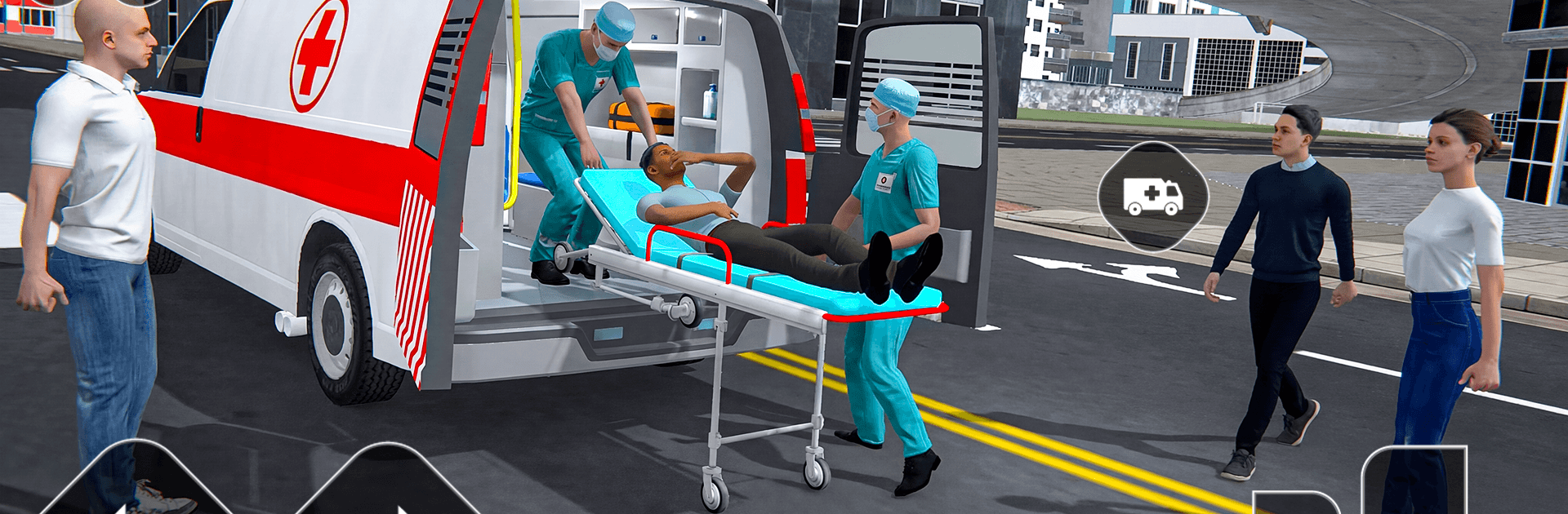
US Ambulance Driving Simulator

US Ambulance Driving Simulator

Role Playing

| Fun Drive Games

Play on PC with BlueStacks or from our cloud

  • Overview
  • Game Features
  • How to Play

Page Modified On: September 25, 2026

Play US Ambulance Driving Simulator on PC or Mac

Play US Ambulance Driving Simulator by Fun Drive Games on PC or Mac with BlueStacks. Use a bigger screen, mouse and keyboard controls, and smoother performance while you play.

About the Game

US Ambulance Driving Simulator is a Role Playing game about being the first one on the scene when things go wrong. You’re the driver, the siren’s wailing, and every second matters as you snake through a bustling city to pick up and deliver patients safely. It’s fast, tense, and—when traffic won’t budge—surprisingly strategic.

Game Features

  • High-pressure rescues: Answer urgent calls, map a quick route, and manage tight arrival windows while keeping collisions to a minimum.
  • Lifelike traffic behavior: Navigate packed avenues, tricky intersections, and highway merges filled with AI cars, buses, and the occasional roadblock.
  • Real-world ambulance feel: Flash the lights, pop the siren, and feel the weight of the rig as momentum and braking actually matter.
  • Smooth, responsive handling: Pick between steering options and sensitivity settings so cornering, threading gaps, and emergency braking feel natural.
  • Handy camera views: Swap perspectives on the fly—from cockpit to hood to chase—so you can squeeze past bottlenecks with confidence.
  • Missions that ramp up: Start with simpler transports, then take on multi-stop emergencies and tougher routes as the city gets busier.
  • Learn under pressure: Build better reflexes and road awareness as every second saved can change the outcome of a run.
  • Play your way: Tweak HUD and control preferences, and if you prefer a keyboard on a larger display, it plays nicely on PC with BlueStacks.

Start your journey now. Download the game on BlueStacks, invite your friends, and march on a new adventure.


Game Features

Enhancements

  • Macros
  • Rerolling
  • Eco Mode
  • Multi Instance Sync
  • Enhancements
Macros

Macros

Focus more on the fun part of the game, skip the tedious aspects. Master US Ambulance Driving Simulator with Macros. Record yourself completing the monotonous tasks you wish to automate and replay them later with just one keypress.
Rerolling

Rerolling

Speed up the rerolling process in US Ambulance Driving Simulator. Perform multiple summons and keep looking for the best Heroes. Use Multi-Instance sync to replicate the rerolling mechanism in all instances.
Eco Mode

Eco Mode

Farm in-game resources with ease in US Ambulance Driving Simulator. Enable the Eco Mode when running the game in multiple instances. And lower your PC's resource consumption.
Multi Instance Sync

Multi Instance Sync

With the Multi-instance Sync, you can do even more in US Ambulance Driving Simulator. Sync the action of the main instance and repeat them in real time for all other instances. Sync and sit back, let the game progress unfold.
Read More

How to Download and Play US Ambulance Driving Simulator on PC or Mac

  • Download and install BlueStacks on your PC or Mac

  • Complete Google sign-in to access the Play Store, or do it later

  • Look for US Ambulance Driving Simulator in the search bar at the top right corner

  • Click to install US Ambulance Driving Simulator from the search results

  • Complete Google sign-in (if you skipped step 2) to install US Ambulance Driving Simulator

  • Click the US Ambulance Driving Simulator icon on the home screen to start playing

video
Watch Video

Minimum System Requirements

With BlueStacks 5, you can get started on a PC that fulfills the following requirements.

  • Operating System

    Microsoft Windows 7 or above, macOS 11 (Big Sur) or above

  • Processor

    Intel, AMD or Apple Silicon Processor

  • RAM

    at least 4GB

  • HDD

    10GB Free Disk Space

Note:

* You must be an Administrator on your PC. Up to date graphics drivers from Microsoft or the chipset vendor.

US Ambulance Driving Simulator - FAQs

  • How to play US Ambulance Driving Simulator on Windows PC & Mac?

    Play US Ambulance Driving Simulator on your PC or Mac by following these simple steps.

    • Click on 'Play US Ambulance Driving Simulator on PC’ to download BlueStacks
    • Install it and log-in to Google Play Store
    • Launch and play the game.
  • Why is BlueStacks the fastest and safest platform to play games on PC?

    BlueStacks respects your privacy and is always safe and secure to use. It does not carry any malware, spyware, or any sort of additional software that could harm your PC.

    It is engineered to optimize speed and performance for a seamless gaming experience.

  • What are US Ambulance Driving Simulator PC requirements?

    Minimum requirement to run US Ambulance Driving Simulator on your PC

    • OS: Microsoft Windows 7 or above MacOS 11 (Big Sur) or above
    • Processor: Intel, AMD or Apple Silicon Processor
    • RAM: Your PC must have at least 4GB of RAM. (Note that having 4GB or more disk space is not a substitute for RAM)
    • HDD: 10GB Free Disk Space.
    • You must be an Administrator on your PC.