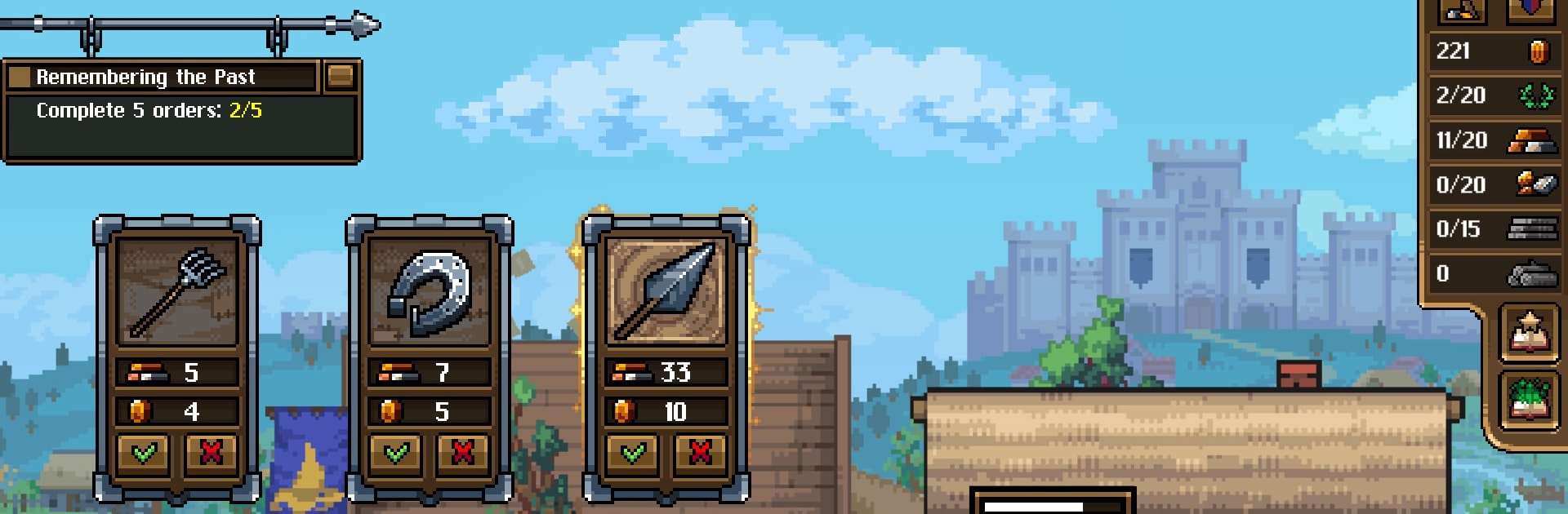
Anvil saga: forge simulator

Anvil saga: forge simulator

Simulation

| HeroCraft Ltd.

Play on PC with BlueStacks or from our cloud

  • Overview
  • Game Features
  • How to Play

Page Modified On: May 11, 2026

Play Anvil saga: forge simulator on PC or Mac

Join millions to experience Anvil saga: forge simulator, an exciting Simulation game from HeroCraft Ltd.. With BlueStacks App Player, you are always a step ahead of your opponent, ready to outplay them with faster gameplay and better control with the mouse and keyboard on your PC or Mac.

About the Game

Anvil saga: forge simulator drops you into the day-to-day grind of a medieval blacksmith, where your hammer swings matter just as much as your choices. It’s a relaxed yet strategic Simulation from HeroCraft Ltd., blending shop management, crafting, and a branching story set against the turmoil of the Hundred Years’ War. Expect to shape your workshop, manage quirky workers, and take on orders that can make you famous—or get you in trouble.

Game Features

  • Build the shop, your way: Add new rooms, improve tools, and make the place look worthy of nobles and seasoned warriors. A smarter layout means happier customers and better coin.

  • Master the craft: Forge blades, rings, and specialty gear for picky patrons. Unique commissions and odd requests pop up often—nail them, and your reputation soars.

  • Choices with real weight: Knights, merchants, clergy, outlaws, even the occasional witch—who you work with changes how the town treats you. Favor one side, and another might push back.

  • Hire, train, and juggle temperaments: Bring in apprentices and skilled hands, weigh their strengths, and keep them equipped. A well-treated team works faster and fights less—usually.

  • Story that actually moves: Rival blacksmiths, fairs, whispered alliances, and a little romance on the side. The world reacts to your successes, your mistakes, and those risky deals you maybe shouldn’t have taken.

  • Play how you like: Settle in for careful planning or knock out a few orders on a break. It’s management without the marathon grind.

  • Smooth on PC with BlueStacks: Prefer mouse and keyboard while you map out the perfect workshop flow? It runs great there too, without getting in your way.

Make your gaming sessions memorable with precise controls that give you an edge in close combats and visuals that pop up, bringing every character to life.


Game Features

Enhancements

  • Macros
  • Multi Instance
  • Multi Instance Sync
  • Script
  • Enhancements
Macros

Macros

Automate the predictable in Anvil saga: forge simulator and transform your gameplay with Macros. Get access to inventive Macros in the BlueStacks Macro Community
Multi Instance

Multi Instance

Play Anvil saga: forge simulator on one window. And chat with your friend on the other. Press CTRL + Shift + 8 to open the Multi-Instance Manager. And start creating fresh instances or clone an existing one.
Multi Instance Sync

Multi Instance Sync

Play Anvil saga: forge simulator with the power of Multi-Instance Sync. Replicate what you are doing on the main instance on all other instances. Level up faster, play more.
Script

Script

Script your way to gaming glory in Anvil saga: forge simulator with BlueStacks Script. Write and run a set of commands to automate repeated tasks. Trigger the command by assigning it to any key.
Read More

How to Download and Play Anvil saga: forge simulator on PC or Mac

  • Download and install BlueStacks on your PC or Mac

  • Complete Google sign-in to access the Play Store, or do it later

  • Look for Anvil saga: forge simulator in the search bar at the top right corner

  • Click to install Anvil saga: forge simulator from the search results

  • Complete Google sign-in (if you skipped step 2) to install Anvil saga: forge simulator

  • Click the Anvil saga: forge simulator icon on the home screen to start playing

video
Watch Video

Minimum System Requirements

With BlueStacks 5, you can get started on a PC that fulfills the following requirements.

  • Operating System

    Microsoft Windows 7 or above, macOS 11 (Big Sur) or above

  • Processor

    Intel, AMD or Apple Silicon Processor

  • RAM

    at least 4GB

  • HDD

    10GB Free Disk Space

Note:

* You must be an Administrator on your PC. Up to date graphics drivers from Microsoft or the chipset vendor.

Anvil saga: forge simulator - FAQs

  • How to play Anvil saga: forge simulator on Windows PC & Mac?

    Play Anvil saga: forge simulator on your PC or Mac by following these simple steps.

    • Click on 'Play Anvil saga: forge simulator on PC’ to download BlueStacks
    • Install it and log-in to Google Play Store
    • Launch and play the game.
  • Why is BlueStacks the fastest and safest platform to play games on PC?

    BlueStacks respects your privacy and is always safe and secure to use. It does not carry any malware, spyware, or any sort of additional software that could harm your PC.

    It is engineered to optimize speed and performance for a seamless gaming experience.

  • What are Anvil saga: forge simulator PC requirements?

    Minimum requirement to run Anvil saga: forge simulator on your PC

    • OS: Microsoft Windows 7 or above MacOS 11 (Big Sur) or above
    • Processor: Intel, AMD or Apple Silicon Processor
    • RAM: Your PC must have at least 4GB of RAM. (Note that having 4GB or more disk space is not a substitute for RAM)
    • HDD: 10GB Free Disk Space.
    • You must be an Administrator on your PC.