AveStore Supermarket Simulator

AveStore Supermarket Simulator

Simulation

| AveCreation

Play on PC with BlueStacks or from our cloud

  • Overview
  • Game Features
  • How to Play

Page Modified On: May 05, 2026

Play AveStore Supermarket Simulator on PC or Mac

Step into the World of AveStore Supermarket Simulator, a thrilling Simulation game from the house of AveCreation. Play this Android game on BlueStacks App Player and experience immersive gaming on PC or Mac.

About the Game

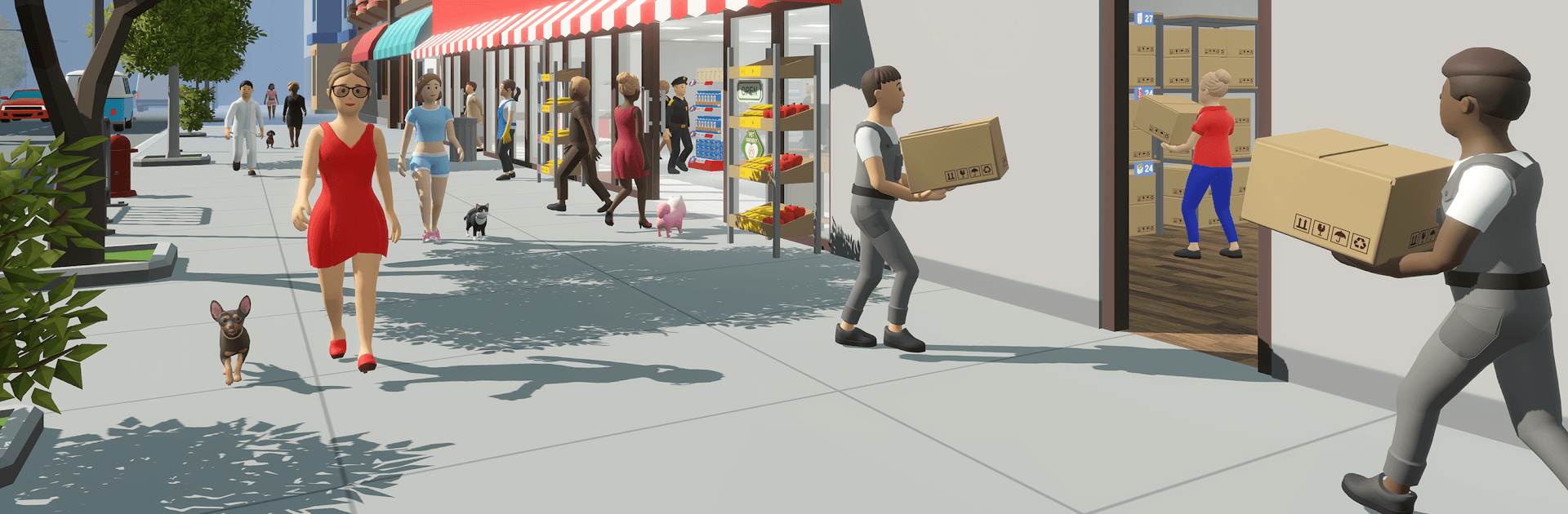
AveStore Supermarket Simulator by AveCreation is a hands-on Simulation that lets you build, run, and grow your own bustling grocery store. It’s all about the everyday hustle—stock coming in, shelves filling up, lines moving, floors staying clean—and yes, it’s proudly Pet Friendly, so shoppers can bring their dogs and cats along. Start with a modest shop, make smart choices, and turn it into a profitable, well-oiled operation. Prefer a bigger screen? You can also play it on PC with BlueStacks for comfy mouse-and-keyboard control.

Game Features

  • Pet Friendly shopping: Welcome customers with their pets and keep the space comfy for people and their four-legged companions. Cleanliness, layout, and a calm vibe matter—and they’ll pay off in foot traffic.
  • From small shop to superstore: Expand your sales area, add new departments, and steadily grow from a starter store to a neighborhood favorite.
  • Smart store design: Place shelves and display racks, fine-tune aisles, and customize the look so your layout makes sense—and makes money.
  • Staff you can rely on: Build a tight team. Cashiers keep lines moving, stockroom workers handle deliveries, stockers refill the floor, and cleaners keep everything spotless (and those empty boxes out of sight).
  • Inventory and deliveries: Order the right products at the right time, track stock, and avoid dreaded empty shelves with efficient logistics.
  • Keep the floor humming: Maintain order, respond to customer flow, and balance the needs of pet owners and non-pet shoppers without missing a beat.
  • Grow the business: Increase revenue, broaden your assortment, and attract more customers as your reputation—and store size—climb.

Get ready for a buttery smooth, high-performance gaming action only on BlueStacks.

Game Features

Enhancements

  • Macros
  • Multi Instance
  • Multi Instance Sync
  • Script
  • Enhancements
Macros

Macros

Automate the predictable in AveStore Supermarket Simulator and transform your gameplay with Macros. Get access to inventive Macros in the BlueStacks Macro Community
Multi Instance

Multi Instance

Play AveStore Supermarket Simulator on one window. And chat with your friend on the other. Press CTRL + Shift + 8 to open the Multi-Instance Manager. And start creating fresh instances or clone an existing one.
Multi Instance Sync

Multi Instance Sync

Play AveStore Supermarket Simulator with the power of Multi-Instance Sync. Replicate what you are doing on the main instance on all other instances. Level up faster, play more.
Script

Script

Script your way to gaming glory in AveStore Supermarket Simulator with BlueStacks Script. Write and run a set of commands to automate repeated tasks. Trigger the command by assigning it to any key.
Read More

How to Download and Play AveStore Supermarket Simulator on PC or Mac

  • Download and install BlueStacks on your PC or Mac

  • Complete Google sign-in to access the Play Store, or do it later

  • Look for AveStore Supermarket Simulator in the search bar at the top right corner

  • Click to install AveStore Supermarket Simulator from the search results

  • Complete Google sign-in (if you skipped step 2) to install AveStore Supermarket Simulator

  • Click the AveStore Supermarket Simulator icon on the home screen to start playing

video
Watch Video

Minimum System Requirements

With BlueStacks 5, you can get started on a PC that fulfills the following requirements.

  • Operating System

    Microsoft Windows 7 or above, macOS 11 (Big Sur) or above

  • Processor

    Intel, AMD or Apple Silicon Processor

  • RAM

    at least 4GB

  • HDD

    10GB Free Disk Space

Note:

* You must be an Administrator on your PC. Up to date graphics drivers from Microsoft or the chipset vendor.

AveStore Supermarket Simulator - FAQs

  • How to play AveStore Supermarket Simulator on Windows PC & Mac?

    Play AveStore Supermarket Simulator on your PC or Mac by following these simple steps.

    • Click on 'Play AveStore Supermarket Simulator on PC’ to download BlueStacks
    • Install it and log-in to Google Play Store
    • Launch and play the game.
  • Why is BlueStacks the fastest and safest platform to play games on PC?

    BlueStacks respects your privacy and is always safe and secure to use. It does not carry any malware, spyware, or any sort of additional software that could harm your PC.

    It is engineered to optimize speed and performance for a seamless gaming experience.

  • What are AveStore Supermarket Simulator PC requirements?

    Minimum requirement to run AveStore Supermarket Simulator on your PC

    • OS: Microsoft Windows 7 or above MacOS 11 (Big Sur) or above
    • Processor: Intel, AMD or Apple Silicon Processor
    • RAM: Your PC must have at least 4GB of RAM. (Note that having 4GB or more disk space is not a substitute for RAM)
    • HDD: 10GB Free Disk Space.
    • You must be an Administrator on your PC.