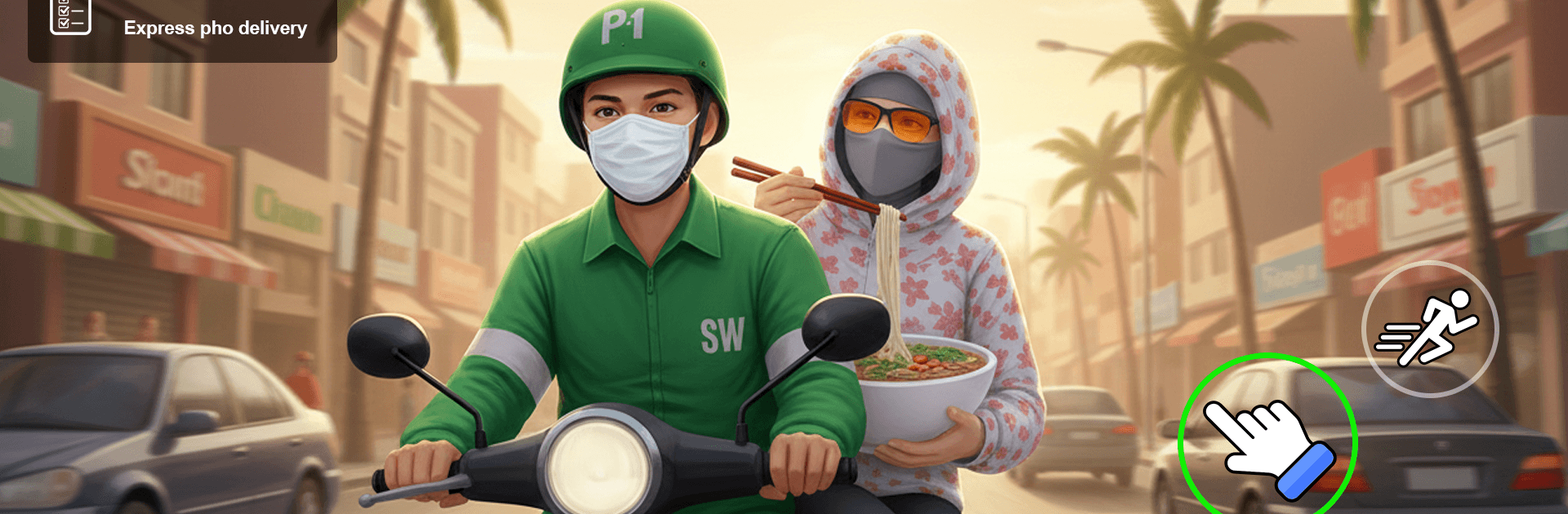
Cooking Pho: Restaurant Game

Cooking Pho: Restaurant Game

Simulation

| HLD team

Play on PC with BlueStacks or from our cloud

  • Overview
  • Game Features
  • How to Play

Page Modified On: October 21, 2026

Play Cooking Pho: Restaurant Game on PC or Mac

Cooking Pho: Restaurant Game by HLD team has plenty to keep you busy. BlueStacks lets you play it on PC or Mac with more screen space, better control, and fewer mobile limits.

About the Game

Cooking Pho: Restaurant Game is a cozy Simulation about running a tiny pho shop with surprisingly big neighborhood stories. You’ll ladle rich broth, greet regulars, and keep an eye on the odd stuff that starts happening after dark—all while looking out for your loyal pup, Mr. Gau. If you like a bigger view and smooth performance, it plays nicely on BlueStacks too.

Game Features

  • Pho-first cooking: Build steaming bowls from scratch—noodles, aromatics, toppings, and herbs—then time each order to keep everyone happy and the line moving.
  • Story-driven neighborhood: Every seat has a story; meet quirky locals, learn their quirks, and uncover what’s really going on around your corner of town.
  • Day-to-night rhythm: Handle the daytime rush, then switch gears at night with quieter tasks, small mysteries, and unexpected curveballs.
  • Protect Mr. Gau: Your furry sidekick needs care and watchful eyes; complete tasks and handle trouble so he stays safe by your side.
  • Restaurant upgrades: Expand the shop, unlock stations, speed up prep, and tweak the décor to make the place feel truly yours.
  • Classic Vietnamese flavors: Serve traditional pho alongside familiar bites and drinks, keeping recipes fresh and menus varied.
  • Resource juggling: Prep just enough, avoid burnt pots, and balance burners, timers, and trays without breaking a sweat.
  • Customer personalities: From patient foodies to in-a-rush commuters, read the room and prioritize orders to keep tips and smiles coming.
  • Smooth, snappy controls: Quick taps and clean interactions make chaining actions feel natural, especially during peak-hour chaos.
  • Steady challenges: Tackle stages with fresh goals and tricky conditions that reward sharp timing, smart planning, and calm under pressure.

Start playing Cooking Pho: Restaurant Game on BlueStacks and get a smoother, more comfortable PC or Mac setup.


Game Features

Enhancements

  • Macros
  • Multi Instance
  • Multi Instance Sync
  • Script
  • Enhancements
Macros

Macros

Automate the predictable in Cooking Pho: Restaurant Game and transform your gameplay with Macros. Get access to inventive Macros in the BlueStacks Macro Community
Multi Instance

Multi Instance

Play Cooking Pho: Restaurant Game on one window. And chat with your friend on the other. Press CTRL + Shift + 8 to open the Multi-Instance Manager. And start creating fresh instances or clone an existing one.
Multi Instance Sync

Multi Instance Sync

Play Cooking Pho: Restaurant Game with the power of Multi-Instance Sync. Replicate what you are doing on the main instance on all other instances. Level up faster, play more.
Script

Script

Script your way to gaming glory in Cooking Pho: Restaurant Game with BlueStacks Script. Write and run a set of commands to automate repeated tasks. Trigger the command by assigning it to any key.
Read More

How to Download and Play Cooking Pho: Restaurant Game on PC or Mac

  • Download and install BlueStacks on your PC or Mac

  • Complete Google sign-in to access the Play Store, or do it later

  • Look for Cooking Pho: Restaurant Game in the search bar at the top right corner

  • Click to install Cooking Pho: Restaurant Game from the search results

  • Complete Google sign-in (if you skipped step 2) to install Cooking Pho: Restaurant Game

  • Click the Cooking Pho: Restaurant Game icon on the home screen to start playing

video
Watch Video

Minimum System Requirements

With BlueStacks 5, you can get started on a PC that fulfills the following requirements.

  • Operating System

    Microsoft Windows 7 or above, macOS 11 (Big Sur) or above

  • Processor

    Intel, AMD or Apple Silicon Processor

  • RAM

    at least 4GB

  • HDD

    10GB Free Disk Space

Note:

* You must be an Administrator on your PC. Up to date graphics drivers from Microsoft or the chipset vendor.

Cooking Pho: Restaurant Game - FAQs

  • How to play Cooking Pho: Restaurant Game on Windows PC & Mac?

    Play Cooking Pho: Restaurant Game on your PC or Mac by following these simple steps.

    • Click on 'Play Cooking Pho: Restaurant Game on PC’ to download BlueStacks
    • Install it and log-in to Google Play Store
    • Launch and play the game.
  • Why is BlueStacks the fastest and safest platform to play games on PC?

    BlueStacks respects your privacy and is always safe and secure to use. It does not carry any malware, spyware, or any sort of additional software that could harm your PC.

    It is engineered to optimize speed and performance for a seamless gaming experience.

  • What are Cooking Pho: Restaurant Game PC requirements?

    Minimum requirement to run Cooking Pho: Restaurant Game on your PC

    • OS: Microsoft Windows 7 or above MacOS 11 (Big Sur) or above
    • Processor: Intel, AMD or Apple Silicon Processor
    • RAM: Your PC must have at least 4GB of RAM. (Note that having 4GB or more disk space is not a substitute for RAM)
    • HDD: 10GB Free Disk Space.
    • You must be an Administrator on your PC.