Dirt Trucker 2: Climb The Hill

Dirt Trucker 2: Climb The Hill

Simulation

| 3dinteger

Play on PC with BlueStacks or from our cloud

  • Overview
  • Game Features
  • How to Play

Page Modified On: August 15, 2026

Play Dirt Trucker 2: Climb The Hill on PC or Mac

Dirt Trucker 2: Climb The Hill by 3dinteger has plenty to keep you busy. BlueStacks lets you play it on PC or Mac with more screen space, better control, and fewer mobile limits.

About the Game

Dirt Trucker 2: Climb The Hill throws you into steep climbs, slick mud, and tight turns where weight, traction, and patience really matter. This Simulation game dials up the feel of real trucks with improved physics and tougher routes that reward careful throttle control. Prefer a bigger view of the trail? It plays nicely on PC with BlueStacks.

Game Features

  • Hand-tuned physics: Feel the difference between loose gravel, wet soil, and solid rock. Trucks lean, hop, and bite into the ground in a way that just makes sense.
  • Hill-climb challenges: Tackle job-based routes where the goal is simple—reach the finish—while the terrain does everything it can to stop you.
  • Freeroam playground: Wander off the checklist and test rigs on an open map. Scout lines, experiment with speeds, or just kick up dirt for a while.
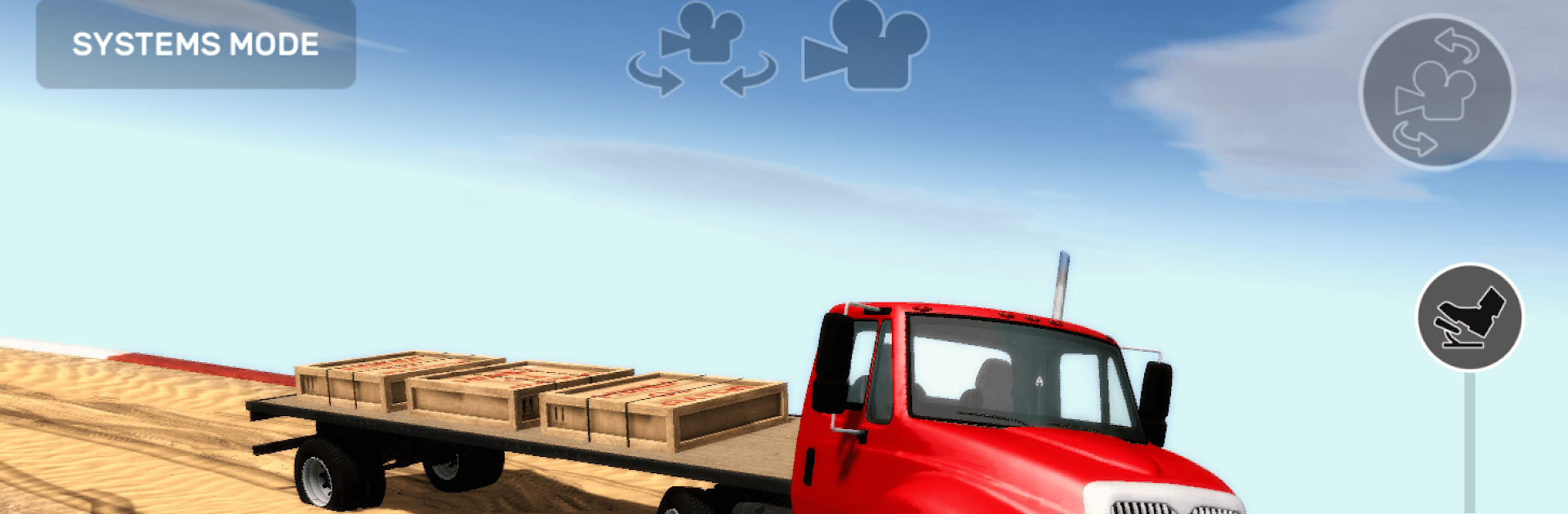
  • A garage of workhorses: Swap between different trucks, each with its own strengths. Some muscle uphill better, others keep their cool with a trailer hitched.
  • Trailers and cargo: Hook up and haul. Extra weight changes how you brake, turn, and climb, so plan your approach before the grade gets nasty.
  • Inside or outside view: Switch between a detailed cab perspective and a clear third-person camera, depending on how you like to read the trail.
  • Drivetrain control on demand: Toggle all-wheel drive and lock the differential when ruts deepen or rocks start to roll under your tires—then switch back to save grip where you can.

Get ready for a buttery smooth, high-performance gaming action only on BlueStacks.

Game Features

Enhancements

  • Macros
  • Multi Instance
  • Multi Instance Sync
  • Script
  • Enhancements
Macros

Macros

Automate the predictable in Dirt Trucker 2: Climb The Hill and transform your gameplay with Macros. Get access to inventive Macros in the BlueStacks Macro Community
Multi Instance

Multi Instance

Play Dirt Trucker 2: Climb The Hill on one window. And chat with your friend on the other. Press CTRL + Shift + 8 to open the Multi-Instance Manager. And start creating fresh instances or clone an existing one.
Multi Instance Sync

Multi Instance Sync

Play Dirt Trucker 2: Climb The Hill with the power of Multi-Instance Sync. Replicate what you are doing on the main instance on all other instances. Level up faster, play more.
Script

Script

Script your way to gaming glory in Dirt Trucker 2: Climb The Hill with BlueStacks Script. Write and run a set of commands to automate repeated tasks. Trigger the command by assigning it to any key.
Read More

How to Download and Play Dirt Trucker 2: Climb The Hill on PC or Mac

  • Download and install BlueStacks on your PC or Mac

  • Complete Google sign-in to access the Play Store, or do it later

  • Look for Dirt Trucker 2: Climb The Hill in the search bar at the top right corner

  • Click to install Dirt Trucker 2: Climb The Hill from the search results

  • Complete Google sign-in (if you skipped step 2) to install Dirt Trucker 2: Climb The Hill

  • Click the Dirt Trucker 2: Climb The Hill icon on the home screen to start playing

video
Watch Video

Minimum System Requirements

With BlueStacks 5, you can get started on a PC that fulfills the following requirements.

  • Operating System

    Microsoft Windows 7 or above, macOS 11 (Big Sur) or above

  • Processor

    Intel, AMD or Apple Silicon Processor

  • RAM

    at least 4GB

  • HDD

    10GB Free Disk Space

Note:

* You must be an Administrator on your PC. Up to date graphics drivers from Microsoft or the chipset vendor.

Dirt Trucker 2: Climb The Hill - FAQs

  • How to play Dirt Trucker 2: Climb The Hill on Windows PC & Mac?

    Play Dirt Trucker 2: Climb The Hill on your PC or Mac by following these simple steps.

    • Click on 'Play Dirt Trucker 2: Climb The Hill on PC’ to download BlueStacks
    • Install it and log-in to Google Play Store
    • Launch and play the game.
  • Why is BlueStacks the fastest and safest platform to play games on PC?

    BlueStacks respects your privacy and is always safe and secure to use. It does not carry any malware, spyware, or any sort of additional software that could harm your PC.

    It is engineered to optimize speed and performance for a seamless gaming experience.

  • What are Dirt Trucker 2: Climb The Hill PC requirements?

    Minimum requirement to run Dirt Trucker 2: Climb The Hill on your PC

    • OS: Microsoft Windows 7 or above MacOS 11 (Big Sur) or above
    • Processor: Intel, AMD or Apple Silicon Processor
    • RAM: Your PC must have at least 4GB of RAM. (Note that having 4GB or more disk space is not a substitute for RAM)
    • HDD: 10GB Free Disk Space.
    • You must be an Administrator on your PC.