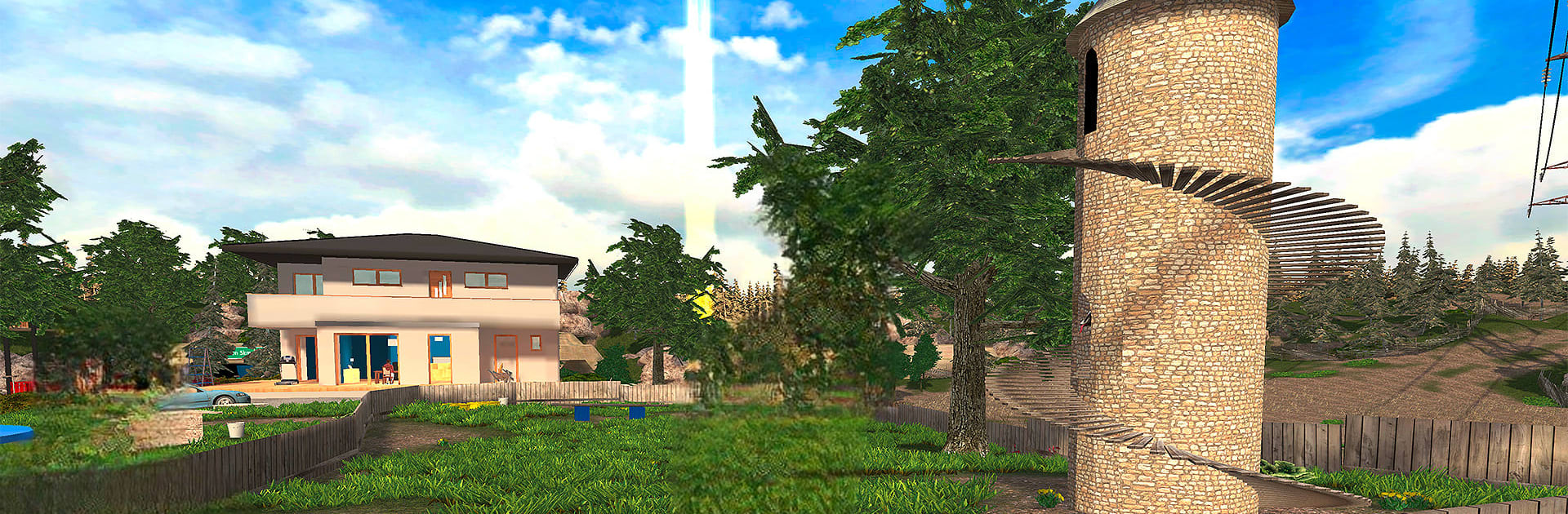
Goat Simulator
Goat Simulator

Goat Simulator

Simulation

| Coffee Stain Publishing

Play on PC with BlueStacks or from our cloud

  • Overview
  • Game Features
  • How to Play

Page Modified On: December 22, 2025

Play Goat Simulator on PC or Mac

Bring your A-game to Goat Simulator, the Simulation game sensation from Coffee Stain Publishing. Give your gameplay the much-needed boost with precise game controls, high FPS graphics, and top-tier features on your PC or Mac with BlueStacks.

About the Game

Goat Simulator is pure, chaotic nonsense in the best way possible. You’re a goat with a headbutt that doubles as a wrecking ball, set loose in a sandbox full of things to smash, fling, and accidentally send into orbit. From Coffee Stain Publishing, this Simulation game turns everyday streets into your personal playground of mayhem—quick to pick up, impossible to play “just once.” Prefer a bigger screen? It runs smoothly on BlueStacks, too.

Game Features

  • Be the Goat
    You’re not guiding a hero—you are the horned troublemaker. Sprint, butt, and bleat your way through town like you own the place.

  • Score-Chasing Havoc
    Break stuff, chain ridiculous stunts, and rack up points like an old-school score attack. The more absurd your combo, the better.

  • Physics Gone Delightfully Wrong
    Expect wobbly ragdolls, springy collisions, and a neck that seems to bend by its own rules. The silly, non-crashy glitches are part of the joke.

  • Open Sandbox Playground
    Explore neighborhoods, construction sites, and random rooftops. Find secrets, discover weird interactions, and see what happens when you push boundaries—sometimes literally through the sky.

  • Headbutt, Lick, Launch
    Headbutt cars, lick objects to drag them around, bounce off trampolines, and turn small accidents into spectacular disasters.

  • Built for Shenanigans
    The game embraces chaos: it’s not about realism, it’s about laughs. Expect unexpected moments and share your wildest replays with friends.

  • Controller Support Note
    Playing on Android TV? You’ll need a compatible gamepad for the best control.

Start your journey now. Download the game on BlueStacks, invite your friends, and march on a new adventure.


Game Features

Enhancements

  • Macros
  • Multi Instance
  • Multi Instance Sync
  • Script
  • Enhancements
Macros

Macros

Automate the predictable in Goat Simulator and transform your gameplay with Macros. Get access to inventive Macros in the BlueStacks Macro Community
Multi Instance

Multi Instance

Play Goat Simulator on one window. And chat with your friend on the other. Press CTRL + Shift + 8 to open the Multi-Instance Manager. And start creating fresh instances or clone an existing one.
Multi Instance Sync

Multi Instance Sync

Play Goat Simulator with the power of Multi-Instance Sync. Replicate what you are doing on the main instance on all other instances. Level up faster, play more.
Script

Script

Script your way to gaming glory in Goat Simulator with BlueStacks Script. Write and run a set of commands to automate repeated tasks. Trigger the command by assigning it to any key.
Read More

How to Download and Play Goat Simulator on PC or Mac

  • Download and install BlueStacks on your PC or Mac

  • Complete Google sign-in to access the Play Store, or do it later

  • Look for Goat Simulator in the search bar at the top right corner

  • Click to install Goat Simulator from the search results

  • Complete Google sign-in (if you skipped step 2) to install Goat Simulator

  • Click the Goat Simulator icon on the home screen to start playing

video
Watch Video

Minimum System Requirements

With BlueStacks 5, you can get started on a PC that fulfills the following requirements.

  • Operating System

    Microsoft Windows 7 or above, macOS 11 (Big Sur) or above

  • Processor

    Intel, AMD or Apple Silicon Processor

  • RAM

    at least 4GB

  • HDD

    10GB Free Disk Space

Note:

* You must be an Administrator on your PC. Up to date graphics drivers from Microsoft or the chipset vendor.

Goat Simulator - FAQs

  • How to play Goat Simulator on Windows PC & Mac?

    Play Goat Simulator on your PC or Mac by following these simple steps.

    • Click on 'Play Goat Simulator on PC’ to download BlueStacks
    • Install it and log-in to Google Play Store
    • Launch and play the game.
  • Why is BlueStacks the fastest and safest platform to play games on PC?

    BlueStacks respects your privacy and is always safe and secure to use. It does not carry any malware, spyware, or any sort of additional software that could harm your PC.

    It is engineered to optimize speed and performance for a seamless gaming experience.

  • What are Goat Simulator PC requirements?

    Minimum requirement to run Goat Simulator on your PC

    • OS: Microsoft Windows 7 or above MacOS 11 (Big Sur) or above
    • Processor: Intel, AMD or Apple Silicon Processor
    • RAM: Your PC must have at least 4GB of RAM. (Note that having 4GB or more disk space is not a substitute for RAM)
    • HDD: 10GB Free Disk Space.
    • You must be an Administrator on your PC.