Grand Mafia War Gangster Game

Grand Mafia War Gangster Game

Simulation

| Right Solution Inc

Play on PC with BlueStacks or from our cloud

  • Overview
  • Game Features
  • How to Play

Page Modified On: August 20, 2026

Play Grand Mafia War Gangster Game on PC or Mac

Bring your A-game to Grand Mafia War Gangster Game, the Simulation game sensation from Right Solution Inc. Give your gameplay the much-needed boost with precise game controls, high FPS graphics, and top-tier features on your PC or Mac with BlueStacks.

About the Game

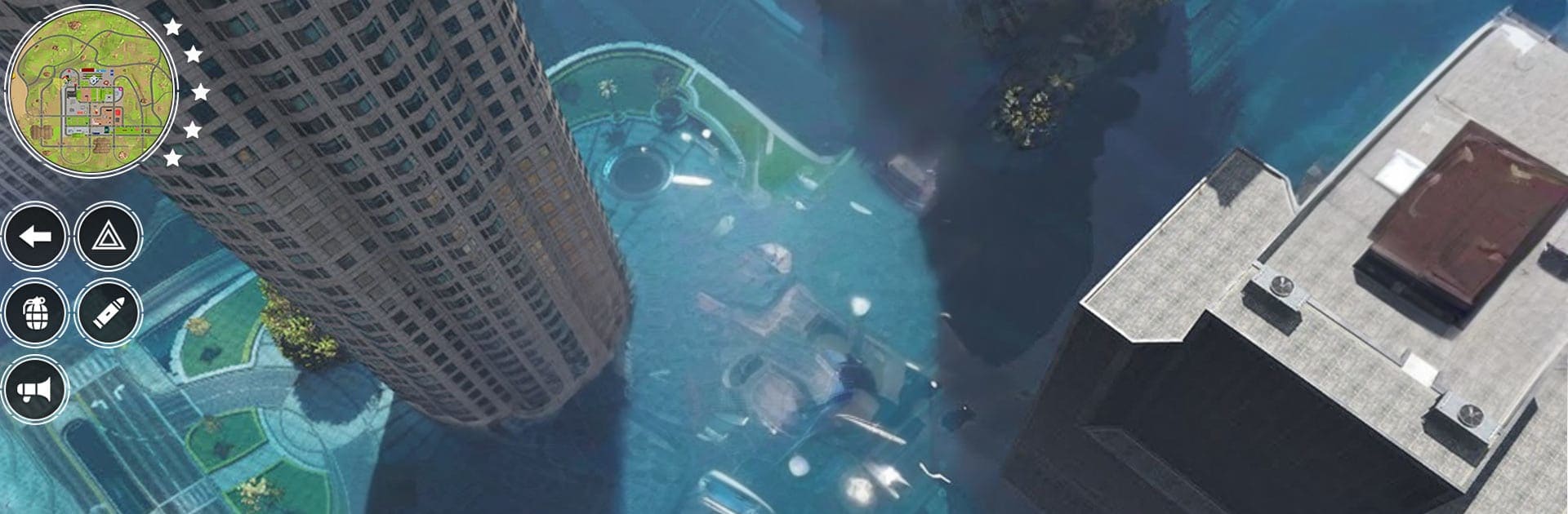
Grand Mafia War Gangster Game drops you into a gritty city where small-time hustlers chase big crowns and every block has a story. It’s all about free-roaming the streets, picking your moments, and climbing from nobody to neighborhood legend. As a Simulation, it leans into the feeling of running the show—choosing which wheels to jack, which fights to finish, and how to handle the heat when sirens flare up. There’s a compact campaign with five focused stages, plus a turf war brewing between two rival crews that won’t stay quiet. Expect high-speed getaways, brawls in tight corners, and that satisfying sense of momentum as your name spreads. Prefer a bigger screen and a keyboard? It plays smoothly on PC with BlueStacks.

Game Features

  • Free-roam city sandbox: Roam busy streets and hidden alleys, mess with side scuffles, or cruise just to take in the scene—your pace, your path.
  • Story-driven turf war: Face off against a rival crew as tension builds across the city, with missions that keep raising the stakes.
  • Five-stage campaign: Tightly designed chapters deliver clear objectives, escalating challenges, and memorable boss encounters.
  • Fast rides, smooth handling: Jump into cars, bikes, and more; responsive controls keep driving snappy and fun.
  • Street combat and chases: Throw hands, trade shots, and bolt when the police heat kicks in—adrenaline guaranteed.
  • Simple, intuitive controls: Easy to pick up, letting you focus on action, timing, and bold getaways.
  • Detailed city in HD: Clean visuals, crisp lighting, and a lived-in urban layout make every corner feel alive.
  • Reputation on the rise: Knock out missions, complete tasks, and watch your standing grow as new challenges open up.

Start your journey now. Download the game on BlueStacks, invite your friends, and march on a new adventure.


Game Features

Enhancements

  • Macros
  • Multi Instance
  • Multi Instance Sync
  • Script
  • Enhancements
Macros

Macros

Automate the predictable in Grand Mafia War Gangster Game and transform your gameplay with Macros. Get access to inventive Macros in the BlueStacks Macro Community
Multi Instance

Multi Instance

Play Grand Mafia War Gangster Game on one window. And chat with your friend on the other. Press CTRL + Shift + 8 to open the Multi-Instance Manager. And start creating fresh instances or clone an existing one.
Multi Instance Sync

Multi Instance Sync

Play Grand Mafia War Gangster Game with the power of Multi-Instance Sync. Replicate what you are doing on the main instance on all other instances. Level up faster, play more.
Script

Script

Script your way to gaming glory in Grand Mafia War Gangster Game with BlueStacks Script. Write and run a set of commands to automate repeated tasks. Trigger the command by assigning it to any key.
Read More

How to Download and Play Grand Mafia War Gangster Game on PC or Mac

  • Download and install BlueStacks on your PC or Mac

  • Complete Google sign-in to access the Play Store, or do it later

  • Look for Grand Mafia War Gangster Game in the search bar at the top right corner

  • Click to install Grand Mafia War Gangster Game from the search results

  • Complete Google sign-in (if you skipped step 2) to install Grand Mafia War Gangster Game

  • Click the Grand Mafia War Gangster Game icon on the home screen to start playing

video
Watch Video

Minimum System Requirements

With BlueStacks 5, you can get started on a PC that fulfills the following requirements.

  • Operating System

    Microsoft Windows 7 or above, macOS 11 (Big Sur) or above

  • Processor

    Intel, AMD or Apple Silicon Processor

  • RAM

    at least 4GB

  • HDD

    10GB Free Disk Space

Note:

* You must be an Administrator on your PC. Up to date graphics drivers from Microsoft or the chipset vendor.

Grand Mafia War Gangster Game - FAQs

  • How to play Grand Mafia War Gangster Game on Windows PC & Mac?

    Play Grand Mafia War Gangster Game on your PC or Mac by following these simple steps.

    • Click on 'Play Grand Mafia War Gangster Game on PC’ to download BlueStacks
    • Install it and log-in to Google Play Store
    • Launch and play the game.
  • Why is BlueStacks the fastest and safest platform to play games on PC?

    BlueStacks respects your privacy and is always safe and secure to use. It does not carry any malware, spyware, or any sort of additional software that could harm your PC.

    It is engineered to optimize speed and performance for a seamless gaming experience.

  • What are Grand Mafia War Gangster Game PC requirements?

    Minimum requirement to run Grand Mafia War Gangster Game on your PC

    • OS: Microsoft Windows 7 or above MacOS 11 (Big Sur) or above
    • Processor: Intel, AMD or Apple Silicon Processor
    • RAM: Your PC must have at least 4GB of RAM. (Note that having 4GB or more disk space is not a substitute for RAM)
    • HDD: 10GB Free Disk Space.
    • You must be an Administrator on your PC.