Idle Fishlandia - Tycoon Game

Idle Fishlandia - Tycoon Game

Simulation

| MAGIC SEVEN CO., LIMITED

Play on PC with BlueStacks or from our cloud

  • Overview
  • Game Features
  • How to Play

Page Modified On: May 11, 2026

Play Idle Fishlandia - Tycoon Game on PC or Mac

Bring your A-game to Idle Fishlandia – Tycoon Game, the Simulation game sensation from MAGIC SEVEN CO., LIMITED. Give your gameplay the much-needed boost with precise game controls, high FPS graphics, and top-tier features on your PC or Mac with BlueStacks.

About the Game

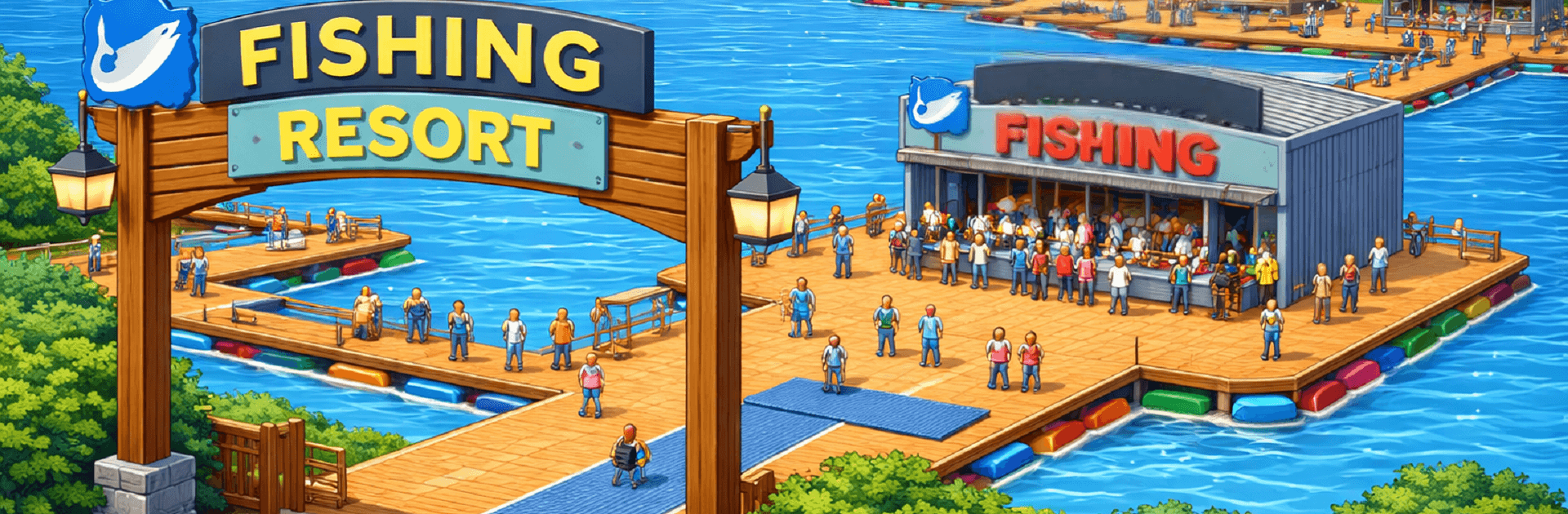
Idle Fishlandia – Tycoon Game turns the laid-back joy of fishing into a smart, satisfying management game. You start with a modest pier and a couple of boats, then grow it into a bustling resort that quietly earns while you’re off doing other things. It’s an easygoing Simulation title from MAGIC SEVEN CO., LIMITED that mixes chill vibes with just enough strategy to keep every upgrade feeling meaningful. Prefer a bigger screen and mouse clicks? It runs smoothly on PC with BlueStacks, too.

Game Features

  • Build a Cozy Fishing Resort: Put up docks, expand your marina, add shops and cabins, and shape a shoreline that actually feels alive.
  • Idle Earnings That Keep Rolling: Your crew keeps working when you’re offline, so profits stack up even when you’re away from the game.
  • Big Fish Collection Hunt: Reel in everything from common catches to rare curios and complete your own gallery of species across rivers, lakes, and open seas.
  • Upgrades That Matter: Tune rods, boats, and staff efficiency, then unlock automation to keep the operation humming 24/7.
  • New Waters to Unlock: Hop between sunny beaches, deep-sea zones, and quiet lakes—each area brings fresh rules, rewards, and fish to discover.
  • Tourists, VIPs, and Events: Attract visitors, run tournaments, and clear quests to boost satisfaction and push profits higher.
  • Relaxed but Strategic: No pressure to rush—tinker with layouts, optimize routes, and enjoy the steady rhythm of growth at your own pace.
  • Bright, Playful Look: Clean, colorful art and smooth animations make every catch and upgrade feel extra satisfying.

Get ready for a buttery smooth, high-performance gaming action only on BlueStacks.

Game Features

Enhancements

  • Macros
  • Multi Instance
  • Multi Instance Sync
  • Script
  • Enhancements
Macros

Macros

Automate the predictable in Idle Fishlandia - Tycoon Game and transform your gameplay with Macros. Get access to inventive Macros in the BlueStacks Macro Community
Multi Instance

Multi Instance

Play Idle Fishlandia - Tycoon Game on one window. And chat with your friend on the other. Press CTRL + Shift + 8 to open the Multi-Instance Manager. And start creating fresh instances or clone an existing one.
Multi Instance Sync

Multi Instance Sync

Play Idle Fishlandia - Tycoon Game with the power of Multi-Instance Sync. Replicate what you are doing on the main instance on all other instances. Level up faster, play more.
Script

Script

Script your way to gaming glory in Idle Fishlandia - Tycoon Game with BlueStacks Script. Write and run a set of commands to automate repeated tasks. Trigger the command by assigning it to any key.
Read More

How to Download and Play Idle Fishlandia - Tycoon Game on PC or Mac

  • Download and install BlueStacks on your PC or Mac

  • Complete Google sign-in to access the Play Store, or do it later

  • Look for Idle Fishlandia - Tycoon Game in the search bar at the top right corner

  • Click to install Idle Fishlandia - Tycoon Game from the search results

  • Complete Google sign-in (if you skipped step 2) to install Idle Fishlandia - Tycoon Game

  • Click the Idle Fishlandia - Tycoon Game icon on the home screen to start playing

video
Watch Video

Minimum System Requirements

With BlueStacks 5, you can get started on a PC that fulfills the following requirements.

  • Operating System

    Microsoft Windows 7 or above, macOS 11 (Big Sur) or above

  • Processor

    Intel, AMD or Apple Silicon Processor

  • RAM

    at least 4GB

  • HDD

    10GB Free Disk Space

Note:

* You must be an Administrator on your PC. Up to date graphics drivers from Microsoft or the chipset vendor.

Idle Fishlandia - Tycoon Game - FAQs

  • How to play Idle Fishlandia - Tycoon Game on Windows PC & Mac?

    Play Idle Fishlandia - Tycoon Game on your PC or Mac by following these simple steps.

    • Click on 'Play Idle Fishlandia - Tycoon Game on PC’ to download BlueStacks
    • Install it and log-in to Google Play Store
    • Launch and play the game.
  • Why is BlueStacks the fastest and safest platform to play games on PC?

    BlueStacks respects your privacy and is always safe and secure to use. It does not carry any malware, spyware, or any sort of additional software that could harm your PC.

    It is engineered to optimize speed and performance for a seamless gaming experience.

  • What are Idle Fishlandia - Tycoon Game PC requirements?

    Minimum requirement to run Idle Fishlandia - Tycoon Game on your PC

    • OS: Microsoft Windows 7 or above MacOS 11 (Big Sur) or above
    • Processor: Intel, AMD or Apple Silicon Processor
    • RAM: Your PC must have at least 4GB of RAM. (Note that having 4GB or more disk space is not a substitute for RAM)
    • HDD: 10GB Free Disk Space.
    • You must be an Administrator on your PC.