Impact Drive Crash Simulator

Impact Drive Crash Simulator

Simulation

| Oleksandr Lypka

Play on PC with BlueStacks or from our cloud

  • Overview
  • Game Features
  • How to Play

Page Modified On: October 30, 2026

Play Impact Drive Crash Simulator on PC or Mac

Impact Drive Crash Simulator by Oleksandr Lypka has plenty to keep you busy. BlueStacks lets you play it on PC or Mac with more screen space, better control, and fewer mobile limits.

About the Game

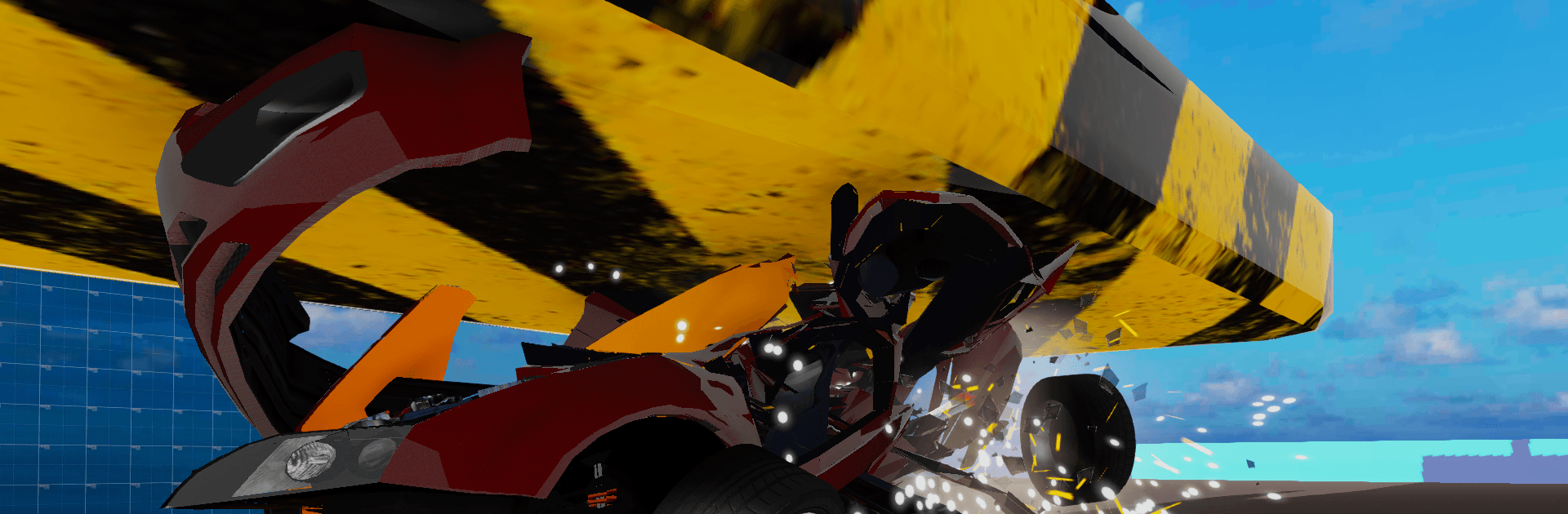
Impact Drive Crash Simulator is all about controlled chaos: build wild scenarios, smash metal, and study every dent and shard in glorious detail. It’s a Simulation sandbox where you set the rules, then let physics do its messy, beautiful thing. Want a bigger view and tighter control? It plays great on PC with BlueStacks.

Game Features

  • Physics that bite back: Hits feel weighty and honest—metal crumples, wheels tear off, tires hiss as they lose air, and glass bursts into tiny fragments based on speed, angle, and where you connect.
  • Destructible world around you: Traffic signs, barriers, and fences aren’t just scenery; they bend, break, and scatter to become part of the wreckage.
  • Build-your-own crash tests: Set up scenarios on open roads or a dedicated test pad to compare gentle bumps, brutal T-bones, or anything in between.
  • Tune handling and effects: Tweak vehicle behavior for graceful stunts or catastrophic impacts, then flip on extras like a police siren to sell the moment.
  • Many cars, instant control: Spawn a bunch of vehicles and switch between them on the fly so the action never slows down.
  • Chain reactions with AI: Add intelligent drivers to introduce real unpredictability—perfect for multi-car pileups and rolling domino effects.
  • Varied locations to explore: Cruise long stretches for high-speed hits or stick to focused spaces made for repeatable, precise testing.
  • Big garage to experiment with: Try different rides and watch how size, weight, and build change the way they crunch and collapse.
  • Sights and sounds that sting: From the scrape of metal to the sparkle of shattered glass, every collision looks and sounds satisfyingly brutal.

Get ready for a buttery smooth, high-performance gaming action only on BlueStacks.

Game Features

Enhancements

  • Macros
  • Multi Instance
  • Multi Instance Sync
  • Script
  • Enhancements
Macros

Macros

Automate the predictable in Impact Drive Crash Simulator and transform your gameplay with Macros. Get access to inventive Macros in the BlueStacks Macro Community
Multi Instance

Multi Instance

Play Impact Drive Crash Simulator on one window. And chat with your friend on the other. Press CTRL + Shift + 8 to open the Multi-Instance Manager. And start creating fresh instances or clone an existing one.
Multi Instance Sync

Multi Instance Sync

Play Impact Drive Crash Simulator with the power of Multi-Instance Sync. Replicate what you are doing on the main instance on all other instances. Level up faster, play more.
Script

Script

Script your way to gaming glory in Impact Drive Crash Simulator with BlueStacks Script. Write and run a set of commands to automate repeated tasks. Trigger the command by assigning it to any key.
Read More

How to Download and Play Impact Drive Crash Simulator on PC or Mac

  • Download and install BlueStacks on your PC or Mac

  • Complete Google sign-in to access the Play Store, or do it later

  • Look for Impact Drive Crash Simulator in the search bar at the top right corner

  • Click to install Impact Drive Crash Simulator from the search results

  • Complete Google sign-in (if you skipped step 2) to install Impact Drive Crash Simulator

  • Click the Impact Drive Crash Simulator icon on the home screen to start playing

video
Watch Video

Minimum System Requirements

With BlueStacks 5, you can get started on a PC that fulfills the following requirements.

  • Operating System

    Microsoft Windows 7 or above, macOS 11 (Big Sur) or above

  • Processor

    Intel, AMD or Apple Silicon Processor

  • RAM

    at least 4GB

  • HDD

    10GB Free Disk Space

Note:

* You must be an Administrator on your PC. Up to date graphics drivers from Microsoft or the chipset vendor.

Impact Drive Crash Simulator - FAQs

  • How to play Impact Drive Crash Simulator on Windows PC & Mac?

    Play Impact Drive Crash Simulator on your PC or Mac by following these simple steps.

    • Click on 'Play Impact Drive Crash Simulator on PC’ to download BlueStacks
    • Install it and log-in to Google Play Store
    • Launch and play the game.
  • Why is BlueStacks the fastest and safest platform to play games on PC?

    BlueStacks respects your privacy and is always safe and secure to use. It does not carry any malware, spyware, or any sort of additional software that could harm your PC.

    It is engineered to optimize speed and performance for a seamless gaming experience.

  • What are Impact Drive Crash Simulator PC requirements?

    Minimum requirement to run Impact Drive Crash Simulator on your PC

    • OS: Microsoft Windows 7 or above MacOS 11 (Big Sur) or above
    • Processor: Intel, AMD or Apple Silicon Processor
    • RAM: Your PC must have at least 4GB of RAM. (Note that having 4GB or more disk space is not a substitute for RAM)
    • HDD: 10GB Free Disk Space.
    • You must be an Administrator on your PC.