Load Truck: Demolish Buildings

Load Truck: Demolish Buildings

Simulation

| GAMERZ BRIDGE (SMC-PRIVATE) LIMITED

Play on PC with BlueStacks or from our cloud

  • Overview
  • Game Features
  • How to Play

Page Modified On: December 26, 2025

Play Load Truck: Demolish Buildings on PC or Mac

Join millions to experience Load Truck: Demolish Buildings, an exciting Simulation game from GAMERZ BRIDGE (SMC-PRIVATE) LIMITED. With BlueStacks App Player, you are always a step ahead of your opponent, ready to outplay them with faster gameplay and better control with the mouse and keyboard on your PC or Mac.

About the Game

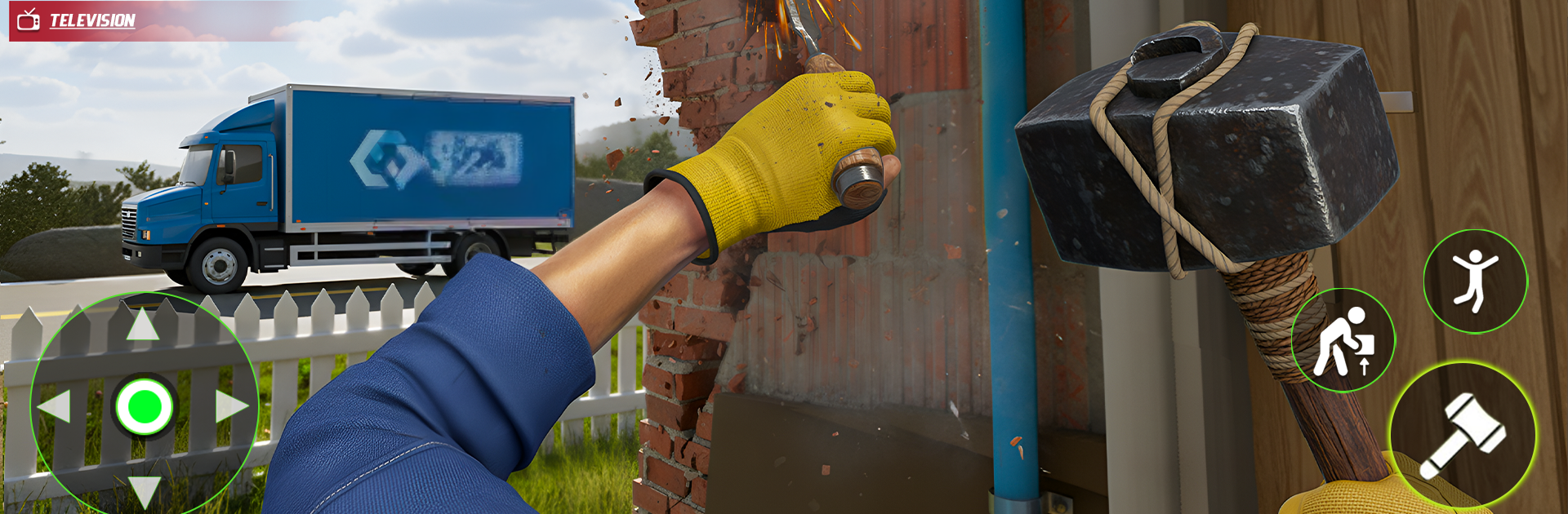
Load Truck: Demolish Buildings is a Simulation from GAMERZ BRIDGE (SMC-PRIVATE) LIMITED where packing a truck is only half the fun—the other half is knocking things down. Load up furniture, boxes, and big appliances, then haul your cargo to a demo site and bring the house down with physics that actually feel weighty. It’s quick, messy, and oddly relaxing, whether you’ve got two minutes or twenty.

Game Features

  • Smart Stacking
  • Every item has weight and momentum, so balance matters. Tilt a couch the wrong way and your perfect stack can wobble into a disaster—hilarious, fixable, and totally on you.

  • Crunchy Destruction

  • Hit the structure and watch studs snap, plaster burst, and debris scatter. Breakage looks and feels satisfying, with pieces reacting to every bump and slam.

  • Slow-Mo Replays

  • Trigger slow motion to catch those blink-and-you-miss-it moments—like a fridge cartwheeling through a doorway or a wall collapsing in stages.

  • Easy, No-Fuss Controls

  • Tap, drag, steer, and go. The interface stays out of your way so you can focus on stacking cleanly and smashing thoroughly.

  • Stages That Escalate

  • Each level changes up house layouts, clutter, and loading challenges. New obstacles keep the chaos fresh and the crashes even better.

  • Quick Sessions, Big Payoff

  • Short levels are perfect for stress relief—pack, drive, wreck, repeat.

  • Play Smoothly on PC

  • Prefer a bigger screen and precise inputs? Fire it up on your PC with BlueStacks for clean visuals and comfortable controls.

Get ready for a buttery smooth, high-performance gaming action only on BlueStacks.

Game Features

Enhancements

  • Macros
  • Multi Instance
  • Multi Instance Sync
  • Script
  • Enhancements
Macros

Macros

Automate the predictable in Load Truck: Demolish Buildings and transform your gameplay with Macros. Get access to inventive Macros in the BlueStacks Macro Community
Multi Instance

Multi Instance

Play Load Truck: Demolish Buildings on one window. And chat with your friend on the other. Press CTRL + Shift + 8 to open the Multi-Instance Manager. And start creating fresh instances or clone an existing one.
Multi Instance Sync

Multi Instance Sync

Play Load Truck: Demolish Buildings with the power of Multi-Instance Sync. Replicate what you are doing on the main instance on all other instances. Level up faster, play more.
Script

Script

Script your way to gaming glory in Load Truck: Demolish Buildings with BlueStacks Script. Write and run a set of commands to automate repeated tasks. Trigger the command by assigning it to any key.
Read More

How to Download and Play Load Truck: Demolish Buildings on PC or Mac

  • Download and install BlueStacks on your PC or Mac

  • Complete Google sign-in to access the Play Store, or do it later

  • Look for Load Truck: Demolish Buildings in the search bar at the top right corner

  • Click to install Load Truck: Demolish Buildings from the search results

  • Complete Google sign-in (if you skipped step 2) to install Load Truck: Demolish Buildings

  • Click the Load Truck: Demolish Buildings icon on the home screen to start playing

video
Watch Video

Minimum System Requirements

With BlueStacks 5, you can get started on a PC that fulfills the following requirements.

  • Operating System

    Microsoft Windows 7 or above, macOS 11 (Big Sur) or above

  • Processor

    Intel, AMD or Apple Silicon Processor

  • RAM

    at least 4GB

  • HDD

    10GB Free Disk Space

Note:

* You must be an Administrator on your PC. Up to date graphics drivers from Microsoft or the chipset vendor.

Load Truck: Demolish Buildings - FAQs

  • How to play Load Truck: Demolish Buildings on Windows PC & Mac?

    Play Load Truck: Demolish Buildings on your PC or Mac by following these simple steps.

    • Click on 'Play Load Truck: Demolish Buildings on PC’ to download BlueStacks
    • Install it and log-in to Google Play Store
    • Launch and play the game.
  • Why is BlueStacks the fastest and safest platform to play games on PC?

    BlueStacks respects your privacy and is always safe and secure to use. It does not carry any malware, spyware, or any sort of additional software that could harm your PC.

    It is engineered to optimize speed and performance for a seamless gaming experience.

  • What are Load Truck: Demolish Buildings PC requirements?

    Minimum requirement to run Load Truck: Demolish Buildings on your PC

    • OS: Microsoft Windows 7 or above MacOS 11 (Big Sur) or above
    • Processor: Intel, AMD or Apple Silicon Processor
    • RAM: Your PC must have at least 4GB of RAM. (Note that having 4GB or more disk space is not a substitute for RAM)
    • HDD: 10GB Free Disk Space.
    • You must be an Administrator on your PC.