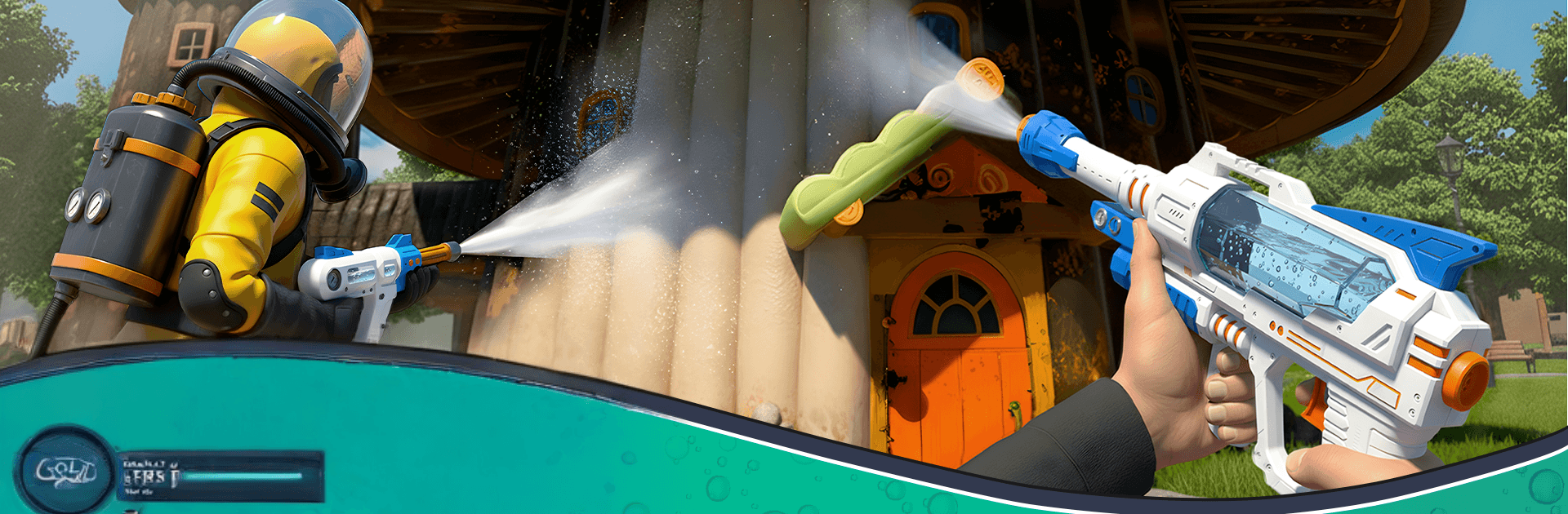
Power Wash Cleaner Simulator

Power Wash Cleaner Simulator

Strategy

| GAMERZ BRIDGE (SMC-PRIVATE) LIMITED

Play on PC with BlueStacks or from our cloud

  • Overview
  • Game Features
  • How to Play

Page Modified On: April 07, 2026

Play Power Wash Cleaner Simulator on PC or Mac

From the innovators and creators at GAMERZ BRIDGE (SMC-PRIVATE) LIMITED, Power Wash Cleaner Simulator is another fun addition to the World of Strategy games. Go beyond your mobile screen and play it bigger and better on your PC or Mac. An immersive experience awaits you.

About the Game

Power Wash Cleaner Simulator puts you in the boots of a rookie contractor with a trusty washer and a lot to prove. Jobs start simple—think a grime-caked amusement park—and grow into full-on city cleanups as your skills and reputation rise. Made by GAMERZ BRIDGE (SMC-PRIVATE) LIMITED, it mixes chill, satisfying cleanup with thoughtful Strategy choices about what to tackle first and how to get every last speck.

Game Features

  • Growing career
    Start with small gigs and work your way to parks, streets, homes, and huge venues as clients notice your results.

  • Big, messy jobs
    Tackle stubborn dirt on rides, walls, paths, and more—each location feels like a mini story waiting to shine again.

  • Vehicles and rides
    Get that Satisfying Car Wash feeling as you restore cars, buses, and park attractions until the paint pops.

  • Real pressure-wash feel
    Aim the power wash gun and hear ASMR-like water sounds as grime melts away—calming, methodical, and super rewarding.

  • Offline play
    No signal? No problem. Clean anytime with offline missions that keep the momentum going wherever you are.

  • Smart tools, real results
    Manage distance, angles, and pressure to avoid streaks and nail those tricky corners—precision matters.

  • Strategy at its core
    Plan routes, prioritize surfaces, and balance time versus thoroughness. Genre: Strategy, but soothing.

  • Expand your contracts
    Earn trust, unlock tougher challenges, and take on bigger payouts as your reputation builds.

  • Play your way
    Prefer a larger screen and comfy controls? It also feels great on PC with BlueStacks.

Ready to top the leaderboard? We bet you do. Let precise controls and sharp visuals optimized on BlueStacks lead you to victory.


Game Features

Enhancements

  • Macros
  • Multi Instance
  • Multi Instance Sync
  • Eco Mode
  • Enhancements
Macros

Macros

Skip the boring parts of a game. Play Power Wash Cleaner Simulator with Macros and get the edge. Simply record a sequence of commands and execute them at any moment.
Multi Instance

Multi Instance

Why limit to one game on your phone when you can play many on your PC? Open multiple instances of Power Wash Cleaner Simulator at once with Multi-Instance. Leverage the power of different accounts by doing more.
Multi Instance Sync

Multi Instance Sync

Get the best out of Power Wash Cleaner Simulator with Multi-Instance Sync. Play the game from different accounts and build your own empire. Use Multi-instance sync to repeat the action in the main BlueStacks instance on all other instances.
Eco Mode

Eco Mode

Find the rarest heroes by making multiple summons in Power Wash Cleaner Simulator. And while you are at it, reduce your PC’s resource consumption with the Eco Mode. Farm efficiently. Get the best results.
Read More

How to Download and Play Power Wash Cleaner Simulator on PC or Mac

  • Download and install BlueStacks on your PC or Mac

  • Complete Google sign-in to access the Play Store, or do it later

  • Look for Power Wash Cleaner Simulator in the search bar at the top right corner

  • Click to install Power Wash Cleaner Simulator from the search results

  • Complete Google sign-in (if you skipped step 2) to install Power Wash Cleaner Simulator

  • Click the Power Wash Cleaner Simulator icon on the home screen to start playing

video
Watch Video

Minimum System Requirements

With BlueStacks 5, you can get started on a PC that fulfills the following requirements.

  • Operating System

    Microsoft Windows 7 or above, macOS 11 (Big Sur) or above

  • Processor

    Intel, AMD or Apple Silicon Processor

  • RAM

    at least 4GB

  • HDD

    10GB Free Disk Space

Note:

* You must be an Administrator on your PC. Up to date graphics drivers from Microsoft or the chipset vendor.

Power Wash Cleaner Simulator - FAQs

  • How to play Power Wash Cleaner Simulator on Windows PC & Mac?

    Play Power Wash Cleaner Simulator on your PC or Mac by following these simple steps.

    • Click on 'Play Power Wash Cleaner Simulator on PC’ to download BlueStacks
    • Install it and log-in to Google Play Store
    • Launch and play the game.
  • Why is BlueStacks the fastest and safest platform to play games on PC?

    BlueStacks respects your privacy and is always safe and secure to use. It does not carry any malware, spyware, or any sort of additional software that could harm your PC.

    It is engineered to optimize speed and performance for a seamless gaming experience.

  • What are Power Wash Cleaner Simulator PC requirements?

    Minimum requirement to run Power Wash Cleaner Simulator on your PC

    • OS: Microsoft Windows 7 or above MacOS 11 (Big Sur) or above
    • Processor: Intel, AMD or Apple Silicon Processor
    • RAM: Your PC must have at least 4GB of RAM. (Note that having 4GB or more disk space is not a substitute for RAM)
    • HDD: 10GB Free Disk Space.
    • You must be an Administrator on your PC.