Monster Story by TeamLava™

Monster Story by TeamLava™

Simulation

| TeamLava Games

Play on PC with BlueStacks or from our cloud

  • Overview
  • Game Features
  • How to Play

Page Modified On: August 20, 2026

Play Monster Story by TeamLava™ on PC or Mac

Play Monster Story by TeamLava™ by TeamLava Games on PC or Mac with BlueStacks. Use a bigger screen, mouse and keyboard controls, and smoother performance while you play.

About the Game

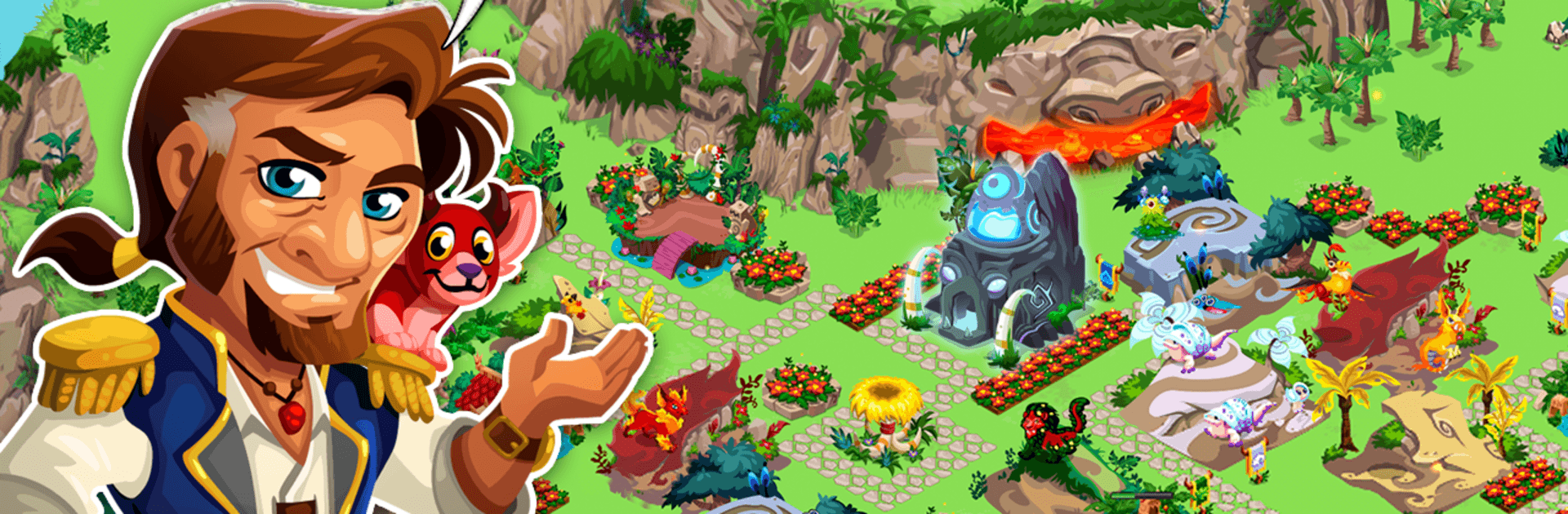
Monster Story by TeamLava™ is a bright, creature-collecting and island-building Simulation where you hatch quirky monsters, help them grow, and shape a lush home just for them. You’ll mix species to uncover surprising hybrids, evolve favorites into showpieces, and chase rarities that feel genuinely special. Want a bigger view of your island? It plays nicely on BlueStacks too.

Game Features

  • Hatch and Collect: Welcome a lineup of cute-and-weird monsters, each with distinct animations and personality.
  • Breed Hybrids: Pair different species to discover brand-new combinations—maybe even the ultra-rare Diamond Pegasus.
  • Evolve Through Stages: Guide your team through four evolution phases using the Evolution Totem and watch them transform.
  • Grow and Feed: Plant magical crops, feed your creatures, and see them change as they mature.
  • Build a Tropical Home: Place habitats, totems, and colorful decorations to craft an island that feels alive and uniquely yours.
  • Story Quests: Join Captain Reynolds and Professor Hawa on missions that share secrets of the islands and hand out useful rewards.
  • Fan-Favorite Creatures: Hatch familiar faces like the mighty Tree Rex and the bubbly Blue Blob, plus plenty of newcomers.
  • Social Gifting: Add friends, swap gifts like Gold, and lend a hand on each other’s islands.
  • Vibrant Presentation: Colorful art, lively animations, and playful sounds make every monster feel full of life.
  • Ongoing Additions: New monsters, fresh colors, and extra goals are added over time to keep your island growing.

Get ready for a buttery smooth, high-performance gaming action only on BlueStacks.

Game Features

Enhancements

  • Macros
  • Multi Instance
  • Multi Instance Sync
  • Script
  • Enhancements
Macros

Macros

Automate the predictable in Monster Story by TeamLava™ and transform your gameplay with Macros. Get access to inventive Macros in the BlueStacks Macro Community
Multi Instance

Multi Instance

Play Monster Story by TeamLava™ on one window. And chat with your friend on the other. Press CTRL + Shift + 8 to open the Multi-Instance Manager. And start creating fresh instances or clone an existing one.
Multi Instance Sync

Multi Instance Sync

Play Monster Story by TeamLava™ with the power of Multi-Instance Sync. Replicate what you are doing on the main instance on all other instances. Level up faster, play more.
Script

Script

Script your way to gaming glory in Monster Story by TeamLava™ with BlueStacks Script. Write and run a set of commands to automate repeated tasks. Trigger the command by assigning it to any key.
Read More

How to Download and Play Monster Story by TeamLava™ on PC or Mac

  • Download and install BlueStacks on your PC or Mac

  • Complete Google sign-in to access the Play Store, or do it later

  • Look for Monster Story by TeamLava™ in the search bar at the top right corner

  • Click to install Monster Story by TeamLava™ from the search results

  • Complete Google sign-in (if you skipped step 2) to install Monster Story by TeamLava™

  • Click the Monster Story by TeamLava™ icon on the home screen to start playing

video
Watch Video

Minimum System Requirements

With BlueStacks 5, you can get started on a PC that fulfills the following requirements.

  • Operating System

    Microsoft Windows 7 or above, macOS 11 (Big Sur) or above

  • Processor

    Intel, AMD or Apple Silicon Processor

  • RAM

    at least 4GB

  • HDD

    10GB Free Disk Space

Note:

* You must be an Administrator on your PC. Up to date graphics drivers from Microsoft or the chipset vendor.

Monster Story by TeamLava™ - FAQs

  • How to play Monster Story by TeamLava™ on Windows PC & Mac?

    Play Monster Story by TeamLava™ on your PC or Mac by following these simple steps.

    • Click on 'Play Monster Story by TeamLava™ on PC’ to download BlueStacks
    • Install it and log-in to Google Play Store
    • Launch and play the game.
  • Why is BlueStacks the fastest and safest platform to play games on PC?

    BlueStacks respects your privacy and is always safe and secure to use. It does not carry any malware, spyware, or any sort of additional software that could harm your PC.

    It is engineered to optimize speed and performance for a seamless gaming experience.

  • What are Monster Story by TeamLava™ PC requirements?

    Minimum requirement to run Monster Story by TeamLava™ on your PC

    • OS: Microsoft Windows 7 or above MacOS 11 (Big Sur) or above
    • Processor: Intel, AMD or Apple Silicon Processor
    • RAM: Your PC must have at least 4GB of RAM. (Note that having 4GB or more disk space is not a substitute for RAM)
    • HDD: 10GB Free Disk Space.
    • You must be an Administrator on your PC.