Nova Siege: Smash the Planet

Nova Siege: Smash the Planet

Simulation

| Skygo

Play on PC with BlueStacks or from our cloud

  • Overview
  • Game Features
  • How to Play

Page Modified On: August 10, 2026

Play Nova Siege: Smash the Planet on PC or Mac

Explore a whole new adventure with Nova Siege: Smash the Planet, a Simulation game created by Skygo. Experience great gameplay with BlueStacks, the most popular gaming platform to play Android games on your PC or Mac.

About the Game

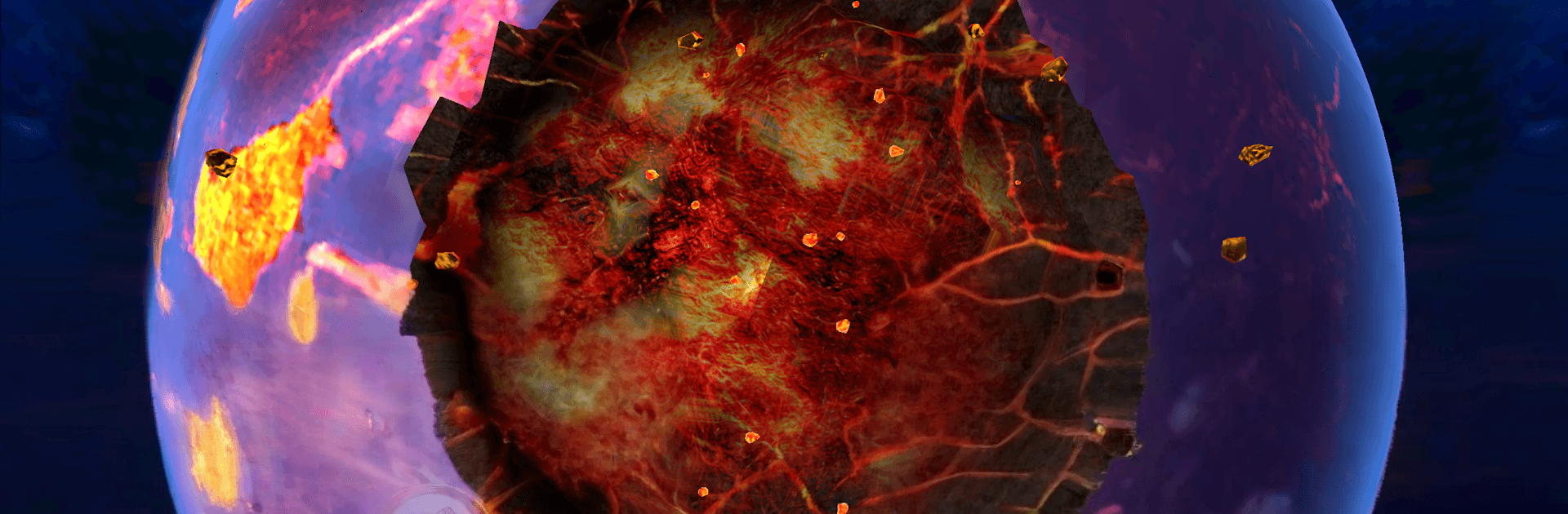
Nova Siege: Smash the Planet is a wild, hands-on sandbox where you get to test outrageous destructive power on a fragile world. It’s a Simulation toy box with no pressure and no rules—just pick a tool, aim, and see what kind of chaos unfolds. Everything here is fictional and not connected to real-life events, so it’s purely about curiosity and spectacle.

Game Features

  • Planet-busting arsenal: From pinpoint beams to massive impacts and strange energy bursts, mix and match tools to see how a planet holds up—or doesn’t.
  • True sandbox play: No missions, no timers, no strict goals. Tinker, experiment, and follow whatever idea pops into your head.
  • Reactive destruction: Watch surfaces crack, shockwaves expand, and debris scatter as forces collide and chain together in surprising ways.
  • Chain-reaction experiments: Stack different effects back-to-back—fire one tool, then another—to learn how each interaction changes the outcome.
  • Simple, tactile controls: Aim, place, and release with straightforward gestures that make big moments easy to set up.
  • Instant do-overs: Made a glorious mess and want another go? Clear the slate fast and try a new plan.
  • Play at your pace: Quick five-minute bursts or an hour of careful testing—both work, and both feel good.
  • Fiction-only sandbox: The destruction is entirely make-believe and not tied to real-world people, places, or events.
  • Optional PC play: Prefer a bigger view and mouse precision? You can play Nova Siege: Smash the Planet on BlueStacks for a crisp, roomy setup.

Ready to top the leaderboard? We bet you do. Let precise controls and sharp visuals optimized on BlueStacks lead you to victory.


Game Features

Enhancements

  • Macros
  • Multi Instance
  • Multi Instance Sync
  • Script
  • Enhancements
Macros

Macros

Automate the predictable in Nova Siege: Smash the Planet and transform your gameplay with Macros. Get access to inventive Macros in the BlueStacks Macro Community
Multi Instance

Multi Instance

Play Nova Siege: Smash the Planet on one window. And chat with your friend on the other. Press CTRL + Shift + 8 to open the Multi-Instance Manager. And start creating fresh instances or clone an existing one.
Multi Instance Sync

Multi Instance Sync

Play Nova Siege: Smash the Planet with the power of Multi-Instance Sync. Replicate what you are doing on the main instance on all other instances. Level up faster, play more.
Script

Script

Script your way to gaming glory in Nova Siege: Smash the Planet with BlueStacks Script. Write and run a set of commands to automate repeated tasks. Trigger the command by assigning it to any key.
Read More

How to Download and Play Nova Siege: Smash the Planet on PC or Mac

  • Download and install BlueStacks on your PC or Mac

  • Complete Google sign-in to access the Play Store, or do it later

  • Look for Nova Siege: Smash the Planet in the search bar at the top right corner

  • Click to install Nova Siege: Smash the Planet from the search results

  • Complete Google sign-in (if you skipped step 2) to install Nova Siege: Smash the Planet

  • Click the Nova Siege: Smash the Planet icon on the home screen to start playing

video
Watch Video

Minimum System Requirements

With BlueStacks 5, you can get started on a PC that fulfills the following requirements.

  • Operating System

    Microsoft Windows 7 or above, macOS 11 (Big Sur) or above

  • Processor

    Intel, AMD or Apple Silicon Processor

  • RAM

    at least 4GB

  • HDD

    10GB Free Disk Space

Note:

* You must be an Administrator on your PC. Up to date graphics drivers from Microsoft or the chipset vendor.

Nova Siege: Smash the Planet - FAQs

  • How to play Nova Siege: Smash the Planet on Windows PC & Mac?

    Play Nova Siege: Smash the Planet on your PC or Mac by following these simple steps.

    • Click on 'Play Nova Siege: Smash the Planet on PC’ to download BlueStacks
    • Install it and log-in to Google Play Store
    • Launch and play the game.
  • Why is BlueStacks the fastest and safest platform to play games on PC?

    BlueStacks respects your privacy and is always safe and secure to use. It does not carry any malware, spyware, or any sort of additional software that could harm your PC.

    It is engineered to optimize speed and performance for a seamless gaming experience.

  • What are Nova Siege: Smash the Planet PC requirements?

    Minimum requirement to run Nova Siege: Smash the Planet on your PC

    • OS: Microsoft Windows 7 or above MacOS 11 (Big Sur) or above
    • Processor: Intel, AMD or Apple Silicon Processor
    • RAM: Your PC must have at least 4GB of RAM. (Note that having 4GB or more disk space is not a substitute for RAM)
    • HDD: 10GB Free Disk Space.
    • You must be an Administrator on your PC.