Real Flight Sim Airplane Games

Real Flight Sim Airplane Games

Simulation

| Gamers DEN

Play on PC with BlueStacks or from our cloud

  • Overview
  • Game Features
  • How to Play

Page Modified On: October 13, 2025

Play Real Flight Sim Airplane Games on PC or Mac

Real Flight Sim Airplane Games brings the Simulation genre to life, and throws up exciting challenges for gamers. Developed by Gamers DEN, this Android game is best experienced on BlueStacks, the World’s #1 app player for PC and Mac users.

About the Game

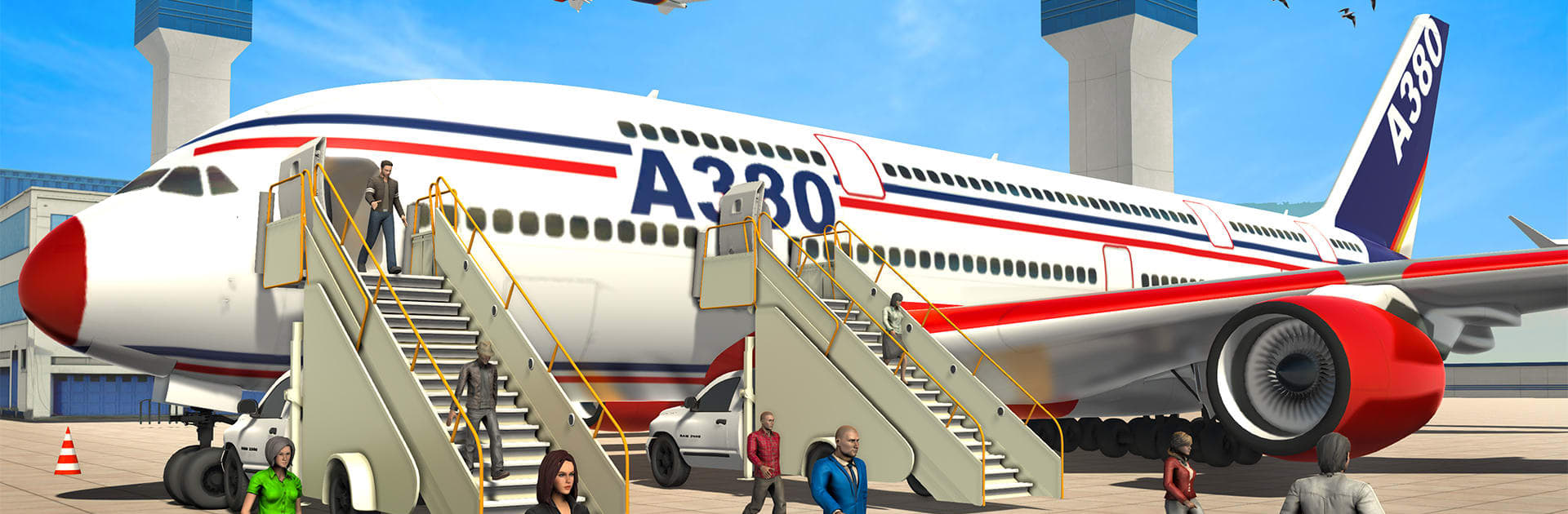
Real Flight Sim Airplane Games is a Simulation title from Gamers DEN that puts you squarely in the pilot’s seat. Hop between commercial jets, cargo carriers, and even rescue craft as you manage the full journey—taxi, takeoff, cruising, approach, and that all-important landing. Prefer a bigger screen and keyboard controls? It also runs smoothly on PC with BlueStacks.

Game Features

  • Authentic cockpit perspective — Fly from the flight deck with clear instruments, responsive controls, and a great sense of speed and weight.
  • A hangar full of aircraft — Swap between commercial airliners, cargo planes, sleek private jets, nimble fighters, and helicopter rescue tasks when duty calls.
  • Varied mission types — Handle precision landings, long routes over sea and city, emergency rescues, cargo hauls, and timed runway challenges that test your focus.
  • Big, scenic maps — Navigate wide-open skies above urban skylines, coastlines, and mountain passes, with thick clouds and stormy weather keeping you on your toes.
  • From gate to runway — Taxi from the hangar, line up, and stick smooth takeoffs and controlled approaches like a pro.
  • Physics you can feel — Every flare, touchdown, and rollout has weight, making clean landings genuinely satisfying.
  • Crisp audio and visuals — HD environments and punchy engine and cockpit sounds bring each aircraft to life.
  • Progress that matters — Earn your pilot license and unlock tougher missions and new aircraft as your skills grow.
  • Play offline — Tackle missions on the go without a constant connection.

Get ready for a buttery smooth, high-performance gaming action only on BlueStacks.

Game Features

Enhancements

  • Macros
  • Multi Instance
  • Multi Instance Sync
  • Script
  • Enhancements
Macros

Macros

Automate the predictable in Real Flight Sim Airplane Games and transform your gameplay with Macros. Get access to inventive Macros in the BlueStacks Macro Community
Multi Instance

Multi Instance

Play Real Flight Sim Airplane Games on one window. And chat with your friend on the other. Press CTRL + Shift + 8 to open the Multi-Instance Manager. And start creating fresh instances or clone an existing one.
Multi Instance Sync

Multi Instance Sync

Play Real Flight Sim Airplane Games with the power of Multi-Instance Sync. Replicate what you are doing on the main instance on all other instances. Level up faster, play more.
Script

Script

Script your way to gaming glory in Real Flight Sim Airplane Games with BlueStacks Script. Write and run a set of commands to automate repeated tasks. Trigger the command by assigning it to any key.
Read More

How to Download and Play Real Flight Sim Airplane Games on PC or Mac

  • Download and install BlueStacks on your PC or Mac

  • Complete Google sign-in to access the Play Store, or do it later

  • Look for Real Flight Sim Airplane Games in the search bar at the top right corner

  • Click to install Real Flight Sim Airplane Games from the search results

  • Complete Google sign-in (if you skipped step 2) to install Real Flight Sim Airplane Games

  • Click the Real Flight Sim Airplane Games icon on the home screen to start playing

video
Watch Video

Minimum System Requirements

With BlueStacks 5, you can get started on a PC that fulfills the following requirements.

  • Operating System

    Microsoft Windows 7 or above, macOS 11 (Big Sur) or above

  • Processor

    Intel, AMD or Apple Silicon Processor

  • RAM

    at least 4GB

  • HDD

    10GB Free Disk Space

Note:

* You must be an Administrator on your PC. Up to date graphics drivers from Microsoft or the chipset vendor.

Real Flight Sim Airplane Games - FAQs

  • How to play Real Flight Sim Airplane Games on Windows PC & Mac?

    Play Real Flight Sim Airplane Games on your PC or Mac by following these simple steps.

    • Click on 'Play Real Flight Sim Airplane Games on PC’ to download BlueStacks
    • Install it and log-in to Google Play Store
    • Launch and play the game.
  • Why is BlueStacks the fastest and safest platform to play games on PC?

    BlueStacks respects your privacy and is always safe and secure to use. It does not carry any malware, spyware, or any sort of additional software that could harm your PC.

    It is engineered to optimize speed and performance for a seamless gaming experience.

  • What are Real Flight Sim Airplane Games PC requirements?

    Minimum requirement to run Real Flight Sim Airplane Games on your PC

    • OS: Microsoft Windows 7 or above MacOS 11 (Big Sur) or above
    • Processor: Intel, AMD or Apple Silicon Processor
    • RAM: Your PC must have at least 4GB of RAM. (Note that having 4GB or more disk space is not a substitute for RAM)
    • HDD: 10GB Free Disk Space.
    • You must be an Administrator on your PC.