Runaway From Vlogger

Runaway From Vlogger

Simulation

| Sprigame

Play on PC with BlueStacks or from our cloud

  • Overview
  • Game Features
  • How to Play

Page Modified On: July 20, 2026

Play Runaway From Vlogger on PC or Mac

Runaway From Vlogger brings the Simulation genre to life, and throws up exciting challenges for gamers. Developed by Sprigame, this Android game is best experienced on BlueStacks, the World’s #1 app player for PC and Mac users.

About the Game

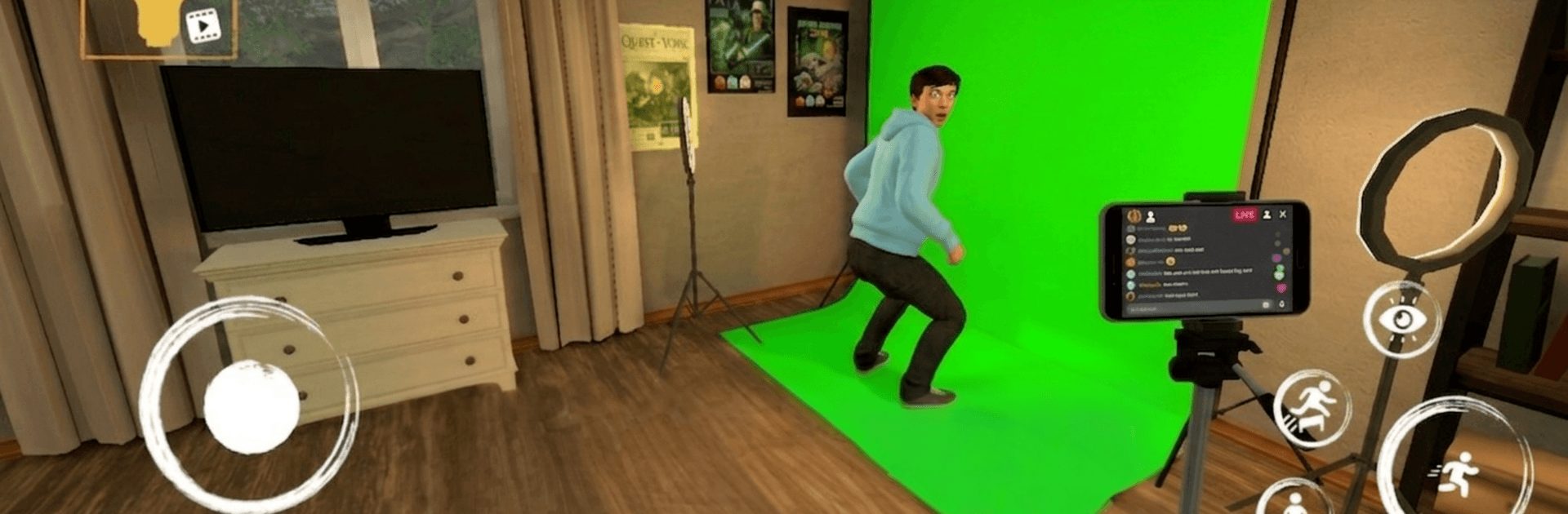
Runaway From Vlogger is a nerve-wracking Simulation where you’re the target and a camera-wielding Vlogger won’t stop hunting you. You’ll creep through shadowy spaces, listen for clues, and snatch up what you need to reach an exit before you’re spotted. Prefer a bigger view? It also plays nicely on BlueStacks.

Game Features

  • Smart Stealth: Slip into lockers, crawl through vents, and keep to the dark to avoid the Vlogger’s gaze. Move carefully—noise and timing matter more than speed.
  • Moody 3D Spaces: Explore cramped corridors, service rooms, and back passages built to keep you uneasy, with lighting and layouts that mess with your nerves.
  • Puzzles With Stakes: Search for keys, codes, and useful items that open doors or new routes. Every pick-up helps, but hunting for it can put you at risk.
  • Adaptive Pursuit: The Vlogger won’t stick to one routine. If you repeat your path, expect trouble—switch tactics, try new hiding spots, and stay unpredictable.
  • Sound As Your Guide: Footsteps, doors, and subtle hums help you track where danger is coming from. Use audio cues to plan your next move and avoid walking straight into trouble.
  • Split-Second Choices: Wait it out or sprint across that lit hallway? Peek, reposition, and commit at the right moment. A cool head and clean routes are your best friends.

Start your journey now. Download the game on BlueStacks, invite your friends, and march on a new adventure.


Game Features

Enhancements

  • Macros
  • Multi Instance
  • Multi Instance Sync
  • Script
  • Enhancements
Macros

Macros

Automate the predictable in Runaway From Vlogger and transform your gameplay with Macros. Get access to inventive Macros in the BlueStacks Macro Community
Multi Instance

Multi Instance

Play Runaway From Vlogger on one window. And chat with your friend on the other. Press CTRL + Shift + 8 to open the Multi-Instance Manager. And start creating fresh instances or clone an existing one.
Multi Instance Sync

Multi Instance Sync

Play Runaway From Vlogger with the power of Multi-Instance Sync. Replicate what you are doing on the main instance on all other instances. Level up faster, play more.
Script

Script

Script your way to gaming glory in Runaway From Vlogger with BlueStacks Script. Write and run a set of commands to automate repeated tasks. Trigger the command by assigning it to any key.
Read More

How to Download and Play Runaway From Vlogger on PC or Mac

  • Download and install BlueStacks on your PC or Mac

  • Complete Google sign-in to access the Play Store, or do it later

  • Look for Runaway From Vlogger in the search bar at the top right corner

  • Click to install Runaway From Vlogger from the search results

  • Complete Google sign-in (if you skipped step 2) to install Runaway From Vlogger

  • Click the Runaway From Vlogger icon on the home screen to start playing

video
Watch Video

Minimum System Requirements

With BlueStacks 5, you can get started on a PC that fulfills the following requirements.

  • Operating System

    Microsoft Windows 7 or above, macOS 11 (Big Sur) or above

  • Processor

    Intel, AMD or Apple Silicon Processor

  • RAM

    at least 4GB

  • HDD

    10GB Free Disk Space

Note:

* You must be an Administrator on your PC. Up to date graphics drivers from Microsoft or the chipset vendor.

Runaway From Vlogger - FAQs

  • How to play Runaway From Vlogger on Windows PC & Mac?

    Play Runaway From Vlogger on your PC or Mac by following these simple steps.

    • Click on 'Play Runaway From Vlogger on PC’ to download BlueStacks
    • Install it and log-in to Google Play Store
    • Launch and play the game.
  • Why is BlueStacks the fastest and safest platform to play games on PC?

    BlueStacks respects your privacy and is always safe and secure to use. It does not carry any malware, spyware, or any sort of additional software that could harm your PC.

    It is engineered to optimize speed and performance for a seamless gaming experience.

  • What are Runaway From Vlogger PC requirements?

    Minimum requirement to run Runaway From Vlogger on your PC

    • OS: Microsoft Windows 7 or above MacOS 11 (Big Sur) or above
    • Processor: Intel, AMD or Apple Silicon Processor
    • RAM: Your PC must have at least 4GB of RAM. (Note that having 4GB or more disk space is not a substitute for RAM)
    • HDD: 10GB Free Disk Space.
    • You must be an Administrator on your PC.