Tap Tap Soldier - Space War

Tap Tap Soldier - Space War

Simulation

| Goormsoft Corp.

Play on PC with BlueStacks or from our cloud

  • Overview
  • Game Features
  • How to Play

Page Modified On: July 27, 2026

Play Tap Tap Soldier - Space War on PC or Mac

Explore a whole new adventure with Tap Tap Soldier – Space War, a Simulation game created by Goormsoft Corp.. Experience great gameplay with BlueStacks, the most popular gaming platform to play Android games on your PC or Mac.

About the Game

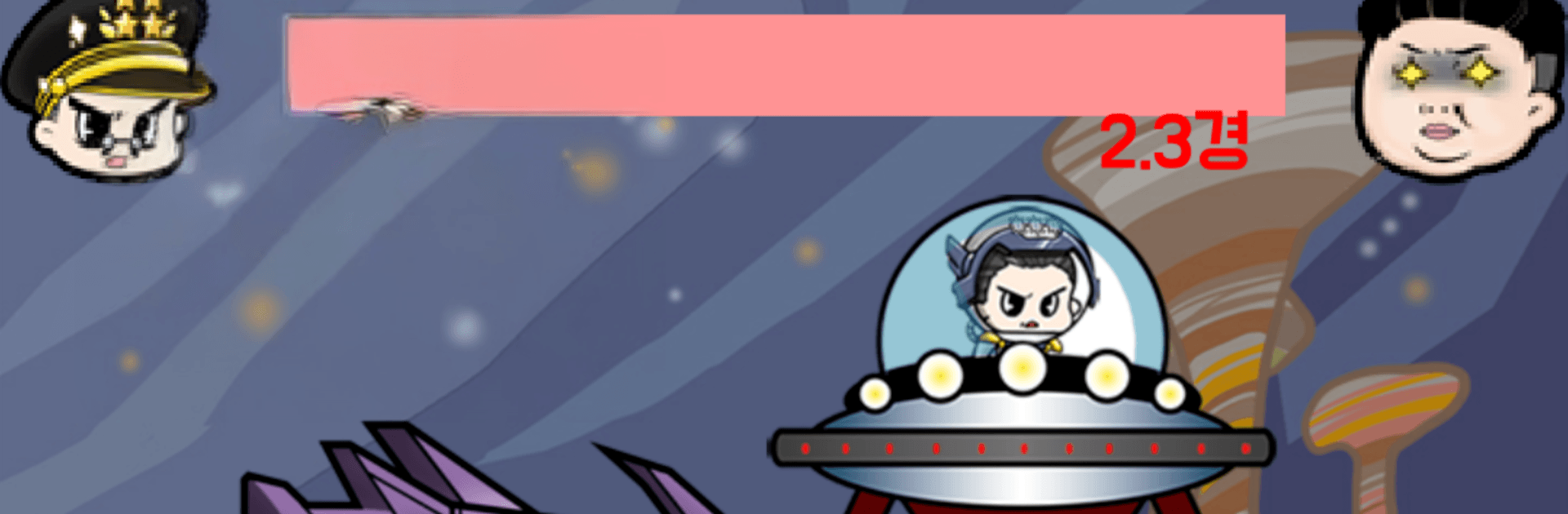
Tap Tap Soldier – Space War is a punchy Simulation where your taps fuel a growing war machine. A once-ordinary tyrant, juiced up by alien tech, wants Earth under his thumb—your job is to rally humanity’s finest and shut that down. Build bases, roll out tanks, jets, and ships, and line up the right heroes to outproduce, outgun, and outthink the invasion.

Game Features

  • Tap-Powered Production: Need troops fast? Speed up your production lines with quick taps whenever the pressure spikes.
  • Build and Train: Set up barracks and academies to train both privates and officers, then expand your facilities to scale your military.
  • Combined-Arms Arsenal: Construct factories for tanks, fighter planes, and battleships, and keep tuning their firepower to punch through tougher fronts.
  • Legendary Heroes: Recruit iconic figures from history—commanders, inventors, strategists—and put their unique strengths to work on the battlefield or in the workshop.
  • Role-Based Synergy: Swap heroes to match the moment: combat specialists for fights, manufacturing minds for output, and economic brains to grow your resources.
  • Reinforce Everything: Upgrade soldiers, officers, and every vehicle class to stack raw stats and create a force that snowballs over time.
  • Global Liberation: Reclaim major cities across Africa, Europe, Asia, and the Americas to secure steady funding and powerful growth boosts.
  • Play Your Way: Tap on the go, or manage your forces on PC with BlueStacks if you like a bigger screen and comfy clicking.

Get ready for a buttery smooth, high-performance gaming action only on BlueStacks.

Game Features

Enhancements

  • Macros
  • Multi Instance
  • Multi Instance Sync
  • Script
  • Enhancements
Macros

Macros

Automate the predictable in Tap Tap Soldier - Space War and transform your gameplay with Macros. Get access to inventive Macros in the BlueStacks Macro Community
Multi Instance

Multi Instance

Play Tap Tap Soldier - Space War on one window. And chat with your friend on the other. Press CTRL + Shift + 8 to open the Multi-Instance Manager. And start creating fresh instances or clone an existing one.
Multi Instance Sync

Multi Instance Sync

Play Tap Tap Soldier - Space War with the power of Multi-Instance Sync. Replicate what you are doing on the main instance on all other instances. Level up faster, play more.
Script

Script

Script your way to gaming glory in Tap Tap Soldier - Space War with BlueStacks Script. Write and run a set of commands to automate repeated tasks. Trigger the command by assigning it to any key.
Read More

How to Download and Play Tap Tap Soldier - Space War on PC or Mac

  • Download and install BlueStacks on your PC or Mac

  • Complete Google sign-in to access the Play Store, or do it later

  • Look for Tap Tap Soldier - Space War in the search bar at the top right corner

  • Click to install Tap Tap Soldier - Space War from the search results

  • Complete Google sign-in (if you skipped step 2) to install Tap Tap Soldier - Space War

  • Click the Tap Tap Soldier - Space War icon on the home screen to start playing

video
Watch Video

Minimum System Requirements

With BlueStacks 5, you can get started on a PC that fulfills the following requirements.

  • Operating System

    Microsoft Windows 7 or above, macOS 11 (Big Sur) or above

  • Processor

    Intel, AMD or Apple Silicon Processor

  • RAM

    at least 4GB

  • HDD

    10GB Free Disk Space

Note:

* You must be an Administrator on your PC. Up to date graphics drivers from Microsoft or the chipset vendor.

Tap Tap Soldier - Space War - FAQs

  • How to play Tap Tap Soldier - Space War on Windows PC & Mac?

    Play Tap Tap Soldier - Space War on your PC or Mac by following these simple steps.

    • Click on 'Play Tap Tap Soldier - Space War on PC’ to download BlueStacks
    • Install it and log-in to Google Play Store
    • Launch and play the game.
  • Why is BlueStacks the fastest and safest platform to play games on PC?

    BlueStacks respects your privacy and is always safe and secure to use. It does not carry any malware, spyware, or any sort of additional software that could harm your PC.

    It is engineered to optimize speed and performance for a seamless gaming experience.

  • What are Tap Tap Soldier - Space War PC requirements?

    Minimum requirement to run Tap Tap Soldier - Space War on your PC

    • OS: Microsoft Windows 7 or above MacOS 11 (Big Sur) or above
    • Processor: Intel, AMD or Apple Silicon Processor
    • RAM: Your PC must have at least 4GB of RAM. (Note that having 4GB or more disk space is not a substitute for RAM)
    • HDD: 10GB Free Disk Space.
    • You must be an Administrator on your PC.