Tofaş Driving Simulator

Tofaş Driving Simulator

Simulation

| Mami Games

Play on PC with BlueStacks or from our cloud

  • Overview
  • Game Features
  • How to Play

Page Modified On: September 25, 2026

Play Tofaş Driving Simulator on PC or Mac

Tofaş Driving Simulator by Mami Games has plenty to keep you busy. BlueStacks lets you play it on PC or Mac with more screen space, better control, and fewer mobile limits.

About the Game

Tofaş Driving Simulator is all about the feel of real-world cruising, sliding, and street action—with a spotlight on beloved Tofaş classics and other fan-favorite cars. This Simulation experience lets you roam big city maps, tweak your ride, and hear engines snarl exactly like they should. Prefer playing on a larger screen with keyboard controls? You can run it on BlueStacks, too.

Game Features

  • Three distinct city maps: Explore different city layouts—from dense streets to wide avenues—so you can cruise, drift, and test setups in varied neighborhoods.
  • Weather that changes the road: Roll out under clear skies, tiptoe over rain-slick streets, or push through snow and watch how grip really shifts.
  • Controls your way: Swap between on-screen buttons, a virtual steering wheel, tilt controls, or let auto-throttle help while you focus on lines.
  • Police chases that keep you sharp: Trigger pursuits, break line of sight, and use backstreets to shake the sirens when they close in.
  • Suspension you can dial in: Slam it for style or lift it for comfort—ride height and feel are yours to tune.
  • Real in-cabin driving: Sit behind the wheel with an animated driver and a cockpit view that makes every gear change feel personal.
  • A garage with range: Drive Tofaş legends like Şahin, Kartal, and Murat, then jump into machines such as Mercedes-Benz S600, Toyota Supra, Renault Megane, Honda Civic, Volkswagen Jetta, Honda S2000, and even a McLaren P1.
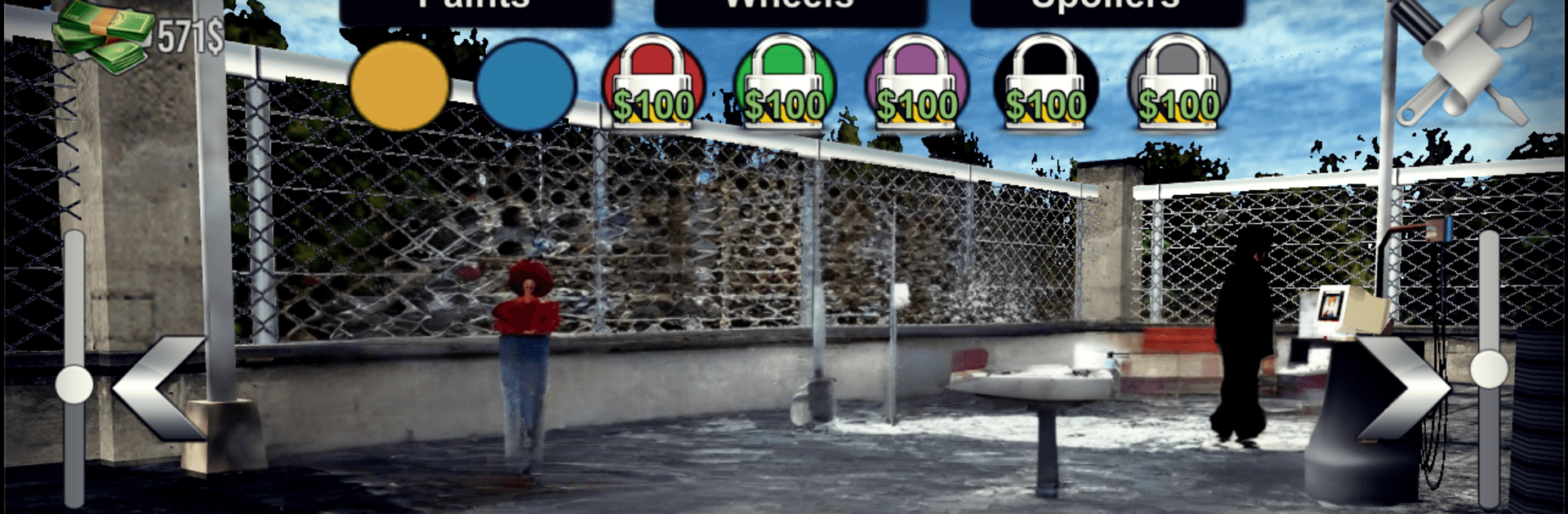
  • Paint and mods that pop: Mix colors, swap rims, add windbreakers and more to build a ride that actually looks like yours.
  • Open-world fun plus structured races: Freeroam to practice drifts and tricks, or take on set challenges when you want goals and bragging rights.
  • Physics that reward skill: A drift-friendly handling model makes slides controllable, while precise inputs still matter when you’re chasing clean laps.

BlueStacks gives you more room to focus on the game and less time adjusting around mobile limitations.


Game Features

Enhancements

  • Macros
  • Multi Instance
  • Multi Instance Sync
  • Script
  • Enhancements
Macros

Macros

Automate the predictable in Tofaş Driving Simulator and transform your gameplay with Macros. Get access to inventive Macros in the BlueStacks Macro Community
Multi Instance

Multi Instance

Play Tofaş Driving Simulator on one window. And chat with your friend on the other. Press CTRL + Shift + 8 to open the Multi-Instance Manager. And start creating fresh instances or clone an existing one.
Multi Instance Sync

Multi Instance Sync

Play Tofaş Driving Simulator with the power of Multi-Instance Sync. Replicate what you are doing on the main instance on all other instances. Level up faster, play more.
Script

Script

Script your way to gaming glory in Tofaş Driving Simulator with BlueStacks Script. Write and run a set of commands to automate repeated tasks. Trigger the command by assigning it to any key.
Read More

How to Download and Play Tofaş Driving Simulator on PC or Mac

  • Download and install BlueStacks on your PC or Mac

  • Complete Google sign-in to access the Play Store, or do it later

  • Look for Tofaş Driving Simulator in the search bar at the top right corner

  • Click to install Tofaş Driving Simulator from the search results

  • Complete Google sign-in (if you skipped step 2) to install Tofaş Driving Simulator

  • Click the Tofaş Driving Simulator icon on the home screen to start playing

video
Watch Video

Minimum System Requirements

With BlueStacks 5, you can get started on a PC that fulfills the following requirements.

  • Operating System

    Microsoft Windows 7 or above, macOS 11 (Big Sur) or above

  • Processor

    Intel, AMD or Apple Silicon Processor

  • RAM

    at least 4GB

  • HDD

    10GB Free Disk Space

Note:

* You must be an Administrator on your PC. Up to date graphics drivers from Microsoft or the chipset vendor.

Tofaş Driving Simulator - FAQs

  • How to play Tofaş Driving Simulator on Windows PC & Mac?

    Play Tofaş Driving Simulator on your PC or Mac by following these simple steps.

    • Click on 'Play Tofaş Driving Simulator on PC’ to download BlueStacks
    • Install it and log-in to Google Play Store
    • Launch and play the game.
  • Why is BlueStacks the fastest and safest platform to play games on PC?

    BlueStacks respects your privacy and is always safe and secure to use. It does not carry any malware, spyware, or any sort of additional software that could harm your PC.

    It is engineered to optimize speed and performance for a seamless gaming experience.

  • What are Tofaş Driving Simulator PC requirements?

    Minimum requirement to run Tofaş Driving Simulator on your PC

    • OS: Microsoft Windows 7 or above MacOS 11 (Big Sur) or above
    • Processor: Intel, AMD or Apple Silicon Processor
    • RAM: Your PC must have at least 4GB of RAM. (Note that having 4GB or more disk space is not a substitute for RAM)
    • HDD: 10GB Free Disk Space.
    • You must be an Administrator on your PC.