Urban Bike Racer: City Roads

Urban Bike Racer: City Roads

Simulation

| Abyu dev

Play on PC with BlueStacks or from our cloud

  • Overview
  • Game Features
  • How to Play

Page Modified On: September 25, 2026

Play Urban Bike Racer: City Roads on PC or Mac

Urban Bike Racer: City Roads by Abyu dev has plenty to keep you busy. BlueStacks lets you play it on PC or Mac with more screen space, better control, and fewer mobile limits.

About the Game

Urban Bike Racer: City Roads throws you into busy city traffic where quick decisions and clean lines matter more than raw speed. This Simulation leans into feel and flow—threading cars, knocking out handcrafted missions, and chasing personal bests—at your own pace and, if you want, on PC with BlueStacks. Expect short, high-adrenaline runs mixed with longer progression as you build, tune, and show off a garage that actually rides differently.

Game Features

  • Endless City Runs: Keep rolling down unbroken stretches of urban asphalt as traffic intensity ramps up; chase new records and that “one more try” feeling.
  • 40-Mission Campaign: Work through carefully crafted challenges across worldwide cities, each with distinct goals, layouts, and rising difficulty.
  • Mode Additions on the Way: Look forward to fresh race types that mix up objectives, pacing, and ways to prove your skills.
  • Garage Full of Bikes: Collect a lineup of machines and pick the right ride for each task—from agile splitters to straight-line rockets.
  • Deep Performance Upgrades: Pour resources into engine punch, steering response, and braking bite to squeeze out precious milliseconds.
  • Style It Your Way: Paint jobs, graphics, and cosmetic tweaks let you give every bike a look that’s unmistakably yours.
  • Real Cities, Real Variety: Race through diverse skylines and traffic rhythms that change how you plan, react, and overtake.
  • Tricky Street Layouts: Learn broad avenues, tight alleys, jammed intersections, and fast corridors—each demands a different mindset.
  • Tougher As You Go: Advancing to new regions brings denser traffic, quicker opponents, and more hazards waiting to catch you out.
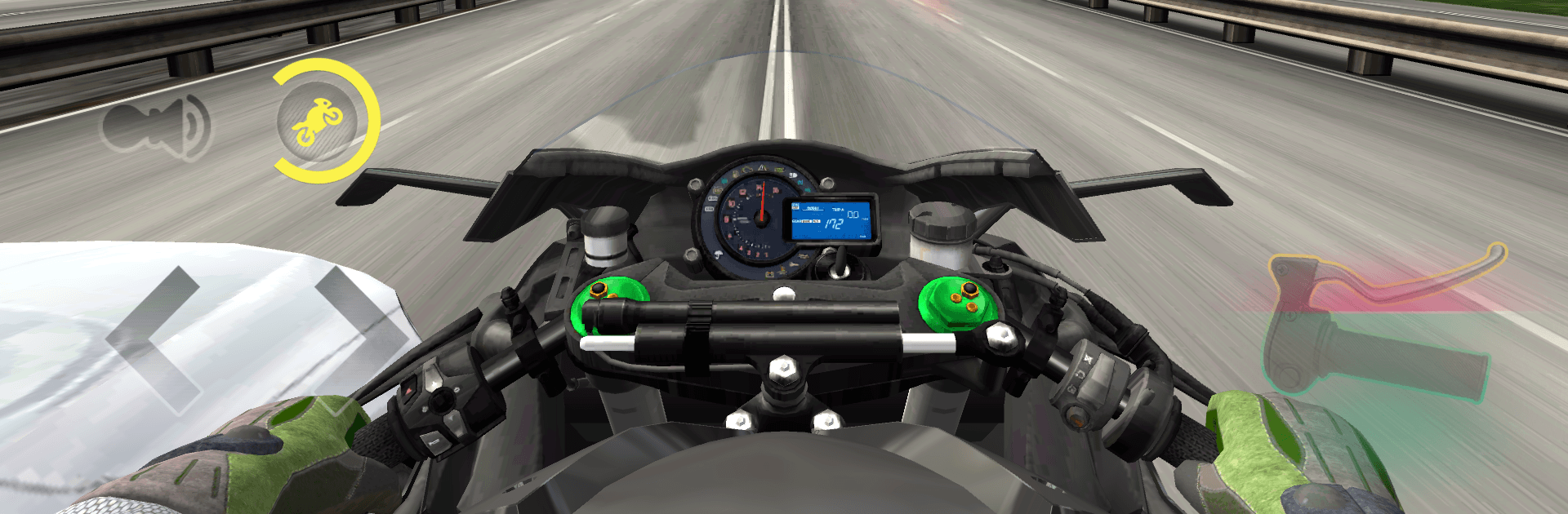
  • Clean, Useful HUD: Keep an eye on speed and engine data at a glance so your focus stays on the gaps ahead.
  • Pinpoint Handling: Responsive steering and crisp inputs let you thread needles and hold lines at serious speed.
  • Switchable Cameras: Choose the angle that suits you best—tight, immersive viewpoints or a wider frame for better situational awareness.

BlueStacks gives you more room to focus on the game and less time adjusting around mobile limitations.


Game Features

Enhancements

  • Macros
  • Multi Instance
  • Multi Instance Sync
  • Script
  • Enhancements
Macros

Macros

Automate the predictable in Urban Bike Racer: City Roads and transform your gameplay with Macros. Get access to inventive Macros in the BlueStacks Macro Community
Multi Instance

Multi Instance

Play Urban Bike Racer: City Roads on one window. And chat with your friend on the other. Press CTRL + Shift + 8 to open the Multi-Instance Manager. And start creating fresh instances or clone an existing one.
Multi Instance Sync

Multi Instance Sync

Play Urban Bike Racer: City Roads with the power of Multi-Instance Sync. Replicate what you are doing on the main instance on all other instances. Level up faster, play more.
Script

Script

Script your way to gaming glory in Urban Bike Racer: City Roads with BlueStacks Script. Write and run a set of commands to automate repeated tasks. Trigger the command by assigning it to any key.
Read More

How to Download and Play Urban Bike Racer: City Roads on PC or Mac

  • Download and install BlueStacks on your PC or Mac

  • Complete Google sign-in to access the Play Store, or do it later

  • Look for Urban Bike Racer: City Roads in the search bar at the top right corner

  • Click to install Urban Bike Racer: City Roads from the search results

  • Complete Google sign-in (if you skipped step 2) to install Urban Bike Racer: City Roads

  • Click the Urban Bike Racer: City Roads icon on the home screen to start playing

video
Watch Video

Minimum System Requirements

With BlueStacks 5, you can get started on a PC that fulfills the following requirements.

  • Operating System

    Microsoft Windows 7 or above, macOS 11 (Big Sur) or above

  • Processor

    Intel, AMD or Apple Silicon Processor

  • RAM

    at least 4GB

  • HDD

    10GB Free Disk Space

Note:

* You must be an Administrator on your PC. Up to date graphics drivers from Microsoft or the chipset vendor.

Urban Bike Racer: City Roads - FAQs

  • How to play Urban Bike Racer: City Roads on Windows PC & Mac?

    Play Urban Bike Racer: City Roads on your PC or Mac by following these simple steps.

    • Click on 'Play Urban Bike Racer: City Roads on PC’ to download BlueStacks
    • Install it and log-in to Google Play Store
    • Launch and play the game.
  • Why is BlueStacks the fastest and safest platform to play games on PC?

    BlueStacks respects your privacy and is always safe and secure to use. It does not carry any malware, spyware, or any sort of additional software that could harm your PC.

    It is engineered to optimize speed and performance for a seamless gaming experience.

  • What are Urban Bike Racer: City Roads PC requirements?

    Minimum requirement to run Urban Bike Racer: City Roads on your PC

    • OS: Microsoft Windows 7 or above MacOS 11 (Big Sur) or above
    • Processor: Intel, AMD or Apple Silicon Processor
    • RAM: Your PC must have at least 4GB of RAM. (Note that having 4GB or more disk space is not a substitute for RAM)
    • HDD: 10GB Free Disk Space.
    • You must be an Administrator on your PC.