Village Business Simulator

Village Business Simulator

Simulation

| Zealand Team

Play on PC with BlueStacks or from our cloud

  • Overview
  • Game Features
  • How to Play

Page Modified On: October 03, 2025

Play Village Business Simulator on PC or Mac

Join millions to experience Village Business Simulator, an exciting Simulation game from Zealand Team. With BlueStacks App Player, you are always a step ahead of your opponent, ready to outplay them with faster gameplay and better control with the mouse and keyboard on your PC or Mac.

About the Game

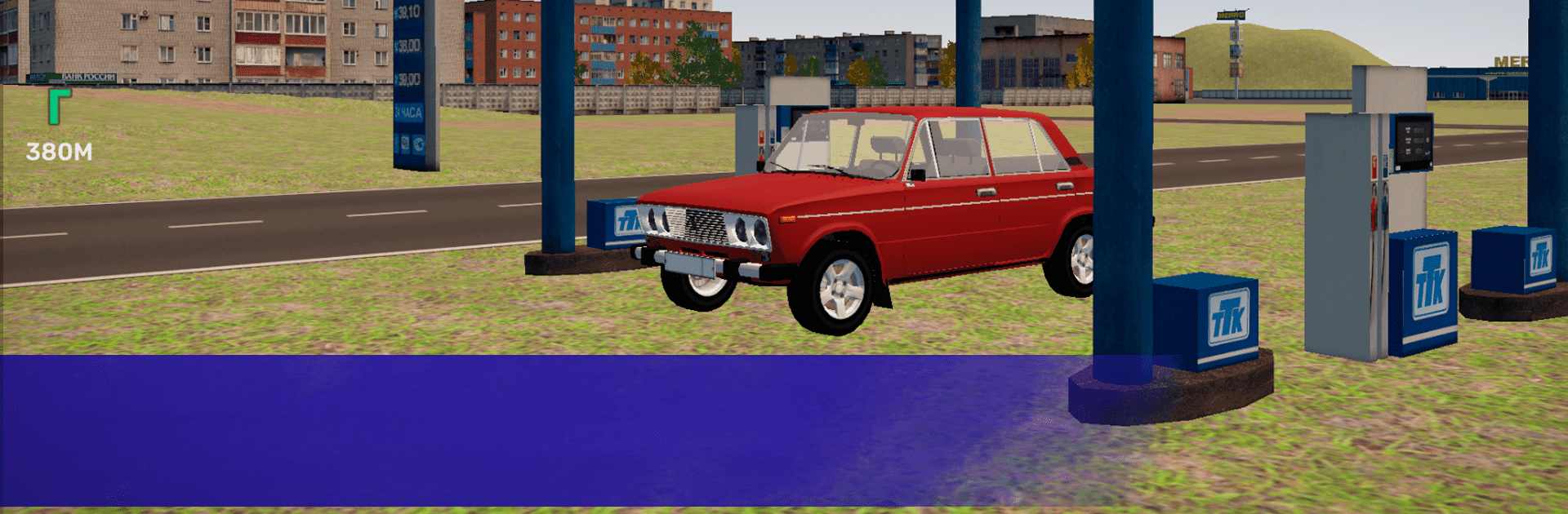
Village Business Simulator from Zealand Team drops you into small-town life with big responsibilities. It’s a Simulation game where you rebuild struggling village businesses, handle everyday problems, and chip away at a serious debt after the former farm chairman vanished with the cash. Prefer playing on PC? It feels great with BlueStacks if you like managing shops and errands using a mouse and keyboard.

Game Features

  • Build and expand: Start with modest ventures like a bakery, a scrap pickup point, or a corner store, then upgrade and automate to keep profits rolling while you focus on the next opportunity.
  • Story with stakes: The collective farm owes a fortune, and you’re the one cleaning up the mess. Take on missions, help locals, and deal with everything from neighborhood disputes to assisting the police in tricky situations.
  • Daily needs matter: Your character gets hungry and tired, so plan meals and rest. Grab a quick bite at the café or cook at home to keep energy up for long workdays.
  • Classic rides: Buy and use iconic Russian cars to haul goods, run deliveries, and get around the countryside with some style (and a little rattling).
  • Day and night: Time moves naturally—mornings feel brisk, evenings glow, and late-night streets set a different pace for business and errands.
  • Hands-on management: Balance cash flow, upgrades, and routes. Decide what to improve now and what to automate later to keep everything running smoothly.
  • Quests with personality: Each task opens a small window into village life—help neighbors, fix problems, and earn trust as you restore the community’s backbone.
  • Atmosphere first: Detailed visuals and grounded audio set the tone for a rural setting that feels lived-in, from quiet fields to busy storefronts.

Ready to top the leaderboard? We bet you do. Let precise controls and sharp visuals optimized on BlueStacks lead you to victory.


Game Features

Enhancements

  • Macros
  • Multi Instance
  • Multi Instance Sync
  • Script
  • Enhancements
Macros

Macros

Automate the predictable in Village Business Simulator and transform your gameplay with Macros. Get access to inventive Macros in the BlueStacks Macro Community
Multi Instance

Multi Instance

Play Village Business Simulator on one window. And chat with your friend on the other. Press CTRL + Shift + 8 to open the Multi-Instance Manager. And start creating fresh instances or clone an existing one.
Multi Instance Sync

Multi Instance Sync

Play Village Business Simulator with the power of Multi-Instance Sync. Replicate what you are doing on the main instance on all other instances. Level up faster, play more.
Script

Script

Script your way to gaming glory in Village Business Simulator with BlueStacks Script. Write and run a set of commands to automate repeated tasks. Trigger the command by assigning it to any key.
Read More

How to Download and Play Village Business Simulator on PC or Mac

  • Download and install BlueStacks on your PC or Mac

  • Complete Google sign-in to access the Play Store, or do it later

  • Look for Village Business Simulator in the search bar at the top right corner

  • Click to install Village Business Simulator from the search results

  • Complete Google sign-in (if you skipped step 2) to install Village Business Simulator

  • Click the Village Business Simulator icon on the home screen to start playing

video
Watch Video

Minimum System Requirements

With BlueStacks 5, you can get started on a PC that fulfills the following requirements.

  • Operating System

    Microsoft Windows 7 or above, macOS 11 (Big Sur) or above

  • Processor

    Intel, AMD or Apple Silicon Processor

  • RAM

    at least 4GB

  • HDD

    10GB Free Disk Space

Note:

* You must be an Administrator on your PC. Up to date graphics drivers from Microsoft or the chipset vendor.

Village Business Simulator - FAQs

  • How to play Village Business Simulator on Windows PC & Mac?

    Play Village Business Simulator on your PC or Mac by following these simple steps.

    • Click on 'Play Village Business Simulator on PC’ to download BlueStacks
    • Install it and log-in to Google Play Store
    • Launch and play the game.
  • Why is BlueStacks the fastest and safest platform to play games on PC?

    BlueStacks respects your privacy and is always safe and secure to use. It does not carry any malware, spyware, or any sort of additional software that could harm your PC.

    It is engineered to optimize speed and performance for a seamless gaming experience.

  • What are Village Business Simulator PC requirements?

    Minimum requirement to run Village Business Simulator on your PC

    • OS: Microsoft Windows 7 or above MacOS 11 (Big Sur) or above
    • Processor: Intel, AMD or Apple Silicon Processor
    • RAM: Your PC must have at least 4GB of RAM. (Note that having 4GB or more disk space is not a substitute for RAM)
    • HDD: 10GB Free Disk Space.
    • You must be an Administrator on your PC.