Cricket All Stars
Cricket All Stars

Cricket All Stars

Sports

| KRAFTON, Inc.

Play on PC with BlueStacks or from our cloud

  • Overview
  • Tips & Tricks
  • Game Features
  • How to Play

Page Modified On: May 21, 2026

Play Cricket All Stars on PC or Mac

Cricket All Stars brings the Sports genre to life, and throws up exciting challenges for gamers. Developed by KRAFTON, Inc., this Android game is best experienced on BlueStacks, the World’s #1 app player for PC and Mac users.

About the Game

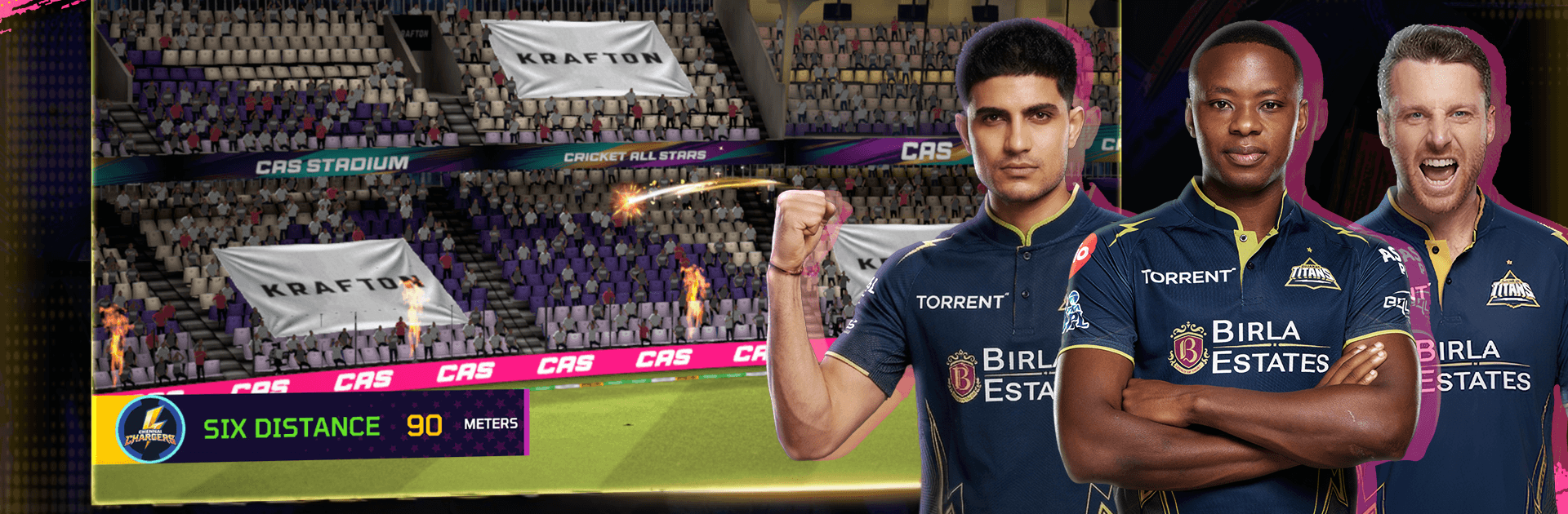
Cricket All Stars is a fast, feel-good Sports title that drops you right into a roaring stadium and hands you the bat. It plays smooth, looks sharp, and makes every over feel like a big moment without burying you in complex controls. Want a quick hit or a full-length classic? It’s got room for both—plus a few surprises along the way.

Game Features

  • Big-match atmosphere: Crisp visuals at a silky frame rate, lifelike ball movement, and packed stands combine for a “game day” buzz you can feel.
  • Broadcast-style camera work: Dynamic angles and slick presentation make it look like a live telecast—only you’re the one making the calls.
  • Pick-up-and-play controls: Tap, swipe, time your shots or your yorkers—simple inputs that still reward good cricket sense.
  • Smart feedback on every delivery: Helpful cues after each ball show what worked and what didn’t, so your timing and placement keep improving.
  • Official Indian T20 teams: Suit up with Kolkata Knight Riders and Lucknow Super Giants, complete with authentic kits and recognizable player likenesses.
  • Modes for any mood: Jump into Quick Match, set up a chill Friendly Match, grind through a classic Test Match, chase glory in the Indian Pro T20 League, or take on the 20-Over World Cup.
  • Your rules, your pacing: Tweak overs, AI difficulty, camera, and control settings to find the sweet spot.
  • Build a dream squad: Earn rewards, strengthen your lineup, and watch prospects grow into headline makers.
  • Make the stadium yours: Choose time of day and weather, then splash in fireworks, lasers, flags, and custom wickets for a match-day vibe that’s all you.
  • Champion Pass rewards: Tackle challenges, climb tiers, and unlock exclusive gear and cosmetics as you play.
  • Smooth on a big screen: Prefer a larger display and precise inputs? It also plays great on PC with BlueStacks.

Ready to top the leaderboard? We bet you do. Let precise controls and sharp visuals optimized on BlueStacks lead you to victory.


Game Features

Enhancements

  • Macros
  • Multi Instance
  • Multi Instance Sync
  • Script
  • Enhancements
Macros

Macros

Automate the predictable in Cricket All Stars and transform your gameplay with Macros. Get access to inventive Macros in the BlueStacks Macro Community
Multi Instance

Multi Instance

Play Cricket All Stars on one window. And chat with your friend on the other. Press CTRL + Shift + 8 to open the Multi-Instance Manager. And start creating fresh instances or clone an existing one.
Multi Instance Sync

Multi Instance Sync

Play Cricket All Stars with the power of Multi-Instance Sync. Replicate what you are doing on the main instance on all other instances. Level up faster, play more.
Script

Script

Script your way to gaming glory in Cricket All Stars with BlueStacks Script. Write and run a set of commands to automate repeated tasks. Trigger the command by assigning it to any key.
Read More

How to Download and Play Cricket All Stars on PC or Mac

  • Download and install BlueStacks on your PC or Mac

  • Complete Google sign-in to access the Play Store, or do it later

  • Look for Cricket All Stars in the search bar at the top right corner

  • Click to install Cricket All Stars from the search results

  • Complete Google sign-in (if you skipped step 2) to install Cricket All Stars

  • Click the Cricket All Stars icon on the home screen to start playing

video
Watch Video

Minimum System Requirements

With BlueStacks 5, you can get started on a PC that fulfills the following requirements.

  • Operating System

    Microsoft Windows 7 or above, macOS 11 (Big Sur) or above

  • Processor

    Intel, AMD or Apple Silicon Processor

  • RAM

    at least 4GB

  • HDD

    10GB Free Disk Space

Note:

* You must be an Administrator on your PC. Up to date graphics drivers from Microsoft or the chipset vendor.

Cricket All Stars - FAQs

  • How to play Cricket All Stars on Windows PC & Mac?

    Play Cricket All Stars on your PC or Mac by following these simple steps.

    • Click on 'Play Cricket All Stars on PC’ to download BlueStacks
    • Install it and log-in to Google Play Store
    • Launch and play the game.
  • Why is BlueStacks the fastest and safest platform to play games on PC?

    BlueStacks respects your privacy and is always safe and secure to use. It does not carry any malware, spyware, or any sort of additional software that could harm your PC.

    It is engineered to optimize speed and performance for a seamless gaming experience.

  • What are Cricket All Stars PC requirements?

    Minimum requirement to run Cricket All Stars on your PC

    • OS: Microsoft Windows 7 or above MacOS 11 (Big Sur) or above
    • Processor: Intel, AMD or Apple Silicon Processor
    • RAM: Your PC must have at least 4GB of RAM. (Note that having 4GB or more disk space is not a substitute for RAM)
    • HDD: 10GB Free Disk Space.
    • You must be an Administrator on your PC.