
Deemples - Find Golf Buddies

Deemples - Find Golf Buddies

Sports

| Deemples Golf

Play on PC with BlueStacks or from our cloud

  • Overview
  • Game Features
  • How to Play

Page Modified On: October 24, 2025

Play Deemples - Find Golf Buddies on PC or Mac

Join millions to experience Deemples – Find Golf Buddies, an exciting Sports game from Deemples Golf. With BlueStacks App Player, you are always a step ahead of your opponent, ready to outplay them with faster gameplay and better control with the mouse and keyboard on your PC or Mac.

About the Game

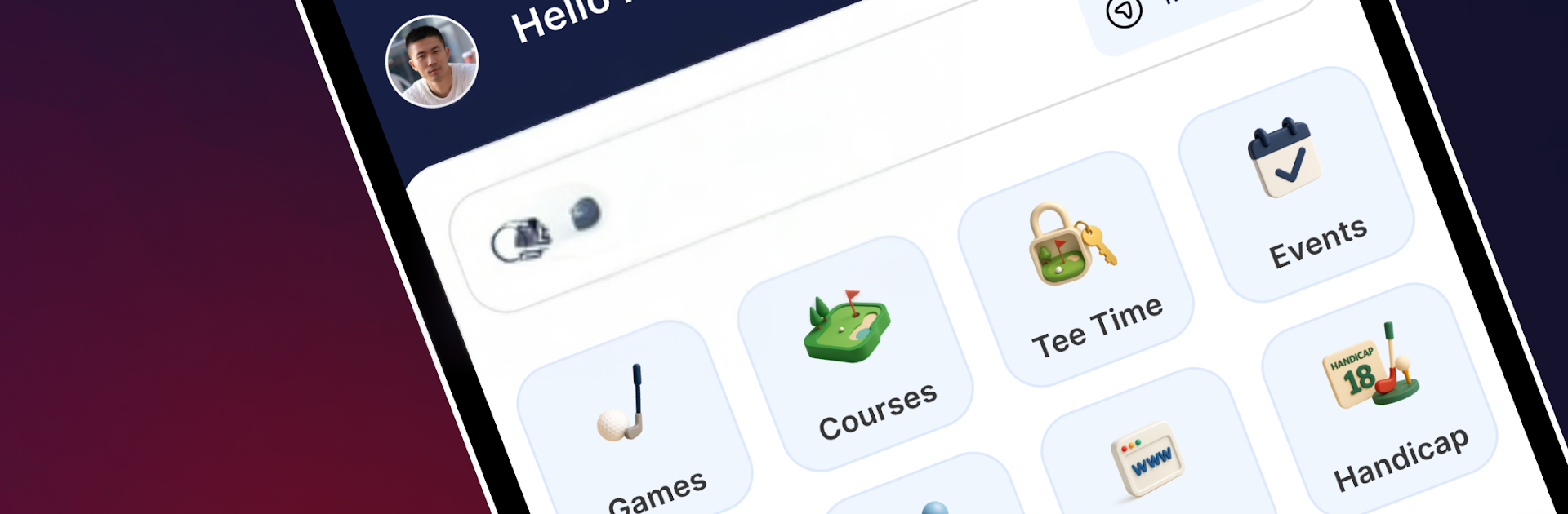
Deemples – Find Golf Buddies makes getting out for a round way easier. It brings golfers together, helps you organize games and lessons, and keeps the admin stuff tidy so you can focus on playing. Built by Deemples Golf in the Sports genre, it’s great on your phone and works smoothly on PC with BlueStacks if you prefer a bigger screen.

Game Features

  • Find games near you: Browse open rounds, competitions, and lessons happening around you and jump into a slot that fits your schedule.
  • Host your own round: Can’t find the right time or format? Create a game, set the details, and let other golfers join. Meet new players instead of rotating the same group every week.
  • Secure, in-app payments: Pay ahead to lock in your spot. Hosts and golf courses can accept payments directly in the app. In many cases, rates are lower than paying at the counter (currently available in Malaysia).
  • Earn credits as you play: Get instant credits when you book and pay through the app. Refer a friend and earn more when they book their first game—simple and rewarding.
  • Peer-verified handicap: Track your game with a handicap that uses the USGA formula. It isn’t an official club handicap, but scores only count when two other players from the same Deemples game submit matching details (adjusted gross score, course rating, slope). That extra verification keeps things fair. Moving to the World Handicap System in the future.
  • Beginner-friendly options: New to golf? Join 1-on-1 or group lessons, or pick beginner-friendly games to ease onto the course.
  • Active across the region: Available in Indonesia, Philippines, Singapore, Brunei, Australia, and Malaysia, with more locations coming.
  • Plan anywhere: Manage your rounds on mobile or handle chats and game details comfortably on desktop with BlueStacks.

Get ready for a buttery smooth, high-performance gaming action only on BlueStacks.

Game Features

Enhancements

  • Macros
  • Multi Instance
  • Multi Instance Sync
  • Script
  • Enhancements
Macros

Macros

Automate the predictable in Deemples - Find Golf Buddies and transform your gameplay with Macros. Get access to inventive Macros in the BlueStacks Macro Community
Multi Instance

Multi Instance

Play Deemples - Find Golf Buddies on one window. And chat with your friend on the other. Press CTRL + Shift + 8 to open the Multi-Instance Manager. And start creating fresh instances or clone an existing one.
Multi Instance Sync

Multi Instance Sync

Play Deemples - Find Golf Buddies with the power of Multi-Instance Sync. Replicate what you are doing on the main instance on all other instances. Level up faster, play more.
Script

Script

Script your way to gaming glory in Deemples - Find Golf Buddies with BlueStacks Script. Write and run a set of commands to automate repeated tasks. Trigger the command by assigning it to any key.
Read More

How to Download and Play Deemples - Find Golf Buddies on PC or Mac

  • Download and install BlueStacks on your PC or Mac

  • Complete Google sign-in to access the Play Store, or do it later

  • Look for Deemples - Find Golf Buddies in the search bar at the top right corner

  • Click to install Deemples - Find Golf Buddies from the search results

  • Complete Google sign-in (if you skipped step 2) to install Deemples - Find Golf Buddies

  • Click the Deemples - Find Golf Buddies icon on the home screen to start playing

video
Watch Video

Minimum System Requirements

With BlueStacks 5, you can get started on a PC that fulfills the following requirements.

  • Operating System

    Microsoft Windows 7 or above, macOS 11 (Big Sur) or above

  • Processor

    Intel, AMD or Apple Silicon Processor

  • RAM

    at least 4GB

  • HDD

    10GB Free Disk Space

Note:

* You must be an Administrator on your PC. Up to date graphics drivers from Microsoft or the chipset vendor.

Deemples - Find Golf Buddies - FAQs

  • How to play Deemples - Find Golf Buddies on Windows PC & Mac?

    Play Deemples - Find Golf Buddies on your PC or Mac by following these simple steps.

    • Click on 'Play Deemples - Find Golf Buddies on PC’ to download BlueStacks
    • Install it and log-in to Google Play Store
    • Launch and play the game.
  • Why is BlueStacks the fastest and safest platform to play games on PC?

    BlueStacks respects your privacy and is always safe and secure to use. It does not carry any malware, spyware, or any sort of additional software that could harm your PC.

    It is engineered to optimize speed and performance for a seamless gaming experience.

  • What are Deemples - Find Golf Buddies PC requirements?

    Minimum requirement to run Deemples - Find Golf Buddies on your PC

    • OS: Microsoft Windows 7 or above MacOS 11 (Big Sur) or above
    • Processor: Intel, AMD or Apple Silicon Processor
    • RAM: Your PC must have at least 4GB of RAM. (Note that having 4GB or more disk space is not a substitute for RAM)
    • HDD: 10GB Free Disk Space.
    • You must be an Administrator on your PC.








