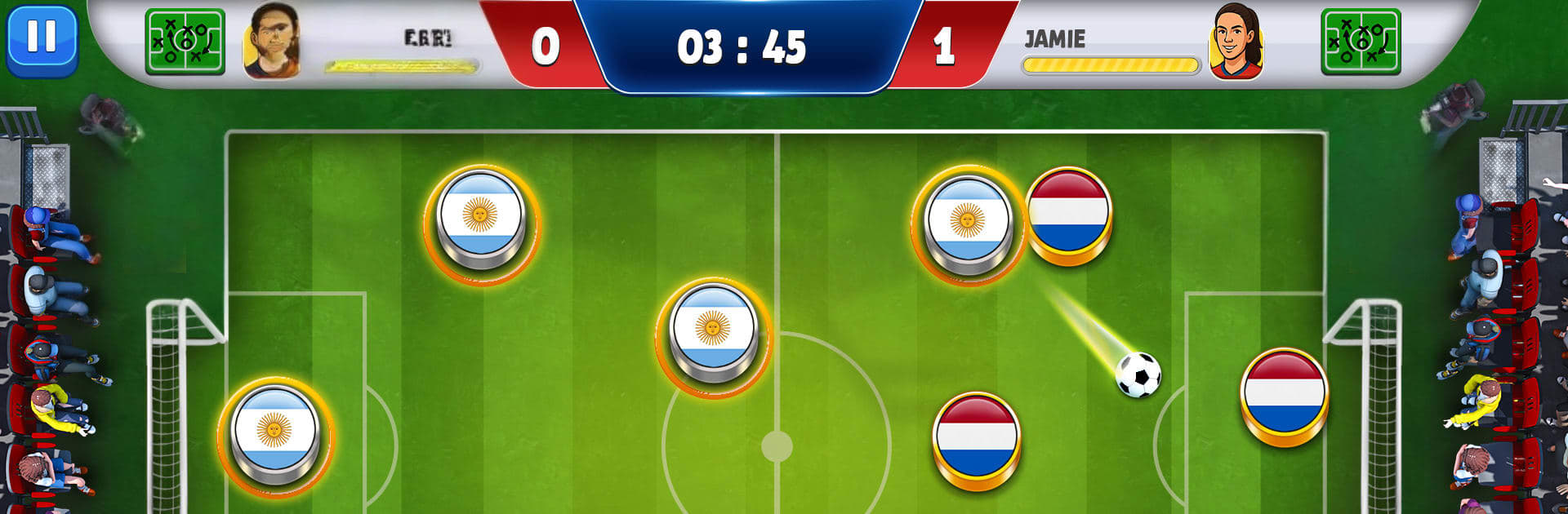
Finger Soccer Flick Football

Finger Soccer Flick Football

Sports

| Play24 Game

Play on PC with BlueStacks or from our cloud

  • Overview
  • Game Features
  • How to Play

Page Modified On: August 20, 2026

Play Finger Soccer Flick Football on PC or Mac

Finger Soccer Flick Football by Play24 Game has plenty to keep you busy. BlueStacks lets you play it on PC or Mac with more screen space, better control, and fewer mobile limits.

About the Game

Finger Soccer Flick Football turns tabletop soccer into a fast, finger-flicking showdown. It’s quick to learn, surprisingly tactical, and packed with modes so you can play a quick session or chase a trophy run. If you enjoy the rhythm of set plays, clutch saves, and sneaky angles, this Sports title nails that pick-up-and-play sweet spot—especially smooth on BlueStacks.

Game Features

  • Friendly Matches: Pick from 50+ international teams and jump into classic fixtures for instant action.
  • Penalty Shootouts: Feel the nerves and the rush as you line up shots and guess the keeper’s dive in tense PK battles.
  • Local 2-Player: Share one device and go head-to-head—perfect for quick bragging rights and pass-and-play showdowns.
  • Tournament Brackets: Survive knockouts, stack wins back-to-back, and hoist the cup at the end.
  • Rush Mode: No turns, no waiting—just constant flicks, rebounds, and scrappy goals in pure chaos.
  • Formations & Strategy: Switch setups on the fly and outsmart opponents with smart positioning and angles.
  • Earn & Unlock: Collect coins through play to open up new teams and expand your roster.
  • Smooth Flick Controls: Responsive swipes meet believable physics, so curves, banks, and rebounds feel right.
  • Sound & Atmosphere: Snappy effects and energetic music keep every match lively from kickoff to final whistle.
  • Offline Friendly: Play anytime without a connection—great for quick sessions wherever you are.
  • Play on BlueStacks: Prefer a bigger screen and steady inputs? BlueStacks makes those precise flicks and tight saves feel extra clean.

Start your journey now. Download the game on BlueStacks, invite your friends, and march on a new adventure.


Game Features

Enhancements

  • Macros
  • Multi Instance
  • Multi Instance Sync
  • Script
  • Enhancements
Macros

Macros

Automate the predictable in Finger Soccer Flick Football and transform your gameplay with Macros. Get access to inventive Macros in the BlueStacks Macro Community
Multi Instance

Multi Instance

Play Finger Soccer Flick Football on one window. And chat with your friend on the other. Press CTRL + Shift + 8 to open the Multi-Instance Manager. And start creating fresh instances or clone an existing one.
Multi Instance Sync

Multi Instance Sync

Play Finger Soccer Flick Football with the power of Multi-Instance Sync. Replicate what you are doing on the main instance on all other instances. Level up faster, play more.
Script

Script

Script your way to gaming glory in Finger Soccer Flick Football with BlueStacks Script. Write and run a set of commands to automate repeated tasks. Trigger the command by assigning it to any key.
Read More

How to Download and Play Finger Soccer Flick Football on PC or Mac

  • Download and install BlueStacks on your PC or Mac

  • Complete Google sign-in to access the Play Store, or do it later

  • Look for Finger Soccer Flick Football in the search bar at the top right corner

  • Click to install Finger Soccer Flick Football from the search results

  • Complete Google sign-in (if you skipped step 2) to install Finger Soccer Flick Football

  • Click the Finger Soccer Flick Football icon on the home screen to start playing

video
Watch Video

Minimum System Requirements

With BlueStacks 5, you can get started on a PC that fulfills the following requirements.

  • Operating System

    Microsoft Windows 7 or above, macOS 11 (Big Sur) or above

  • Processor

    Intel, AMD or Apple Silicon Processor

  • RAM

    at least 4GB

  • HDD

    10GB Free Disk Space

Note:

* You must be an Administrator on your PC. Up to date graphics drivers from Microsoft or the chipset vendor.

Finger Soccer Flick Football - FAQs

  • How to play Finger Soccer Flick Football on Windows PC & Mac?

    Play Finger Soccer Flick Football on your PC or Mac by following these simple steps.

    • Click on 'Play Finger Soccer Flick Football on PC’ to download BlueStacks
    • Install it and log-in to Google Play Store
    • Launch and play the game.
  • Why is BlueStacks the fastest and safest platform to play games on PC?

    BlueStacks respects your privacy and is always safe and secure to use. It does not carry any malware, spyware, or any sort of additional software that could harm your PC.

    It is engineered to optimize speed and performance for a seamless gaming experience.

  • What are Finger Soccer Flick Football PC requirements?

    Minimum requirement to run Finger Soccer Flick Football on your PC

    • OS: Microsoft Windows 7 or above MacOS 11 (Big Sur) or above
    • Processor: Intel, AMD or Apple Silicon Processor
    • RAM: Your PC must have at least 4GB of RAM. (Note that having 4GB or more disk space is not a substitute for RAM)
    • HDD: 10GB Free Disk Space.
    • You must be an Administrator on your PC.