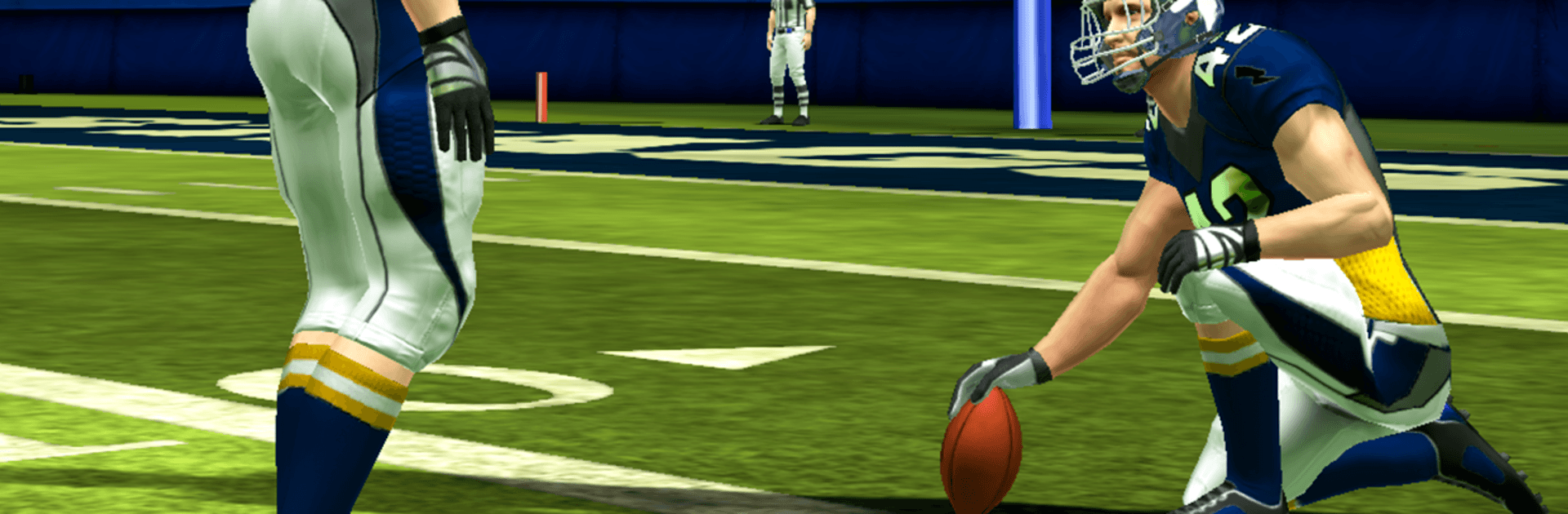
Flick Field Goal 25
Flick Field Goal 25

Flick Field Goal 25

Sports

| Full Fat

Play on PC with BlueStacks or from our cloud

  • Overview
  • Game Features
  • How to Play

Page Modified On: July 20, 2026

Play Flick Field Goal 25 on PC or Mac

Step into the World of Flick Field Goal 25, a thrilling Sports game from the house of Full Fat. Play this Android game on BlueStacks App Player and experience immersive gaming on PC or Mac.

About the Game

Flick Field Goal 25 is all about that satisfying snap of the ball and the perfect kick. It’s a fast, fun Sports game where you’ll flick to boot field goals and even send booming punts into the sky. Expect quick sessions, tight controls, and a surprising amount of depth as you train up your kicker and put your accuracy to the test.

Game Features

  • Flick-to-Kick Precision: Simple swipes launch the ball, while after-touch lets you bend it mid-flight to thread the uprights or curl around tricky obstacles.
  • Multiple Ways to Play: Tackle classic kicking challenges, switch things up with punts, and try the “Smash the Glass” mode to shatter panes with pinpoint accuracy.
  • Big, Bold 3D Visuals: Stadiums pop with life, from detailed player models and cheer squads to rich lighting and authentic field textures.
  • Weather That Means Business: Rain and snow aren’t just for show—they’ll push your timing and control.
  • Train Your Star: Build power, accuracy, and more through a dedicated training system. Spend in-game currency on upgrades or grind it out yourself—your call.
  • Make It Yours: Add your name and number, spruce up the stadium, and customize the football with wild designs—flags, fireball, cheeseburger, 8-ball—and new trail effects.
  • Friendly Rivalries: Chase high scores and bragging rights by competing with friends and climbing leaderboards.
  • Free to Play, Easy to Pick Up: Quick sessions, smooth performance across a range of devices, and no steep learning curve.
  • Play on Your Terms: Prefer a bigger screen and comfy controls? It plays great on BlueStacks as well.

Start playing Flick Field Goal 25 on BlueStacks and get a smoother, more comfortable PC or Mac setup.


Game Features

Enhancements

  • Macros
  • Multi Instance
  • Multi Instance Sync
  • Script
  • Enhancements
Macros

Macros

Automate the predictable in Flick Field Goal 25 and transform your gameplay with Macros. Get access to inventive Macros in the BlueStacks Macro Community
Multi Instance

Multi Instance

Play Flick Field Goal 25 on one window. And chat with your friend on the other. Press CTRL + Shift + 8 to open the Multi-Instance Manager. And start creating fresh instances or clone an existing one.
Multi Instance Sync

Multi Instance Sync

Play Flick Field Goal 25 with the power of Multi-Instance Sync. Replicate what you are doing on the main instance on all other instances. Level up faster, play more.
Script

Script

Script your way to gaming glory in Flick Field Goal 25 with BlueStacks Script. Write and run a set of commands to automate repeated tasks. Trigger the command by assigning it to any key.
Read More

How to Download and Play Flick Field Goal 25 on PC or Mac

  • Download and install BlueStacks on your PC or Mac

  • Complete Google sign-in to access the Play Store, or do it later

  • Look for Flick Field Goal 25 in the search bar at the top right corner

  • Click to install Flick Field Goal 25 from the search results

  • Complete Google sign-in (if you skipped step 2) to install Flick Field Goal 25

  • Click the Flick Field Goal 25 icon on the home screen to start playing

video
Watch Video

Minimum System Requirements

With BlueStacks 5, you can get started on a PC that fulfills the following requirements.

  • Operating System

    Microsoft Windows 7 or above, macOS 11 (Big Sur) or above

  • Processor

    Intel, AMD or Apple Silicon Processor

  • RAM

    at least 4GB

  • HDD

    10GB Free Disk Space

Note:

* You must be an Administrator on your PC. Up to date graphics drivers from Microsoft or the chipset vendor.

Flick Field Goal 25 - FAQs

  • How to play Flick Field Goal 25 on Windows PC & Mac?

    Play Flick Field Goal 25 on your PC or Mac by following these simple steps.

    • Click on 'Play Flick Field Goal 25 on PC’ to download BlueStacks
    • Install it and log-in to Google Play Store
    • Launch and play the game.
  • Why is BlueStacks the fastest and safest platform to play games on PC?

    BlueStacks respects your privacy and is always safe and secure to use. It does not carry any malware, spyware, or any sort of additional software that could harm your PC.

    It is engineered to optimize speed and performance for a seamless gaming experience.

  • What are Flick Field Goal 25 PC requirements?

    Minimum requirement to run Flick Field Goal 25 on your PC

    • OS: Microsoft Windows 7 or above MacOS 11 (Big Sur) or above
    • Processor: Intel, AMD or Apple Silicon Processor
    • RAM: Your PC must have at least 4GB of RAM. (Note that having 4GB or more disk space is not a substitute for RAM)
    • HDD: 10GB Free Disk Space.
    • You must be an Administrator on your PC.