Backpack Raiders
Backpack Raiders

Backpack Raiders

Strategy

| 101XP LIMITED

Play on PC with BlueStacks or from our cloud

  • Overview
  • Game Features
  • How to Play

Page Modified On: April 24, 2026

Play Backpack Raiders on PC or Mac

Explore a whole new adventure with Backpack Raiders, a Strategy game created by 101XP LIMITED. Experience great gameplay with BlueStacks, the most popular gaming platform to play Android games on your PC or Mac.

About the Game

Backpack Raiders is a Strategy auto-battler from 101XP LIMITED where your backpack is the whole game plan. You’re roaming a scrappy post-apocalyptic world, cramming weapons and weird gadgets into a tight grid, then letting your hero handle the brawling. It’s all about smart packing, lucky finds, and that sweet moment when your build clicks and carries you through a streak of wins. Prefer a bigger screen? It plays smoothly on PC with BlueStacks, too.

Game Features

  • Pack-smart gameplay: Every slot matters. Arrange your gear to trigger combos and squeeze out more power from limited space. The way you place items can make or break a run.

  • Distinct heroes: Choose from characters with their own special abilities, then tailor your loadout to amplify what they do best.

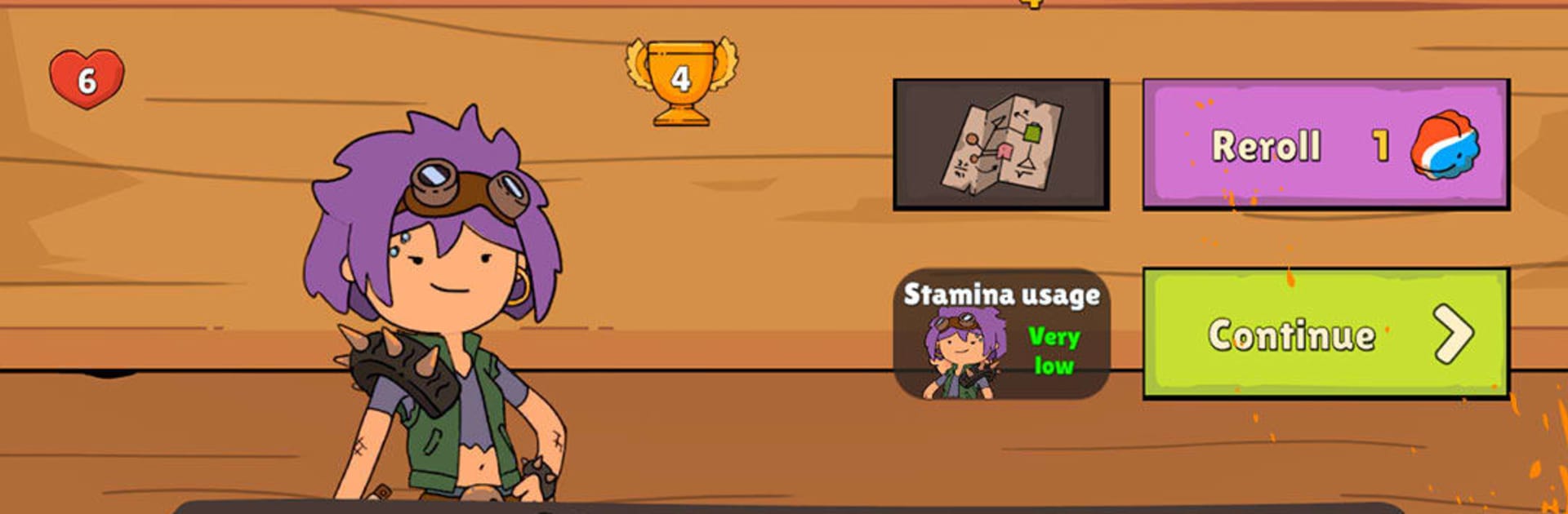
  • Bill’s chaotic shop: Between fights, visit Bill the Scrapper for a fresh, random selection of gear each round. Reroll, grab upgrades, or gamble on something spicy—your call.

  • Auto-battles with bite: Face off against other players’ avatars and watch your strategy play out on its own. If the plan’s solid, you’ll see it in the results.

  • Ten-win challenge: String together 10 victories to unlock a high-stakes mode that raises rewards and the tension. Play it safe or push your luck.

  • Super Game risk-reward: Bet your rank for a chance to multiply your gains. It’s bold, a little reckless, and incredibly satisfying when it pays off.

  • Competitive ladder: Climb the ranks by winning runs and snagging better loot. Consistency and clever builds are rewarded.

  • Fresh every run: Random drops and shifting shop stock keep things unpredictable, so no two attempts feel the same.

  • Wasteland personality: Mutants, oddball traders, and a bright, scrappy vibe give the apocalypse a playful edge without losing the thrill of tough decisions.

Ready to top the leaderboard? We bet you do. Let precise controls and sharp visuals optimized on BlueStacks lead you to victory.


Game Features

Enhancements

  • Macros
  • Multi Instance
  • Multi Instance Sync
  • Eco Mode
  • Enhancements
Macros

Macros

Skip the boring parts of a game. Play Backpack Raiders with Macros and get the edge. Simply record a sequence of commands and execute them at any moment.
Multi Instance

Multi Instance

Why limit to one game on your phone when you can play many on your PC? Open multiple instances of Backpack Raiders at once with Multi-Instance. Leverage the power of different accounts by doing more.
Multi Instance Sync

Multi Instance Sync

Get the best out of Backpack Raiders with Multi-Instance Sync. Play the game from different accounts and build your own empire. Use Multi-instance sync to repeat the action in the main BlueStacks instance on all other instances.
Eco Mode

Eco Mode

Find the rarest heroes by making multiple summons in Backpack Raiders. And while you are at it, reduce your PC’s resource consumption with the Eco Mode. Farm efficiently. Get the best results.
Read More

How to Download and Play Backpack Raiders on PC or Mac

  • Download and install BlueStacks on your PC or Mac

  • Complete Google sign-in to access the Play Store, or do it later

  • Look for Backpack Raiders in the search bar at the top right corner

  • Click to install Backpack Raiders from the search results

  • Complete Google sign-in (if you skipped step 2) to install Backpack Raiders

  • Click the Backpack Raiders icon on the home screen to start playing

video
Watch Video

Minimum System Requirements

With BlueStacks 5, you can get started on a PC that fulfills the following requirements.

  • Operating System

    Microsoft Windows 7 or above, macOS 11 (Big Sur) or above

  • Processor

    Intel, AMD or Apple Silicon Processor

  • RAM

    at least 4GB

  • HDD

    10GB Free Disk Space

Note:

* You must be an Administrator on your PC. Up to date graphics drivers from Microsoft or the chipset vendor.

Backpack Raiders - FAQs

  • How to play Backpack Raiders on Windows PC & Mac?

    Play Backpack Raiders on your PC or Mac by following these simple steps.

    • Click on 'Play Backpack Raiders on PC’ to download BlueStacks
    • Install it and log-in to Google Play Store
    • Launch and play the game.
  • Why is BlueStacks the fastest and safest platform to play games on PC?

    BlueStacks respects your privacy and is always safe and secure to use. It does not carry any malware, spyware, or any sort of additional software that could harm your PC.

    It is engineered to optimize speed and performance for a seamless gaming experience.

  • What are Backpack Raiders PC requirements?

    Minimum requirement to run Backpack Raiders on your PC

    • OS: Microsoft Windows 7 or above MacOS 11 (Big Sur) or above
    • Processor: Intel, AMD or Apple Silicon Processor
    • RAM: Your PC must have at least 4GB of RAM. (Note that having 4GB or more disk space is not a substitute for RAM)
    • HDD: 10GB Free Disk Space.
    • You must be an Administrator on your PC.