War Factory
War Factory

War Factory

Strategy

| 101XP LIMITED

Play on PC with BlueStacks or from our cloud

  • Overview
  • Game Features
  • How to Play

Page Modified On: September 11, 2026

Play War Factory on PC or Mac

Play War Factory by 101XP LIMITED on PC or Mac with BlueStacks. Use a bigger screen, mouse and keyboard controls, and smoother performance while you play.

About the Game

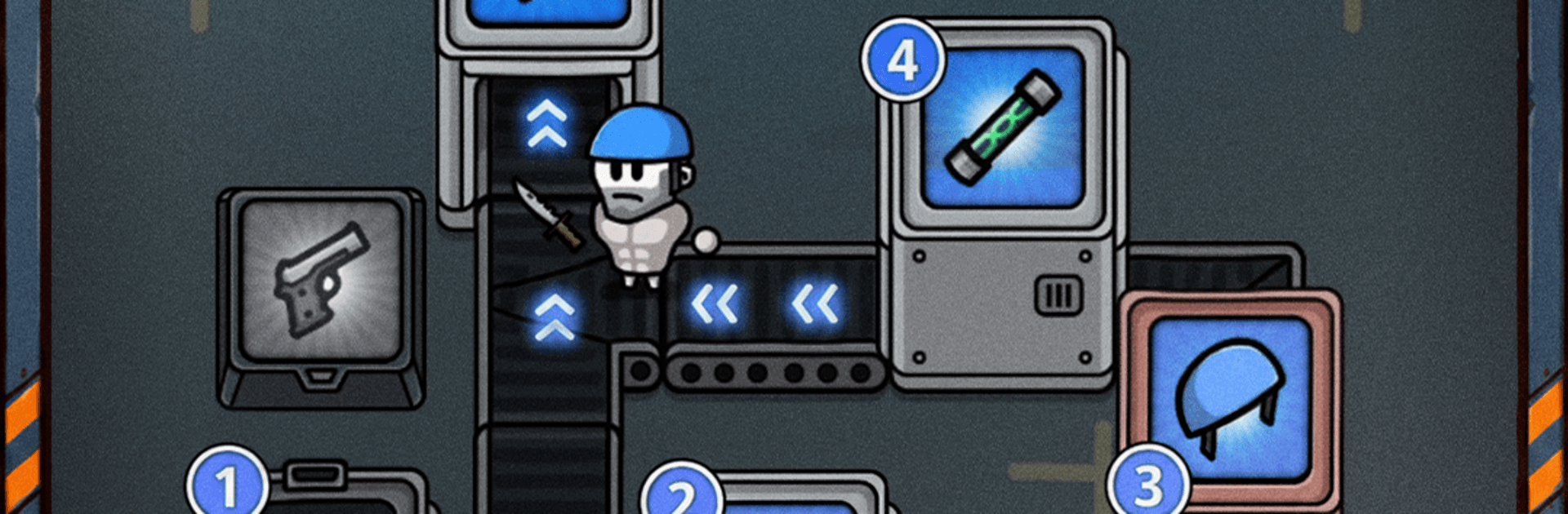
War Factory bends the rules of defense games with a conveyor-powered twist: you build a factory that equips soldiers on the fly, then send them to hold the line against ever-thickening monster waves. As a Strategy game, it rewards smart layouts, quick merges, and gutsy choices each run—because the upgrades you see are never the same twice. Prefer playing on a bigger screen? It feels right at home on PC with BlueStacks.

Game Features

  • Living assembly line: Set up belts and stations so recruits roll through and gear up with rifles, grenades, armor, and more before charging into the fray.
  • Merge-and-evolve arsenal: Combine matching weapons and protective gear to create tougher tiers that hit harder and keep troops alive longer.
  • Fresh runs every time: Pick from random upgrade cards, hit the shop for buys or rerolls, and shape a new build with each attempt.
  • Smart layout planning: Place turret slots, tune soldier pathing, and create brutal choke points that melt waves before they touch your wall.
  • Fortify the last barrier: Strengthen, repair, and upgrade your defenses so the line holds when night falls and pressure spikes.
  • Wave pressure and bosses: Fight rising swarms, scrap with mini-bosses, and square up against screen-filling threats that test your whole build.
  • Easy when you want it: Auto attack and auto shooter options keep progress rolling while you focus on merges and placement.
  • Lasting progression: Level your troops, unlock hero-style boosts, and expand your factory’s potential across multiple sessions.
  • Meaningful money choices: Balance spending on new stations, merging upgrades, and timely rerolls to keep your economy—and your soldiers—alive.

Ready to top the leaderboard? We bet you do. Let precise controls and sharp visuals optimized on BlueStacks lead you to victory.


Game Features

Enhancements

  • Macros
  • Multi Instance
  • Multi Instance Sync
  • Eco Mode
  • Enhancements
Macros

Macros

Skip the boring parts of a game. Play War Factory with Macros and get the edge. Simply record a sequence of commands and execute them at any moment.
Multi Instance

Multi Instance

Why limit to one game on your phone when you can play many on your PC? Open multiple instances of War Factory at once with Multi-Instance. Leverage the power of different accounts by doing more.
Multi Instance Sync

Multi Instance Sync

Get the best out of War Factory with Multi-Instance Sync. Play the game from different accounts and build your own empire. Use Multi-instance sync to repeat the action in the main BlueStacks instance on all other instances.
Eco Mode

Eco Mode

Find the rarest heroes by making multiple summons in War Factory. And while you are at it, reduce your PC’s resource consumption with the Eco Mode. Farm efficiently. Get the best results.
Read More

How to Download and Play War Factory on PC or Mac

  • Download and install BlueStacks on your PC or Mac

  • Complete Google sign-in to access the Play Store, or do it later

  • Look for War Factory in the search bar at the top right corner

  • Click to install War Factory from the search results

  • Complete Google sign-in (if you skipped step 2) to install War Factory

  • Click the War Factory icon on the home screen to start playing

video
Watch Video

Minimum System Requirements

With BlueStacks 5, you can get started on a PC that fulfills the following requirements.

  • Operating System

    Microsoft Windows 7 or above, macOS 11 (Big Sur) or above

  • Processor

    Intel, AMD or Apple Silicon Processor

  • RAM

    at least 4GB

  • HDD

    10GB Free Disk Space

Note:

* You must be an Administrator on your PC. Up to date graphics drivers from Microsoft or the chipset vendor.

War Factory - FAQs

  • How to play War Factory on Windows PC & Mac?

    Play War Factory on your PC or Mac by following these simple steps.

    • Click on 'Play War Factory on PC’ to download BlueStacks
    • Install it and log-in to Google Play Store
    • Launch and play the game.
  • Why is BlueStacks the fastest and safest platform to play games on PC?

    BlueStacks respects your privacy and is always safe and secure to use. It does not carry any malware, spyware, or any sort of additional software that could harm your PC.

    It is engineered to optimize speed and performance for a seamless gaming experience.

  • What are War Factory PC requirements?

    Minimum requirement to run War Factory on your PC

    • OS: Microsoft Windows 7 or above MacOS 11 (Big Sur) or above
    • Processor: Intel, AMD or Apple Silicon Processor
    • RAM: Your PC must have at least 4GB of RAM. (Note that having 4GB or more disk space is not a substitute for RAM)
    • HDD: 10GB Free Disk Space.
    • You must be an Administrator on your PC.