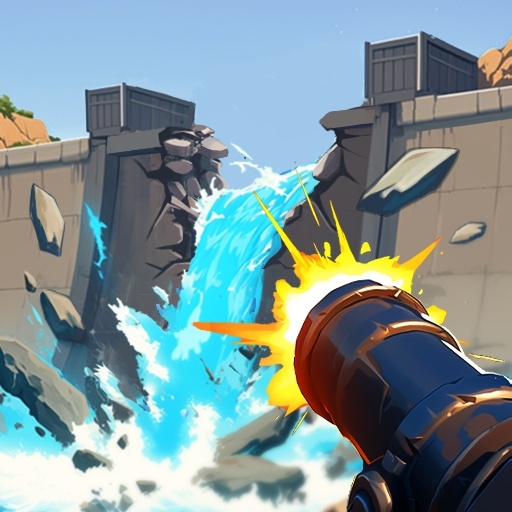
Build2Survive: Tower Defense

Build2Survive: Tower Defense

Strategy

| Discosloth

Play on PC with BlueStacks or from our cloud

  • Overview
  • Game Features
  • How to Play

Page Modified On: October 30, 2026

Play Build2Survive: Tower Defense on PC or Mac

Play Build2Survive: Tower Defense by Discosloth on PC or Mac with BlueStacks. Use a bigger screen, mouse and keyboard controls, and smoother performance while you play.

About the Game

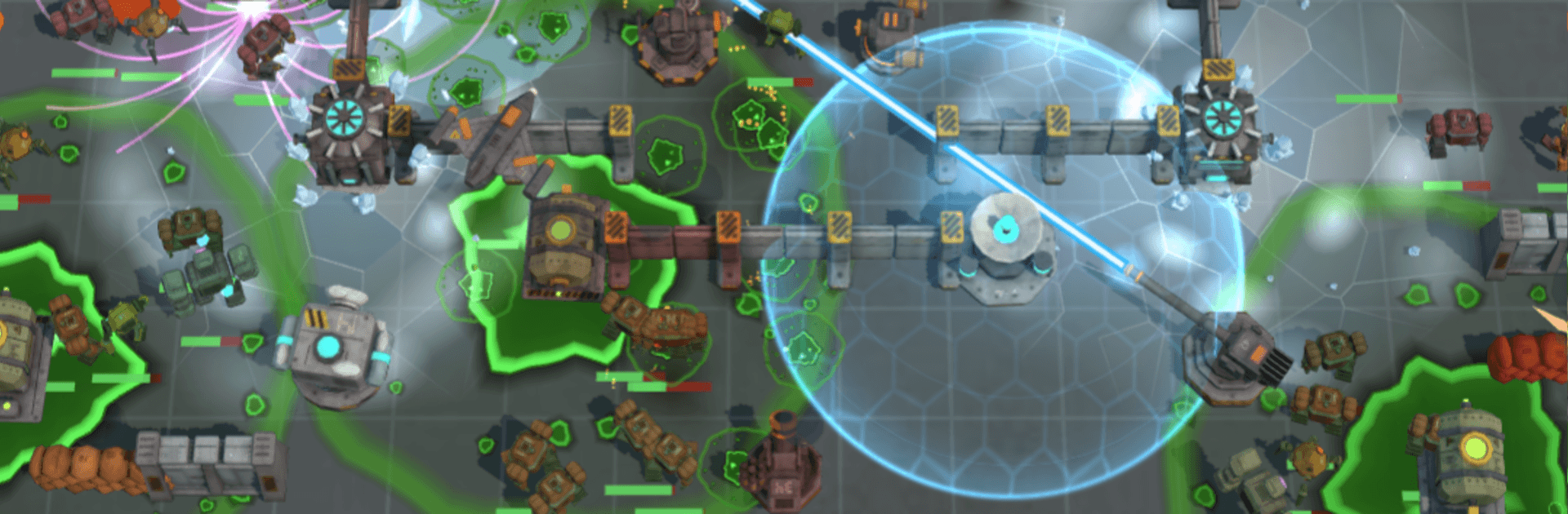
Build2Survive: Tower Defense is a Strategy game about making tough calls under pressure. Bots pour in from all directions, and your job is to shape the battlefield, stack the right firepower, and keep your power core alive for as long as possible. It’s fast, punchy, and surprisingly deep—especially when you’re tinkering with layouts on a bigger screen with BlueStacks.

Game Features

  • Shape the arena your way: Build mazes to stall, create chokepoints to punish, or ring the core like a bunker—enemies weigh the long route against chewing through your weakest wall.
  • Impactful 3D combat: Chunky low-poly visuals, booming explosions, bright tracers, and just enough screen shake to feel every hit.
  • 59 structures, tons of combos: Evolve from basic sandbags to heavy ramparts and shields, then mix turrets like railguns, coilguns, gatlings, flak, SAMs, rockets, harpoons, lasers, prisms, howitzers, mines, and elemental plasma—offense and defense are separate, so every tile matters.
  • Smarter foes and brutal bosses: Juggernauts crush walls and explode in chain reactions, drones bypass your maze, and carriers drop squads behind your lines—only proper anti-air keeps the skies clean.
  • Progress that sticks: Earn Blueprints after each run to unlock fresh buildings, upgrade a tap-to-fire Command Core, deploy abilities like Orbital Strike and EMP, and field a Garrison of troops; structures even rank up from Recruit to Major.
  • Ever-changing runs: From wave 11 onward, each attempt deals a new mix of enemy types; late waves ramp up speed and pressure as you enhance towers with stackable mods like Multishot, Pierce, Chain, and Burn—then rebuild whatever got flattened.
  • Daily Seed challenge: Everyone faces the same setup each day; climb shared leaderboards by surviving more waves, then by time, and push through leagues from Iron to Unbroken.
  • Modes and control at your pace: Tackle Endless, chase the Daily Seed, or learn the ropes in a 10-mission campaign with star goals; pause anytime to build, upgrade, or sell, and switch speeds between 1x, 2x, and 3x.
  • Direct command moments: Manually aim the core’s cannon and pop clutch abilities to turn hopeless pushes into narrow saves.

Ready to top the leaderboard? We bet you do. Let precise controls and sharp visuals optimized on BlueStacks lead you to victory.


Game Features

Enhancements

  • Macros
  • Multi Instance
  • Multi Instance Sync
  • Eco Mode
  • Enhancements
Macros

Macros

Skip the boring parts of a game. Play Build2Survive: Tower Defense with Macros and get the edge. Simply record a sequence of commands and execute them at any moment.
Multi Instance

Multi Instance

Why limit to one game on your phone when you can play many on your PC? Open multiple instances of Build2Survive: Tower Defense at once with Multi-Instance. Leverage the power of different accounts by doing more.
Multi Instance Sync

Multi Instance Sync

Get the best out of Build2Survive: Tower Defense with Multi-Instance Sync. Play the game from different accounts and build your own empire. Use Multi-instance sync to repeat the action in the main BlueStacks instance on all other instances.
Eco Mode

Eco Mode

Find the rarest heroes by making multiple summons in Build2Survive: Tower Defense. And while you are at it, reduce your PC’s resource consumption with the Eco Mode. Farm efficiently. Get the best results.
Read More

How to Download and Play Build2Survive: Tower Defense on PC or Mac

  • Download and install BlueStacks on your PC or Mac

  • Complete Google sign-in to access the Play Store, or do it later

  • Look for Build2Survive: Tower Defense in the search bar at the top right corner

  • Click to install Build2Survive: Tower Defense from the search results

  • Complete Google sign-in (if you skipped step 2) to install Build2Survive: Tower Defense

  • Click the Build2Survive: Tower Defense icon on the home screen to start playing

video
Watch Video

Minimum System Requirements

With BlueStacks 5, you can get started on a PC that fulfills the following requirements.

  • Operating System

    Microsoft Windows 7 or above, macOS 11 (Big Sur) or above

  • Processor

    Intel, AMD or Apple Silicon Processor

  • RAM

    at least 4GB

  • HDD

    10GB Free Disk Space

Note:

* You must be an Administrator on your PC. Up to date graphics drivers from Microsoft or the chipset vendor.

Build2Survive: Tower Defense - FAQs

  • How to play Build2Survive: Tower Defense on Windows PC & Mac?

    Play Build2Survive: Tower Defense on your PC or Mac by following these simple steps.

    • Click on 'Play Build2Survive: Tower Defense on PC’ to download BlueStacks
    • Install it and log-in to Google Play Store
    • Launch and play the game.
  • Why is BlueStacks the fastest and safest platform to play games on PC?

    BlueStacks respects your privacy and is always safe and secure to use. It does not carry any malware, spyware, or any sort of additional software that could harm your PC.

    It is engineered to optimize speed and performance for a seamless gaming experience.

  • What are Build2Survive: Tower Defense PC requirements?

    Minimum requirement to run Build2Survive: Tower Defense on your PC

    • OS: Microsoft Windows 7 or above MacOS 11 (Big Sur) or above
    • Processor: Intel, AMD or Apple Silicon Processor
    • RAM: Your PC must have at least 4GB of RAM. (Note that having 4GB or more disk space is not a substitute for RAM)
    • HDD: 10GB Free Disk Space.
    • You must be an Administrator on your PC.