脱出ゲーム あやかし夜市
脱出ゲーム あやかし夜市

脱出ゲーム あやかし夜市

Strategy

| LIB

Play on PC with BlueStacks or from our cloud

  • Overview
  • Game Features
  • How to Play

Page Modified On: December 05, 2025

Play 脱出ゲーム あやかし夜市 on PC or Mac

Bring your A-game to 脱出ゲーム あやかし夜市, the Strategy game sensation from LIB. Give your gameplay the much-needed boost with precise game controls, high FPS graphics, and top-tier features on your PC or Mac with BlueStacks.

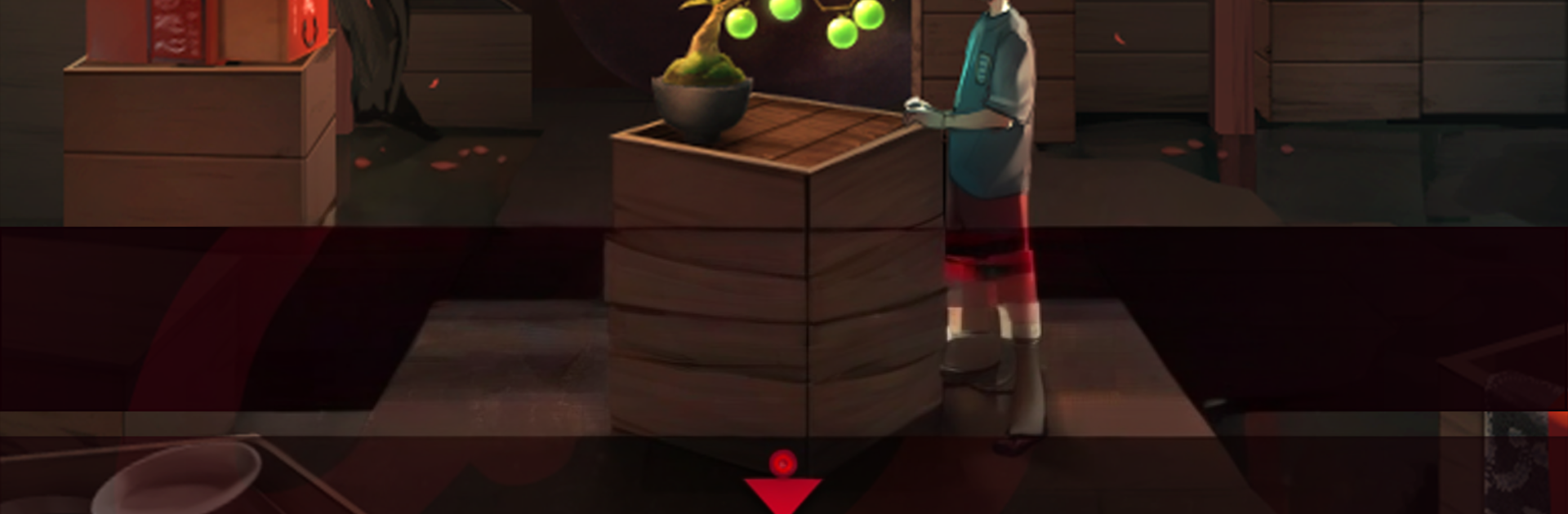
This is a cozy little escape game set in a yokai night market, the kind of lantern-lit place where strange shopkeepers trade curios and whisper deals. The goal is simple on paper and tricky in practice: gather what is needed and get out with a younger brother, while choices along the way nudge the story toward different endings. It is stage based, so each area is its own puzzle box with items to pick up, odd contraptions to tinker with, and those classic “wait, that detail mattered” moments. The art leans atmospheric rather than flashy, and the pace is relaxed but tense enough to keep a person thinking between taps. It feels like a classic Japanese escape, with a few playful surprises tucked into each scene.

On PC with BlueStacks it works nicely, since mouse clicks make all the careful tapping and swiping feel precise, and the bigger screen helps spot tiny clues or symbol patterns that are easy to miss on a phone. Items can be examined up close and even combined, so inventory management has some teeth. There are layered hints and even answers built in, which means beginners will not stall out for hours, while veterans can ignore them and solve clean. The game encourages poking at every corner, trying non-obvious gestures, and reading the room for logic rather than brute force. All stages are free, and fans of yokai stories or laid back escape challenges will probably feel right at home. Text leans on visuals a lot, so even without perfect Japanese, the puzzles still make sense. It is a re-release of an older title, and it carries that comfortable, classic escape feel in a good way.

Get ready for a buttery smooth, high-performance gaming action only on BlueStacks.

Game Features

Enhancements

  • Macros
  • Multi Instance
  • Multi Instance Sync
  • Eco Mode
  • Enhancements
Macros

Macros

Skip the boring parts of a game. Play 脱出ゲーム あやかし夜市 with Macros and get the edge. Simply record a sequence of commands and execute them at any moment.
Multi Instance

Multi Instance

Why limit to one game on your phone when you can play many on your PC? Open multiple instances of 脱出ゲーム あやかし夜市 at once with Multi-Instance. Leverage the power of different accounts by doing more.
Multi Instance Sync

Multi Instance Sync

Get the best out of 脱出ゲーム あやかし夜市 with Multi-Instance Sync. Play the game from different accounts and build your own empire. Use Multi-instance sync to repeat the action in the main BlueStacks instance on all other instances.
Eco Mode

Eco Mode

Find the rarest heroes by making multiple summons in 脱出ゲーム あやかし夜市. And while you are at it, reduce your PC’s resource consumption with the Eco Mode. Farm efficiently. Get the best results.
Read More

How to Download and Play 脱出ゲーム あやかし夜市 on PC or Mac

  • Download and install BlueStacks on your PC or Mac

  • Complete Google sign-in to access the Play Store, or do it later

  • Look for 脱出ゲーム あやかし夜市 in the search bar at the top right corner

  • Click to install 脱出ゲーム あやかし夜市 from the search results

  • Complete Google sign-in (if you skipped step 2) to install 脱出ゲーム あやかし夜市

  • Click the 脱出ゲーム あやかし夜市 icon on the home screen to start playing

video
Watch Video

Minimum System Requirements

With BlueStacks 5, you can get started on a PC that fulfills the following requirements.

  • Operating System

    Microsoft Windows 7 or above, macOS 11 (Big Sur) or above

  • Processor

    Intel, AMD or Apple Silicon Processor

  • RAM

    at least 4GB

  • HDD

    10GB Free Disk Space

Note:

* You must be an Administrator on your PC. Up to date graphics drivers from Microsoft or the chipset vendor.

脱出ゲーム あやかし夜市 - FAQs

  • How to play 脱出ゲーム あやかし夜市 on Windows PC & Mac?

    Play 脱出ゲーム あやかし夜市 on your PC or Mac by following these simple steps.

    • Click on 'Play 脱出ゲーム あやかし夜市 on PC’ to download BlueStacks
    • Install it and log-in to Google Play Store
    • Launch and play the game.
  • Why is BlueStacks the fastest and safest platform to play games on PC?

    BlueStacks respects your privacy and is always safe and secure to use. It does not carry any malware, spyware, or any sort of additional software that could harm your PC.

    It is engineered to optimize speed and performance for a seamless gaming experience.

  • What are 脱出ゲーム あやかし夜市 PC requirements?

    Minimum requirement to run 脱出ゲーム あやかし夜市 on your PC

    • OS: Microsoft Windows 7 or above MacOS 11 (Big Sur) or above
    • Processor: Intel, AMD or Apple Silicon Processor
    • RAM: Your PC must have at least 4GB of RAM. (Note that having 4GB or more disk space is not a substitute for RAM)
    • HDD: 10GB Free Disk Space.
    • You must be an Administrator on your PC.