Fire Truck Rescue Sim 3D Games

Fire Truck Rescue Sim 3D Games

Strategy

| GameCraft Legends LLC

Play on PC with BlueStacks or from our cloud

  • Overview
  • Game Features
  • How to Play

Page Modified On: January 06, 2026

Play Fire Truck Rescue Sim 3D Games on PC or Mac

Bring your A-game to Fire Truck Rescue Sim 3D Games, the Strategy game sensation from GameCraft Legends LLC. Give your gameplay the much-needed boost with precise game controls, high FPS graphics, and top-tier features on your PC or Mac with BlueStacks.

About the Game

Fire Truck Rescue Sim 3D Games hands you the sirens, the wheel, and the pressure of real emergencies. It’s a fast, hands-on mix of precise driving, smart routing, and cool-headed decisions when everything’s on fire—literally. As a Strategy title from GameCraft Legends LLC, it rewards planning under stress just as much as it does quick reflexes.

Game Features

  • High-stakes calls: Apartment blaze, tunnel pileup, blocked downtown streets—each dispatch comes with a timer, hazards, and people counting on you to show up prepared.
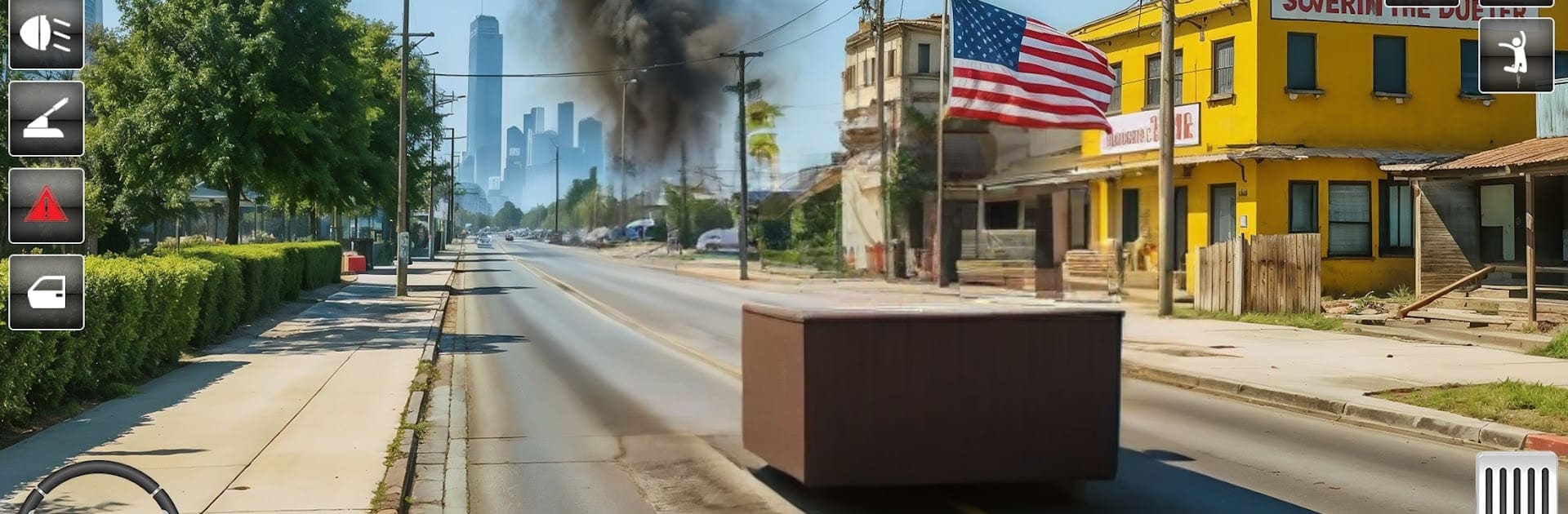
  • Authentic truck handling: Feel the heft of your rig as you weave through traffic, manage speed, and stop cleanly at the scene. Smooth controls keep the focus on the rescue, not the buttons.
  • Firefighting tools that matter: Park strategically, lay out the hose, control water flow, and keep an eye on spreading flames and smoke so the situation doesn’t spiral.
  • Open-city response: Navigate a large urban map with busy intersections, tight alleys, and shifting conditions, including day and night runs that change visibility and pace.
  • Multiple vehicles: Unlock and operate different fire trucks tailored to the job—big tankers for major blazes, nimble units for tight streets and quick responses.
  • Team coordination: Assign roles, set priorities, and keep your crew moving. Good teamwork clears scenes faster and keeps everyone safer.
  • Tactical decision-making: Choose routes, triage on arrival, and balance speed with safety. A smart plan can save more lives than a heavy foot.
  • Atmosphere and effects: Sirens, radio chatter, roaring fires, and thick smoke build urgency without getting in your way.
  • Play your way: Works great on mobile, and it also feels right at home on BlueStacks if you prefer a bigger screen and steady desktop controls.
  • Offline-friendly moments: Tackle missions even when you’re away from a connection, perfect for quick practice runs or focused sessions.

Make your gaming sessions memorable with precise controls that give you an edge in close combats and visuals that pop up, bringing every character to life.


Game Features

Enhancements

  • Macros
  • Multi Instance
  • Multi Instance Sync
  • Eco Mode
  • Enhancements
Macros

Macros

Skip the boring parts of a game. Play Fire Truck Rescue Sim 3D Games with Macros and get the edge. Simply record a sequence of commands and execute them at any moment.
Multi Instance

Multi Instance

Why limit to one game on your phone when you can play many on your PC? Open multiple instances of Fire Truck Rescue Sim 3D Games at once with Multi-Instance. Leverage the power of different accounts by doing more.
Multi Instance Sync

Multi Instance Sync

Get the best out of Fire Truck Rescue Sim 3D Games with Multi-Instance Sync. Play the game from different accounts and build your own empire. Use Multi-instance sync to repeat the action in the main BlueStacks instance on all other instances.
Eco Mode

Eco Mode

Find the rarest heroes by making multiple summons in Fire Truck Rescue Sim 3D Games. And while you are at it, reduce your PC’s resource consumption with the Eco Mode. Farm efficiently. Get the best results.
Read More

How to Download and Play Fire Truck Rescue Sim 3D Games on PC or Mac

  • Download and install BlueStacks on your PC or Mac

  • Complete Google sign-in to access the Play Store, or do it later

  • Look for Fire Truck Rescue Sim 3D Games in the search bar at the top right corner

  • Click to install Fire Truck Rescue Sim 3D Games from the search results

  • Complete Google sign-in (if you skipped step 2) to install Fire Truck Rescue Sim 3D Games

  • Click the Fire Truck Rescue Sim 3D Games icon on the home screen to start playing

video
Watch Video

Minimum System Requirements

With BlueStacks 5, you can get started on a PC that fulfills the following requirements.

  • Operating System

    Microsoft Windows 7 or above, macOS 11 (Big Sur) or above

  • Processor

    Intel, AMD or Apple Silicon Processor

  • RAM

    at least 4GB

  • HDD

    10GB Free Disk Space

Note:

* You must be an Administrator on your PC. Up to date graphics drivers from Microsoft or the chipset vendor.

Fire Truck Rescue Sim 3D Games - FAQs

  • How to play Fire Truck Rescue Sim 3D Games on Windows PC & Mac?

    Play Fire Truck Rescue Sim 3D Games on your PC or Mac by following these simple steps.

    • Click on 'Play Fire Truck Rescue Sim 3D Games on PC’ to download BlueStacks
    • Install it and log-in to Google Play Store
    • Launch and play the game.
  • Why is BlueStacks the fastest and safest platform to play games on PC?

    BlueStacks respects your privacy and is always safe and secure to use. It does not carry any malware, spyware, or any sort of additional software that could harm your PC.

    It is engineered to optimize speed and performance for a seamless gaming experience.

  • What are Fire Truck Rescue Sim 3D Games PC requirements?

    Minimum requirement to run Fire Truck Rescue Sim 3D Games on your PC

    • OS: Microsoft Windows 7 or above MacOS 11 (Big Sur) or above
    • Processor: Intel, AMD or Apple Silicon Processor
    • RAM: Your PC must have at least 4GB of RAM. (Note that having 4GB or more disk space is not a substitute for RAM)
    • HDD: 10GB Free Disk Space.
    • You must be an Administrator on your PC.