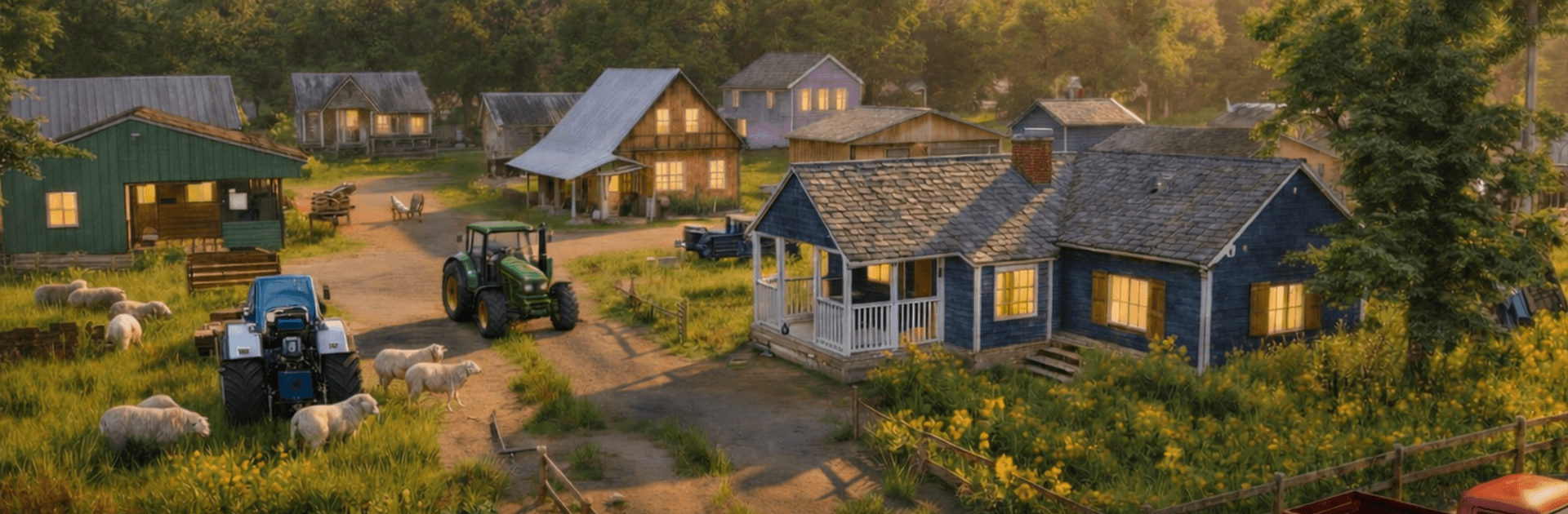
Farm Simulator 26 Farming Game

Farm Simulator 26 Farming Game

Simulation

| GameCraft Legends LLC

Play on PC with BlueStacks or from our cloud

  • Overview
  • Game Features
  • How to Play

Page Modified On: June 09, 2026

Play Farm Simulator 26 Farming Game on PC or Mac

Farm Simulator 26 Farming Game by GameCraft Legends LLC has plenty to keep you busy. BlueStacks lets you play it on PC or Mac with more screen space, better control, and fewer mobile limits.

About the Game

Farm Simulator 26 Farming Game drops you into a laid‑back, hands-on Simulation where the dirt under your boots actually matters. Plant fields, care for animals, and take the wheel of serious farm gear as you turn a patch of land into a working operation. It’s equal parts chill and challenging—slow mornings, busy harvests, and plenty of satisfying jobs in between.

Game Features

  • Grow and harvest: Prep soil, plant your crops, keep an eye on growth, and bring it all in with a roaring combine when the fields are ready.
  • Big machines, smooth feel: Drive tractors, harvesters, and other modern equipment with controls that feel natural—more like a good driving sim than a clunky menu tap.
  • Animals on the homestead: Raise livestock and keep the barnyard humming, from feeding time to those little moments of goat-induced chaos.
  • American countryside vibes: Cruise open backroads, roll past wide fields, and work spots that feel pulled from real U.S. farm life.
  • Mow, clear, and tidy: Cut tall grass, clear rocks, and shape your plots so they’re ready for the next season’s workload.
  • Haul like a pro: Hitch trailers, move heavy loads, and shuttle your harvest where it needs to go—steady hands pay off.
  • Play your way: Kick back on mobile with touch controls, or hop onto BlueStacks if you’d rather use a keyboard and get a bigger view of your acreage.

Start your journey now. Download the game on BlueStacks, invite your friends, and march on a new adventure.


Game Features

Enhancements

  • Macros
  • Multi Instance
  • Multi Instance Sync
  • Script
  • Enhancements
Macros

Macros

Automate the predictable in Farm Simulator 26 Farming Game and transform your gameplay with Macros. Get access to inventive Macros in the BlueStacks Macro Community
Multi Instance

Multi Instance

Play Farm Simulator 26 Farming Game on one window. And chat with your friend on the other. Press CTRL + Shift + 8 to open the Multi-Instance Manager. And start creating fresh instances or clone an existing one.
Multi Instance Sync

Multi Instance Sync

Play Farm Simulator 26 Farming Game with the power of Multi-Instance Sync. Replicate what you are doing on the main instance on all other instances. Level up faster, play more.
Script

Script

Script your way to gaming glory in Farm Simulator 26 Farming Game with BlueStacks Script. Write and run a set of commands to automate repeated tasks. Trigger the command by assigning it to any key.
Read More

How to Download and Play Farm Simulator 26 Farming Game on PC or Mac

  • Download and install BlueStacks on your PC or Mac

  • Complete Google sign-in to access the Play Store, or do it later

  • Look for Farm Simulator 26 Farming Game in the search bar at the top right corner

  • Click to install Farm Simulator 26 Farming Game from the search results

  • Complete Google sign-in (if you skipped step 2) to install Farm Simulator 26 Farming Game

  • Click the Farm Simulator 26 Farming Game icon on the home screen to start playing

video
Watch Video

Minimum System Requirements

With BlueStacks 5, you can get started on a PC that fulfills the following requirements.

  • Operating System

    Microsoft Windows 7 or above, macOS 11 (Big Sur) or above

  • Processor

    Intel, AMD or Apple Silicon Processor

  • RAM

    at least 4GB

  • HDD

    10GB Free Disk Space

Note:

* You must be an Administrator on your PC. Up to date graphics drivers from Microsoft or the chipset vendor.

Farm Simulator 26 Farming Game - FAQs

  • How to play Farm Simulator 26 Farming Game on Windows PC & Mac?

    Play Farm Simulator 26 Farming Game on your PC or Mac by following these simple steps.

    • Click on 'Play Farm Simulator 26 Farming Game on PC’ to download BlueStacks
    • Install it and log-in to Google Play Store
    • Launch and play the game.
  • Why is BlueStacks the fastest and safest platform to play games on PC?

    BlueStacks respects your privacy and is always safe and secure to use. It does not carry any malware, spyware, or any sort of additional software that could harm your PC.

    It is engineered to optimize speed and performance for a seamless gaming experience.

  • What are Farm Simulator 26 Farming Game PC requirements?

    Minimum requirement to run Farm Simulator 26 Farming Game on your PC

    • OS: Microsoft Windows 7 or above MacOS 11 (Big Sur) or above
    • Processor: Intel, AMD or Apple Silicon Processor
    • RAM: Your PC must have at least 4GB of RAM. (Note that having 4GB or more disk space is not a substitute for RAM)
    • HDD: 10GB Free Disk Space.
    • You must be an Administrator on your PC.