

Flick Shot Rogues brings the Strategy genre to life, and throws up exciting challenges for gamers. Developed by Noodlecake, this Android game is best experienced on BlueStacks, the World’s #1 app player for PC and Mac users.
About the Game
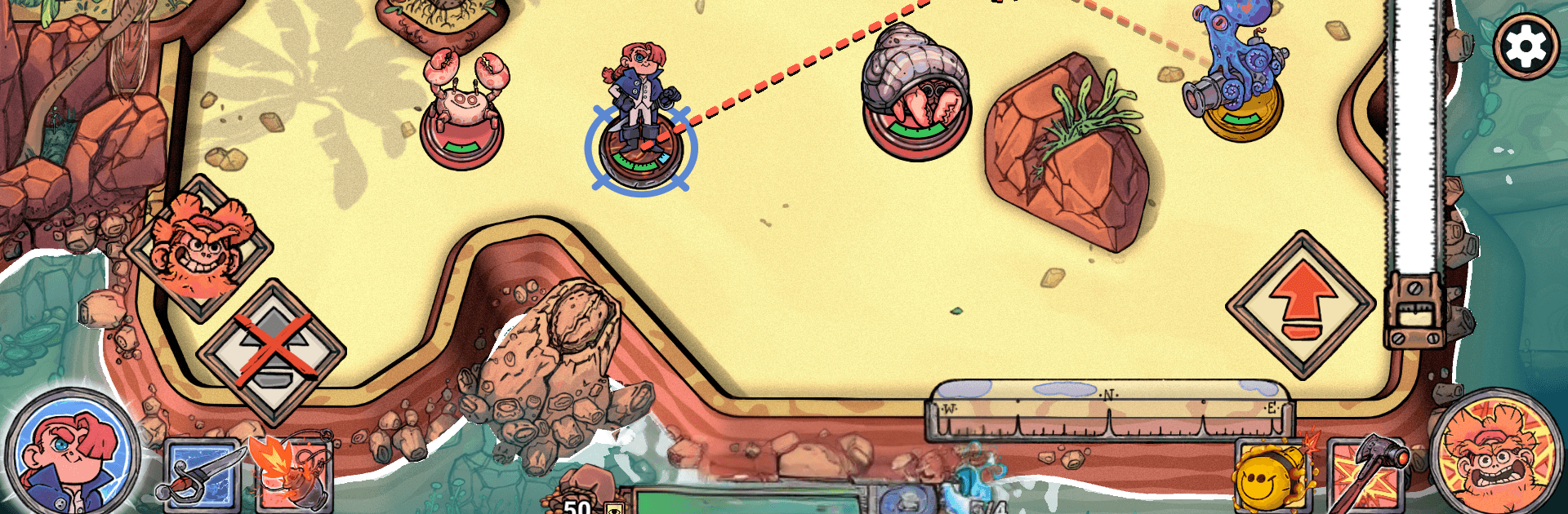
Flick Shot Rogues is all about lining up the perfect angle, letting it fly, and watching chaos unfold in the best way possible. It’s a Strategy roguelike from Noodlecake where you flick your hero around compact arenas, bank shots off walls, and outthink enemies turn by turn while trekking across a dangerous island. Prefer a bigger screen and precise aiming? It plays smoothly on BlueStacks.
Game Features
- Flick-to-fight combat: Aim, drag, and release to send your character ricocheting through foes and scenery with satisfying physics.
- Turn-based brainwork: Every move counts. Weigh positioning, enemy patterns, and angles before you commit to a shot.
- Wild chains and ricochets: Set up clever bank shots, bounce through multiple targets, and string together combos that feel outrageous when they land.
- A fresh run every time: When a run ends, the island reshuffles—new enemy mixes, altered encounters, and different rewards keep things surprising.
- Powerful loot with twists: Snag items and talents that dramatically change how you play, from steady boosters to quirky effects that flip your approach.
- Curses with serious upside: Take on risky curses that come with drawbacks but can supercharge your build with game-changing synergies.
- Unlockable playstyles: Earn new heroes, skills, and gear to tailor each run—go for precision control, explosive chaos, or something in between.
- Clean, uninterrupted play: Try the opening portion for free, then make a single purchase to unlock the full game—no ads, no fuss.
Start playing Flick Shot Rogues on BlueStacks and get a smoother, more comfortable PC or Mac setup.